A few weeks ago I received the official retail version of Kinect for Windows 2 (having signed up for the pre-release program I had the right to two sensors: the initial developer version and the final retail version).

After some initial integration work to get the AutoCAD-Kinect samples working with the pre-release Kinect SDK, I hadn't spent time looking at it in the meantime: the main reason being that I was waiting for Kinect Fusion to be part of the SDK. The good (actually, great) news is that it's now there and it's working really well.
For those of you who attended my AU 2013 session on Kinect Fusion, you'll know that the results with KfW v1 were a bit "meh": it seemed to have throughput issues when integrated into a standalone 3D application such as AutoCAD, and the processing lag meant that tracking dropped regularly and it was therefore difficult (although not impossible) to do captures of any reasonable magnitude.
Some design decisions with the original KfW device also made scanning harder: the USB cable was shorter than that of Kinect for Xbox 360, weighing in at about 1.6m of attached cable with an additional 45cm between the power unit and the PC. So even with power and USB extension cables, you felt fairly constrained. I suspect the original KfW device was really only intended to work on someone's desk: it was only when Kinect Fusion came along that the need for a longer cable became evident (and Kinect Fusion only works with Kinect for Windows devices, of course).
Thankfully this has been addressed in KfW v2: the base cable is now 2.9m with an additional 2.2m between the box that integrates power and the USB connection. So there's really a lot more freedom to move around when scanning.
I have to admit that I wasn't very optimistic that Kinect Fusion would be "fixed" with KfW v2: apart from anything the increased resolution of the device – both in terms of colour and depth data – just means there's more processing to do. But somehow it does work better: I suspect that improvements such as making use of a worker thread to integrate frames coming in from the device – as well as using Parallel.For to parallelize big parts of the processing – have helped speed things up. And these are just the change obvious from the sample code: there are probably many more optimisations under-the-hood. Either way the results are impressive: with Kinect Fusion integrated into AutoCAD I can now scan objects much more reliably than I could with KfW v1.
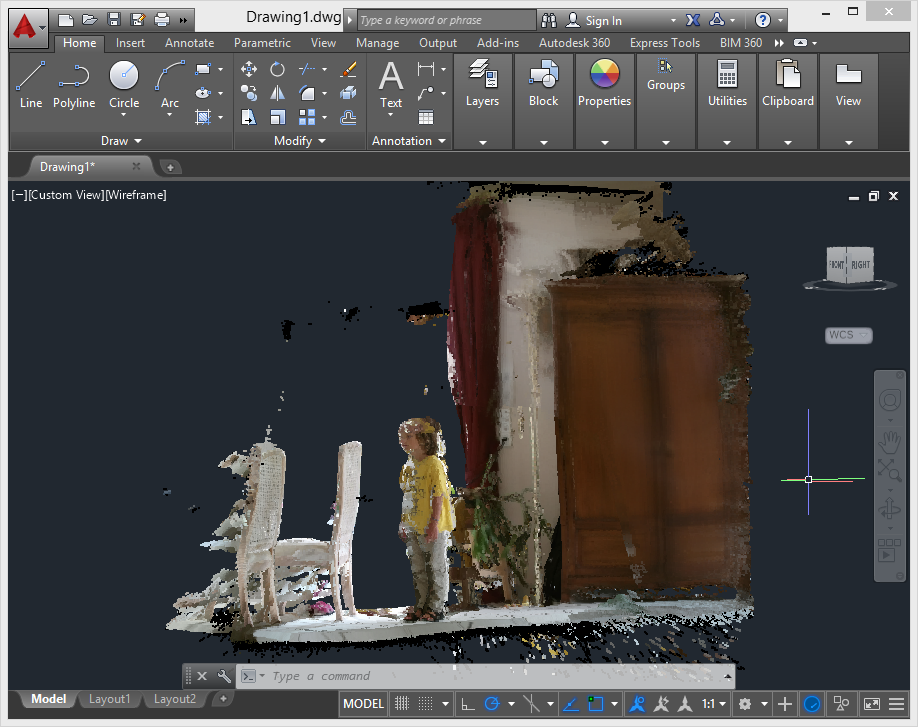
Here's a sample shot of a section of my living room (with one of my offspring doing his best to stand very still):
I was even able to do a fairly decent scan of a car (although it did take me some time to get a scan that looks this good, and it's far from being complete).
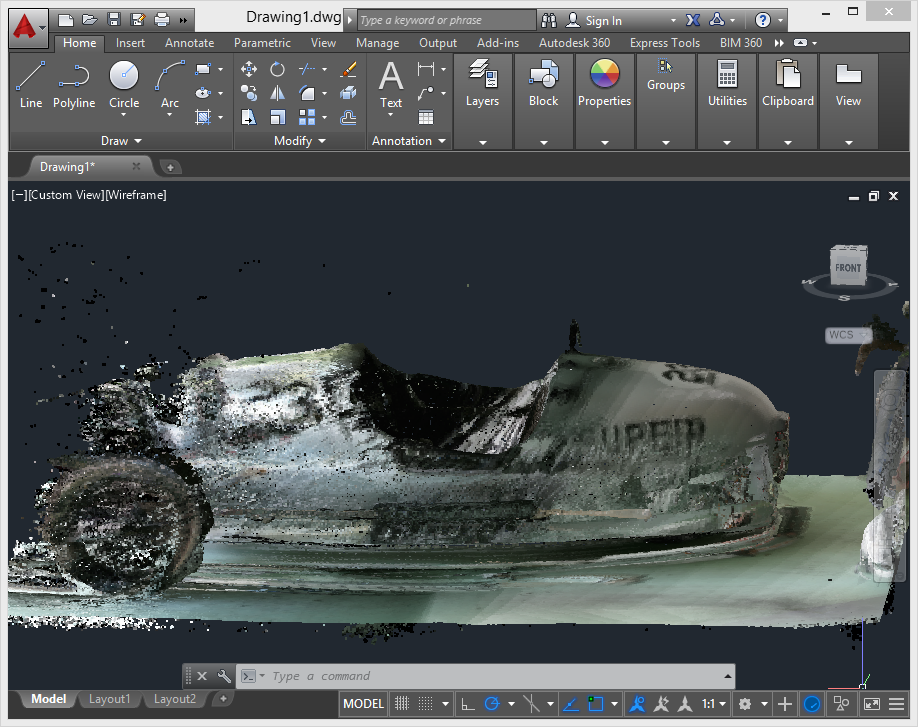
You certainly still have to move the device quite slowly to make sure that tracking is maintained during the scanning process – I still get quirky results when I'm too optimistic when scanning a tricky volume – and I'd recommend scanning larger objects in sections and aggregating them afterwards. But Kinect Fusion works much better than it did, and now much more comparably inside a 3D system than with the standalone 2D samples (as Kinect Fusion also renders images of the volume being scanned for 2D host applications).
I still have some work to do to tidy up the code before posting, but it's in fairly good shape, overall. I'm also hoping to provide the option to create a mesh – not just a point cloud – as Kinect Fusion does maintain a mesh of the capture volume internally, but we'll see how feasible that is given the size of these captures (2-3 million points are typical).
There's so much happening in this space, right now, with exciting mobile scanning solutions such as Project Tango on the horizon as well as seemingly every third project on Kickstarter (I exaggerate, but still). It's hard to know what the future holds for 3D scanning technologies such as Kinect Fusion that require a desktop-class system with a decent GPU, but it's certainly interesting to see how things are evolving.


Leave a Reply to Attreyu Cancel reply