Autodesk
-
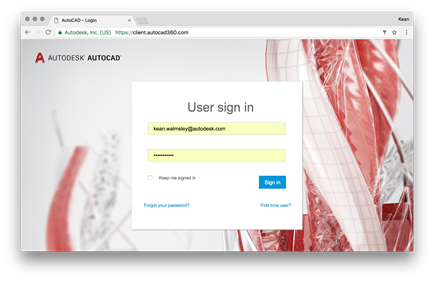
The AutoCAD team recently released a preview version of a new AutoCAD web viewer. Give it a try using the latest version of Chrome. What's interesting about this is that it's very much a taste of things to come – something I alluded to in this recent post. Here are some screenshots: The top three thumbnails link to standard models so that you can quickly take the new viewer for a spin: Here's the "Plumbing.dwg" drawing loaded in the browser: The text on the left of this page is very interesting, particularly the piece I've highlighted below in bold. New…
-
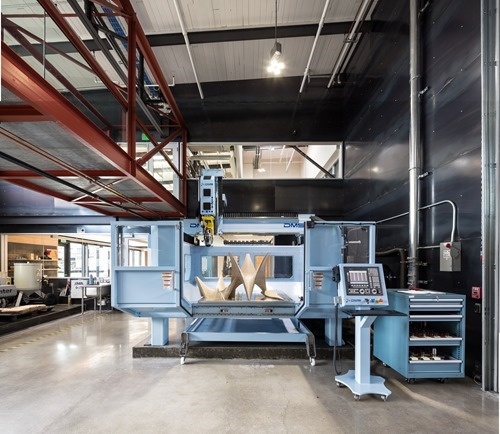
Over the coming weeks I'll be sharing a number of guest posts by Autodesk colleagues working on a project that I think will be of interest to many of this blog's readers. The first post is by Alec Shuldiner, who is introducing the project. At Autodesk, we have a bridge. Recently, we gave that bridge a nervous system: sensors, wires to carry the signal, a small amount of local computing power to pre-sort the data, and, far away, in a virtual head, a brain to make sense of it all. It's a neat thing, and in a subsequent post…
-
The AU2017 call for proposals is now open. The event is being held from November 14-16 in Las Vegas. Being accepted as a presenter is a great way to get exposure within the Autodesk community, as well as being a sure-fire way of attending the conference itself. Something that's likely to be of interest to this blog's readers: this year's Forge DevCon is now sharing the same CFP process as AU2017 (as some of you may be aware, the DevCon has shifted from its original June date in SF to being held on the Monday before AU starts). So if…
-
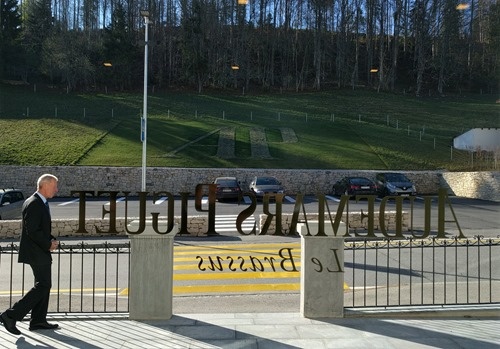
A few weeks ago I received an invitation from an Autodesk customer – Audemars Piguet, a luxury watchmaker based here in Switzerland in the town of Le Brassus – to have a tour of their museum and production facility. So it was that yesterday I headed across to the Vallée de Joux with my friend and colleague, Francesco Tonioni, who works closely with Audemars Piguet. We were welcomed by Denys, who took care of us throughout our day there. Our tour started in the Audemars Piguet museum, where Denys educated us about the rich history of the region and its…
-
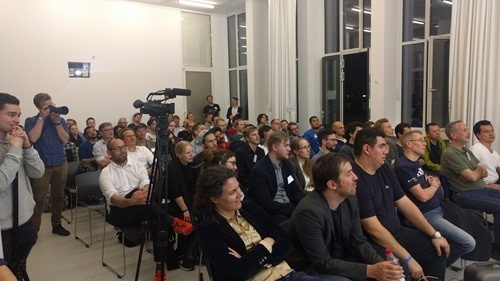
I had the great pleasure of attending the first half (give or take) of the recent AEC Hackathon in Munich. It was held over the first weekend of my kids' school holidays, so I ended up having to compromise on attending the full event: I flew in on Friday afternoon – with just enough time for some VR fun at our Munich office – and flew back home on Saturday afternoon. So I didn't get to attend the really fun piece – seeing the results of the weekend's efforts – but I will talk in this post about what I…
-
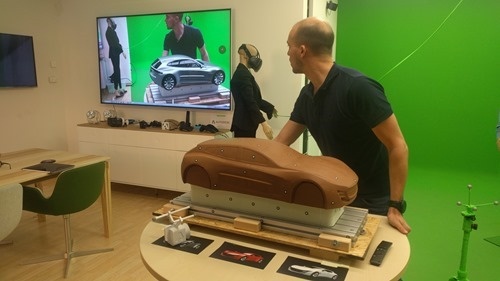
On Friday I had an hour or so to swing by Autodesk's Munich office and check out the new VR Center of Excellence. I was on my way to the AEC Hackathon at TUM – Munich's Technical University – which was kicking off during the early evening. As I've found from our much more modest VR room at Autodesk Neuchatel, even simpler VR systems can take quite a bit of maintenance, and so Friday in Munich is generally reserved for the team to fix issues that have cropped up during the week. And the Munich room has way more moving…
-
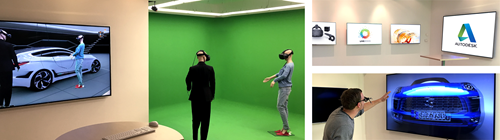
I've talked a little about the VR room we have at Autodesk in Neuchatel. Our colleagues in Munich have been building something similar, yet on a totally different level: they've just officially opened their "VR Center of Excellence". And excellent it truly is – check out this video to see for yourself: A lot of what you might assume is post-production in the above video was actually performed in real-time. And at 4K resolution, too! Extremely impressive stuff. I really like what the Munich team has done. I'm hoping I'll get the chance to poke my nose…
-
While I'm not spending much time working with AutoCAD, these days, I've been waiting impatiently for the release of AutoCAD 2018 (codenamed "Omega"). There's one key feature, in particular, that I've been waiting for – but more on that later. From a user perspective you can find information on the new release in this blog post and this preview guide. There's also a subset covered in this intro video, if that's your preference: Here are a few notes on the major user features. Some of these features were already part of the 2017.1 release, but many people will…
-

I've been interested in participating in – or at least attending – an AEC Hackathon for a couple of years now. I was first introduced to them during the VR Hackathons I attended in SF in 2014 and 2015 (Damon, Greg and Paul, who help organize the AEC Hackathons, were also organizing/involved in/attending the VR ones). There are a number of AEC Hackathons planned for Europe over the coming months, so I'm happy to say I'll finally get my chance. I've been asked to present at the first – which is in Munich from March 31st – April 2nd –…
-
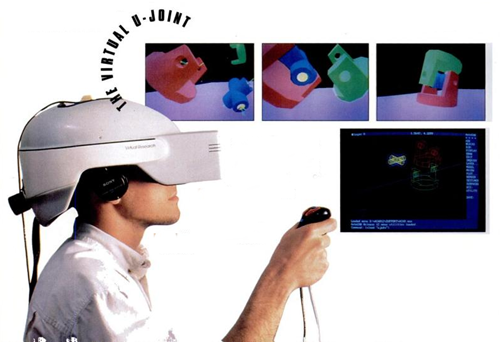
A few days ago I was reminded of a topic I've highlighted in a number of presentations I've given over the last few years, but have never actually talked about on this blog. The closest I came was probably in this post. Many people don't realise Autodesk was an early innovator in the VR space. In the late 80s and early 90s we had a product called the Cyberspace Developer Kit – which allowed you to deliver around four frames per second of glorious, low-polygon 3D via a 386 or 486 PC – that was clearly ahead of its time.…