akn_include
-
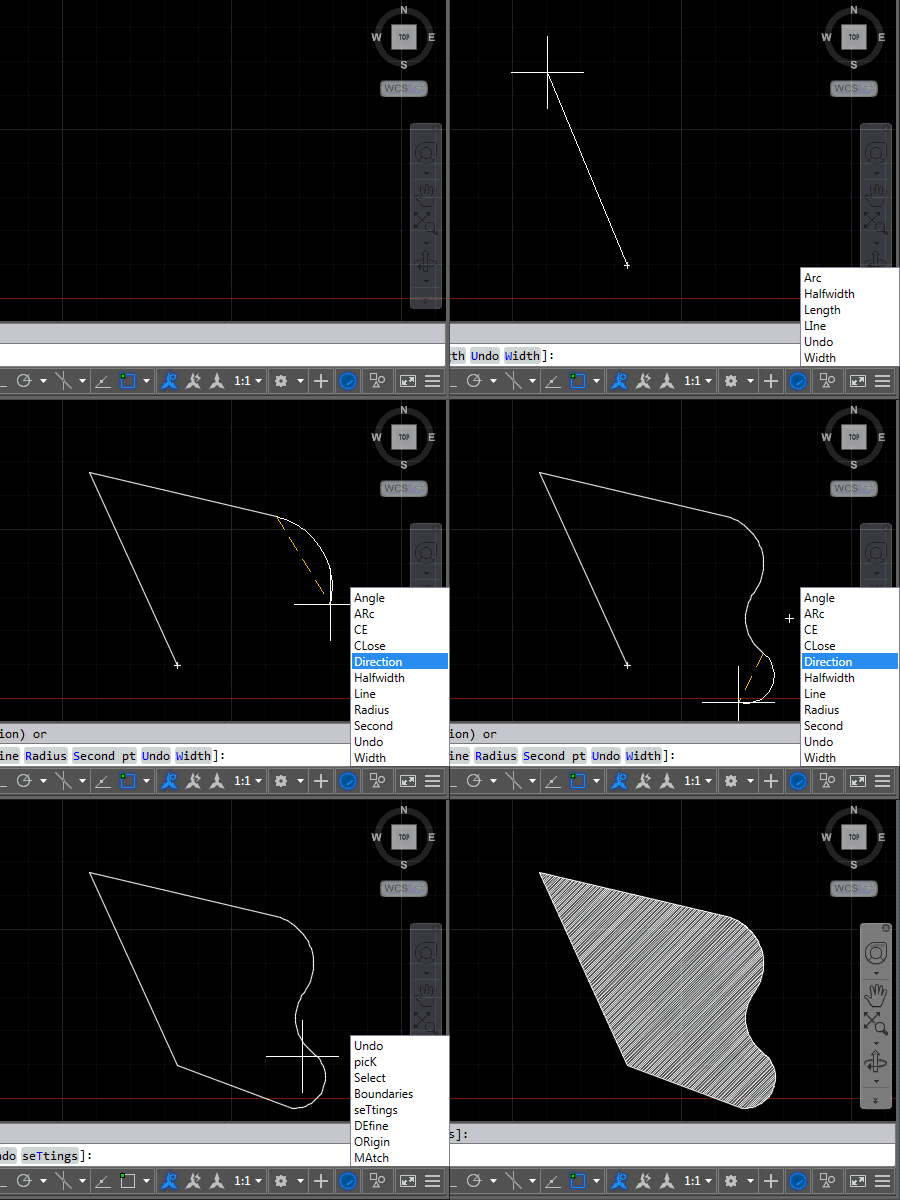
After introducing this project in the last post, now it's time to share some code. The project, as it currently stands, contains three source files: the first one relates to AutoCAD – it implements the various commands we'll use to attach event handlers to tell us when to display (or hide) keywords and the other two files relate to the UI we'll use to display them. We're going to use an invisible window which has a child popup containing a listbox of our keywords. Here's the application in action – for now in English AutoCAD, as that's what I have…
-
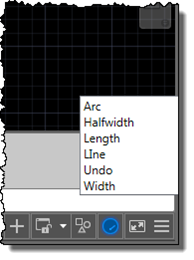
I'm up in the mountains, supposedly on vacation, but as one of our children woke up with a fever, I'm skipping the morning session on the slopes to stay home with him. Which gives me the chance to start writing up a little project I've been working on for our Localization team. Here's the idea… apparently it's relatively common in certain countries for AutoCAD users to learn the product in English but then end up working with a localized version of the software. While it's always possible to use global commands and keywords by prefixing an underscore, it's not always…
-

After yesterday's fun with creating an HTML5-based progress meter for AutoCAD, today we're going to have some more fun styling it with CSS. To recap, here's the progress meter that comes "out of the box", with the default styling from Chromium on Windows. The first thing we need to do for our various changes is to use CSS to disable the default styling, at which point we can then use CSS to override it. progress { width: 100%; -webkit-appearance: none; } Here's how our progress meter looks when unstyled: Now that it's stripped bare, we can…
-

This week I've spent quite a bit of time looking into future API features. For one of them I needed to create a progress meter, and thought to myself "why not create one in HTML5?" And as it's nothing specific to a future product release, I decided to go ahead and post it now. For context, here's the way AutoCAD's standard progress meter currently looks, displayed using the code from this previous post: So why would you go head and create your own progress meter? A few different reasons come to mind… yes, AutoCAD has its own, but perhaps you…