This week we rolled out a significant update to Dasher 360. Those of you who follow this blog regularly will already have seen the implementation details for a number of the features in this release, from point cloud-based sensor dots to "Kiosk Mode". I've linked to those posts wherever possible.
We'll take a look at the changes in terms of Dasher 360's Forge viewer extensions, which mostly correspond to items in the Dasher 360 toolbar to the left of the page:
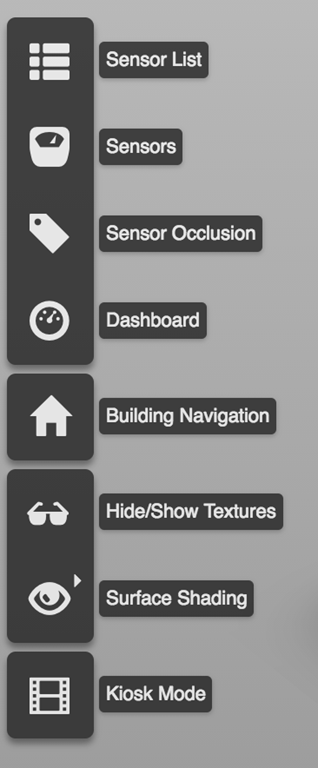
Here are the major changes since the December release. If you want to skip the details, just open Dasher 360 and click "Kiosk Mode" to be taken through many of its features. Interrupt at any time and have a play!
- Sensor List
- Hide Unconnected Sensors button
- Hides the grey sensors that don't have connections to the database
- Go to Sensor buttons
- Each positioned sensor now has a button that takes you to the sensor's location
- Can also be performed by Alt-clicking a sensor dot
- Hide Unconnected Sensors button
- Sensors
- Now implemented via a THREE.js point cloud with a custom shader
- This has given us a huge performance gain over the prior version, which used SVG elements in the DOM for each sensor dot
- It wasn't straightforward to have individual tooltips for each dot, but this should now work well
- Clicking a sensor dot now brings up a "Splash" plot
- An Autodesk Research library allowing smooth zooming into multi-scale time-series
- As mentioned above, Alt-clicking a sensor dot now zooms to the sensor's location
- Now implemented via a THREE.js point cloud with a custom shader
- Sensor Occlusion
- This can now be performed in real-time during navigation operations, thanks to the performance gains mentioned above
- It uses the point cloud's custom shader directly, so requires very little code
- Dashboard
- Sensor shortcuts also now bring up Splash plots
- Surface Shading
- The shading is now based on actual temperature data
- More data-types are on their way
- The shading currently doesn't animate, however
- This was faked in the last version, we're working on making it real
- Displays a legend for standard and HiDPI screens
- The shading is now based on actual temperature data
- Logo
- Each model can now have a custom logo assigned (the default is Autodesk's)
- Breadcrumb Navigation
- Improved performance of the selection mechanism
- We now use a custom selector rather than the viewer's built-in selection mechanism
- Breadcrumbs now adapt to your position in the building, showing the room you're in when in "first person" mode
- Improved performance of the selection mechanism
- Kiosk Mode
- Designed for cases where you want to leave Dasher 360 in "demo mode", for instance on a large screen in your building lobby
- Displays a fake cursor to simulate the operation of Dasher 360
- The mode loops through various Dasher 360 features and is interruptable by the mouse
- Each iteration of the loop will see different sensors and dashboard items selected
- Miscellaneous
We're now testing with multiple models – at least one of which I'll unveil in the coming weeks. I'll also keep you posted as further features get deployed.


Leave a Reply to Chad Smith Cancel reply