AutoCAD I/O
-

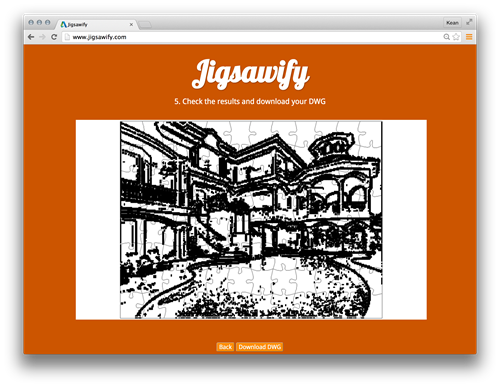
After going down the path of making this blog responsive, it made sense to do the same for Jigsawify.com: I think it's a really nice illustration of the potential for AutoCAD I/O to use the web-site from your mobile phone to generate a DWG in the cloud. The site itself was functional enough on mobile: the issue related more to making the UI usable without having to zoom in and out all the time both to see the results and then use the various UI elements. The "responsive" technology underpinning the Typepad template I used for this blog is Bootstrap.…
-
I mentioned recently that I'd hit a limitation with the amount of data that could be passed as embedded JSON data to an AutoCAD I/O Activity, and so decided to rearchitect my site to post the data at a URL and have the Activity download and use the data from there. The system worked well until a security flaw was fixed by the AutoCAD I/O team, earlier this week: it turns out the approach of manually downloading the additional payload from the Activity itself wasn't supposed to work. And now, sure enough, it doesn't. 🙂 This video does a great…
-
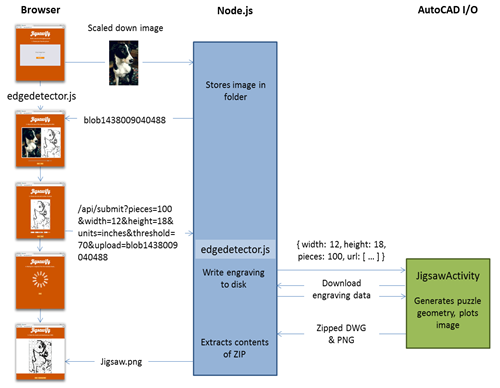
After the last post, where we looked at the first couple of architecture iterations for Jigsawify.com, it's time to summarise (and perhaps even wrap-up) this series… Here are the posts so far: Puzzling over laser cutters AutoCAD I/O and custom applications Finishing up our laser-cut jigsaw project Running custom .NET code in the cloud using AutoCAD I/O – Part 1 Running custom .NET code in the cloud using AutoCAD I/O – Part 2 Running custom .NET code in the cloud using AutoCAD I/O – Part 3 Running custom .NET code in the cloud using AutoCAD I/O – Part 4 Architecting…
-
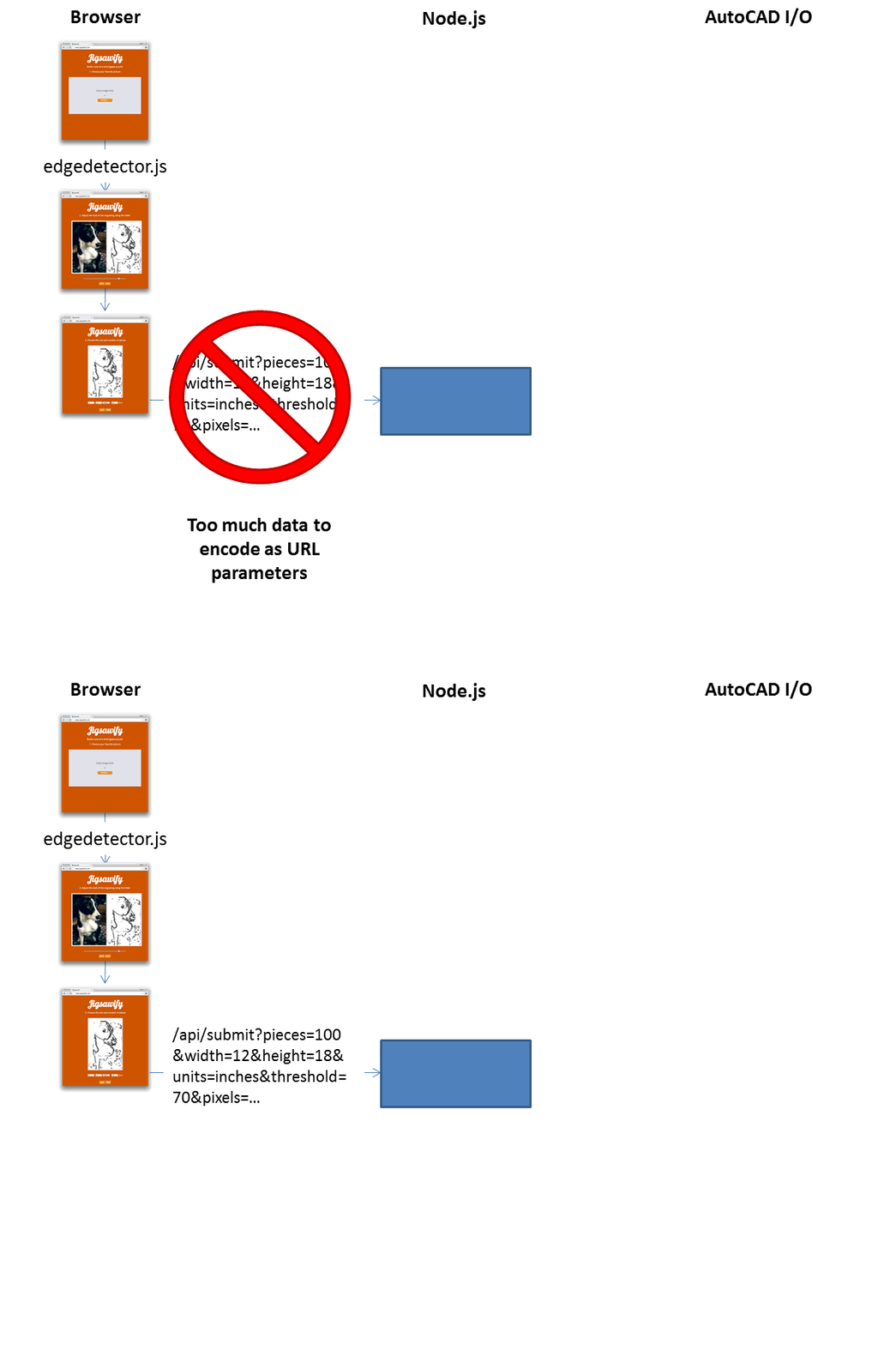
As mentioned in this recent post, I've been working on my AutoCAD I/O-driven web-site on and off for the last few weeks. Lately I've had to think beyond certain assumptions I'd made about its architecture, and I thought it worth sharing those thoughts here. The intention of the site is that you upload an image and then see some edge detection get performed on it, generating an engraving layer for a custom jigsaw puzzle. AutoCAD I/O gets used to generate a drawing that can drive a laser cutter, creating your 100% unique jigsaw puzzle. Basically making the world a better…
-
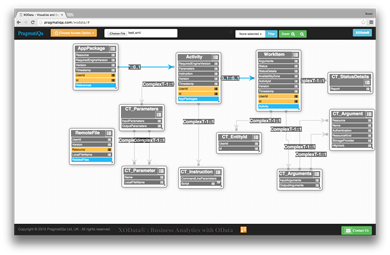
I've been working with AutoCAD I/O quite heavily over the last week or two – mainly spending time fleshing out my Jigsawify web application well in advance of AU2015 – and came across this helpful trick for visualizing an OData-based REST API graphically: you can copy and paste the XML schema for the AutoCAD I/O API into a file and then load it into the handy XOData tool. Here's what was generated (after a little editing from my side for layout): I'm making pretty good progress using AutoCAD I/O from Node.js – which is interesting as I can now run…
-

After the first two successful Cloud Accelerators held in San Francisco, it's time to go international. The next one, labeled a Cloud Accelerator Extension, is being held in the beautiful Czech city of Prague from September 13-18, 2015. This is a great opportunity to kick-start your development using Autodesk's PaaS infrastructure. Members of the ADN and Engineering teams – me included – will be on-hand to help you work through any development issues you hit while creating or honing your Autodesk Cloud API-integrated application. So come join me in Prague for a fun week of cloud-oriented development. All you need…
-
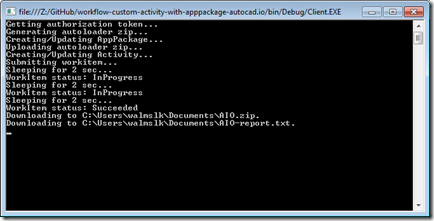
Now that we've introduced how the CRX will be loaded by AutoCAD I/O – via an Autoloader bundle – we're going to take a look at the code needed to create and test our Activity using it. As a starting point – and as mentioned last time – you should get hold of the code in this sample on GitHub and copy & paste the (C# & XML) code we've seen in the last two posts into their respective files. The code we're going to see in today's post belongs in Client\Program.cs. We're very much tailoring the existing implementation, making…
-
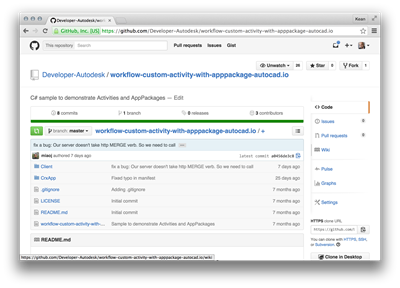
After introducing the series and looking at the additional code needed for a .NET CRX app to work with AutoCAD I/O, in this post we're going to go the extra small step to prepare the Autoloader manifest, getting it ready to create the Activity and its AppPackage. To simplify the process of developing this app, I recommend a couple of things: download the sample on GitHub I pointed you at, last time – whether by cloning the project or downloading it as a ZIP – and make modifications directly to that. To build the sample I'm creating, for instance, you…
-

As promised yesterday, this post deals with modifying your CRX module to make it work with AutoCAD I/O. A quick reminder on what writing a CRX app means for .NET developers: we're still creating a .DLL (unlike ObjectARX developers, whose CRX modules have the .crx extension), but it can only reference AcDbMgd.dll and AcCoreMgd.dll (not AcMgd.dll). Importantly the module must be loadable – and testable – in the Core Console. The basic C# code we're going to extend is from this previous post. The real change that's required for commands to work in AutoCAD I/O is how they get user-input…
-

Over the coming weeks I'm going to be exploring – and blogging about – the ability to run custom .NET code inside AutoCAD I/O. After all, I've submitted an AU class on the topic, so I really do need to get my head around it. 🙂 I see this series being made up of the following high-level tasks, although each of these may end up requiring multiple posts to cover (and conversely there may be some that can be covered in a single post): Writing a CRX module that's I/O-ready Building an Autoloader bundle for the CRX module Defining an…