XML
-
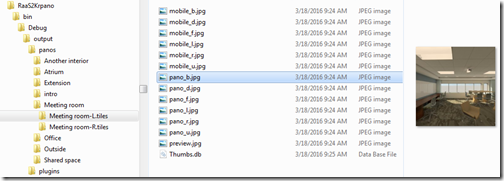
So far we've introduced this series and taken a look at the format of panoramic images both in A360 cloud rendering and in krpano. The next step – before publishing the code, which I'll do at the beginning of next week – is to take a look at the XML format needed by the krpano viewer. For simplicity, we're going to have a single, top-level krpano scene that links to scenes created for the various stereo panos that we've downloaded and processed from A360 cloud rendering. This top-level scene is copied from a sample scene provided by krpano, but we're…
-
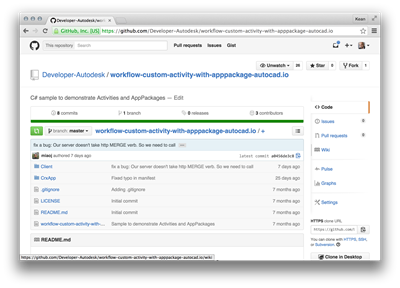
After introducing the series and looking at the additional code needed for a .NET CRX app to work with AutoCAD I/O, in this post we're going to go the extra small step to prepare the Autoloader manifest, getting it ready to create the Activity and its AppPackage. To simplify the process of developing this app, I recommend a couple of things: download the sample on GitHub I pointed you at, last time – whether by cloning the project or downloading it as a ZIP – and make modifications directly to that. To build the sample I'm creating, for instance, you…
-

This week has so far had an AU theme to it, just as last week we talked exclusively about Leap Motion and AutoCAD. Perhaps I'm sub-consciously shifting this blog to a weekly-themed format? Hmm. Like many of you, I'm sure, I received an email over the weekend to let me know that the recorded sessions from Autodesk University 2012 are now available online (for anyone with a valid AU online account). I wasn't sure which of my sessions had made it up there from this last year's event (thank goodness I rarely have to write cheques anymore), and so was…
-
A quick update, today. Last week Jeremy posted a migrated version of the TransTips plug-in for AutoCAD, this time working inside Revit. Thanks to the shared use of AdWindows.dll in both products, this was actually really easy. After this initial version, it made sense to refactor the code to have a core, shared file (not necessarily a separate DLL component – sharing source can give many benefits for smaller projects, such as this) used to build plugin DLLs for both AutoCAD and Revit. Here's the result: a single solution which will build TransTips DLLs for AutoCAD and Revit (including built…
-
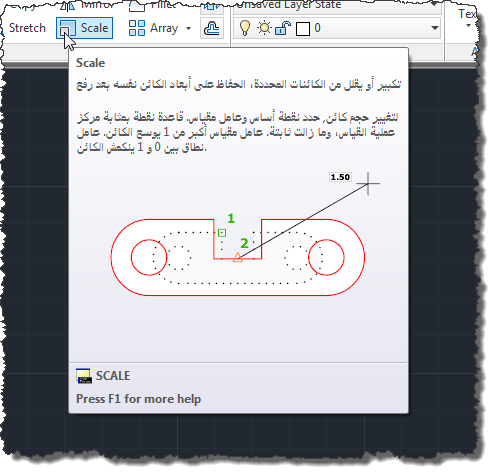
In this previous post we introduced a technique for automatically translating AutoCAD's tooltips into one of 35 different languages via an online translation service. To improve the process at various levels – rendering it more efficient and enabling the possibility of local editing and crowdsourced localization – this post introduces caching of the translation results to a set of local XML files. A few comments on the implementation changes: There's now a TRANSTIPSSRC command, which allows you to set the source language (using a similar UI to the target language). This is useful if you're working on non-English AutoCAD (our…
-
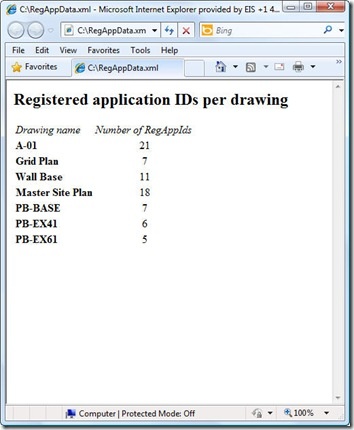
As raised as a possibility at the end of the last post, I did choose to throw together a quick XSLT stylesheet to generate an HTML report of the XML data created by our XRA command. To enable this I did make a few changes to our command implementation, which we'll take a look at first. Here's the updated C# code, with new/modified lines in red (and here's the updated source file): 1 using Autodesk.AutoCAD.ApplicationServices; 2 using Autodesk.AutoCAD.DatabaseServices; 3 using Autodesk.AutoCAD.EditorInput; 4 using Autodesk.AutoCAD.Runtime; 5 using System.Collections.Generic; 6 using System.Text; 7 using System.Xml; 8 using System.Xml.Serialization; 9 using System.IO; …
-
This post takes the code from the last post and extends it to serialize the collected RegAppId data to an XML file, as per Step 3 below: Implement a command to collect RegAppId information for the active document Extend this command to work on a drawing not loaded in the editor Save our RegAppId information to some persistent location (XML) Create a modified version of ScriptPro 2.0 (one of our Plugins of the Month) to call our command without opening the drawing I've chosen once again to leverage the very handy XmlSerializer class to handle serialization to and from XML:…
-
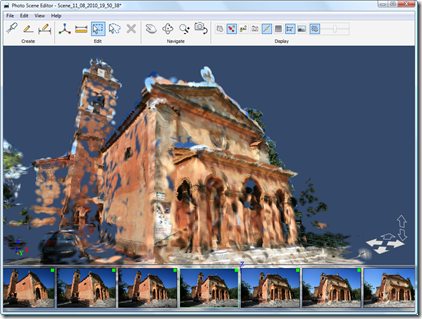
In this previous post I showed some code which uploads photos to Photofly and pulls down and imports the resultant point cloud into AutoCAD 2011. The application relies on a special executable from the Photofly team which was built from code extracted from Photo Scene Editor that uploads photos to Photofly and asks for them to be stitched together into a scene on the server. While we're working to tidy this little executable up for publishing, I realised that a good portion of the application could be used as it stands: rather than uploading the photos directly from AutoCAD to…
-
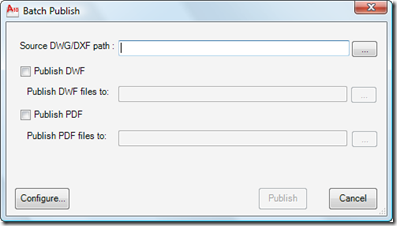
I'm very pleased to announce the availability of this really interesting Plugin of the Month over on Autodesk Labs: Batch Publish for AutoCAD. Here's an excerpt from the ReadMe (which I happen to have written, but anyway): This plugin can be used with AutoCAD to simplify the process of publishing sets of drawings to DWF and/or PDF. It runs as a command within AutoCAD – as opposed to a separate executable – and uses a separate executable to monitor AutoCAD's health and restart it, as needed. The status of the batch publishing operation is stored to disk, allowing it to…
-
I've now crossed the international date line (giving up a big portion of my weekend, but that's life) and landed in Tokyo. Tomorrow I head on to Seoul and then to Beijing for the end of the week. In many ways a change of pace from the week in Vegas, but in other ways it's more of the same (fun, that is :-). In this previous post we looked at some code to retrieve and process RSS information from various blogs using an agent-based message passing architecture. The code wasn't completely asynchronous or parallelised, though, as we fired off each…