AutoCAD
-
A comment on the code posted in the last post regarding the upcoming Plugin of the Month for the month of December, Layer Reporter, gave me some pause for thought. Tony Tanzillo suggested that making more complete use of the StringBuilder object – rather than direct string concatenation using "&" – would improve the performance of the plugin. As I mentioned in my own comment, Terry's original code did make heavier use of the StringBuilder, but while adjusting the HTML output to make it lighter-weight I introduced a number of string concatenation operations: looking back there were several that weren't…
-
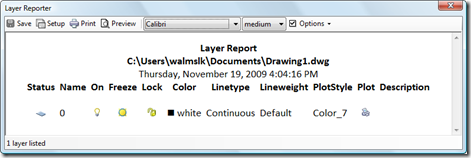
I feel like I'm posting a lot about our Plugin of the Month initiative, at the moment, but then I suppose it's to some degree a function of what I'm spending time on. It's definitely eating into the time I would normally focus on blogging… after a number of AU-related posts coming out over the next few weeks (as I finish my AU prep next week and then blog from the event the week after) I'd hope to return to somewhat more typical posts in December (although as I'm going on to Japan, Korea and China from Las Vegas, this…
-
We've had a few reports of issues with the Screenshot "Plugin of the Month". They fall into two main categories: Attempting to NETLOAD the application DLL from a network share Within the ReadMe for each of the plugins we've documented that each application's DLL module should be copied to the local file system – preferably inside the AutoCAD Program Files folder – before being loaded by NETLOAD. We recommend this because it essentially stops users from hitting a whole category of .NET Framework-related problems when loading and running the plugins. If you didn't heed this advice then you'd probably find…
-
Given the previous posts on this topic, I'd hope it's no great surprise to regular readers that this month's "Plugin of the Month" consists of a tool to simplify the capturing of screenshots within AutoCAD. This month's tool allows you to capture the current document, the entire application and an area of the drawing specified by the user or the extents of a set of objects, sending the results to a file or to the clipboard. It has optional settings to remap the background colour (which is useful for people working with a non-white background colour but who want to capture…
-
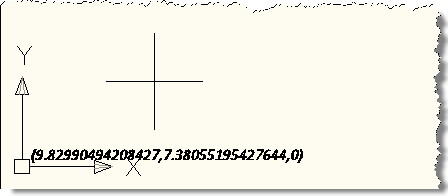
Another interesting little problem, that of how to detect the use of modifier keys during a jig operation (to indicate different jig behaviour). In this case the specific task was to detect the use of the Control and Shift keys, which – if held down during the jig – should cause our object to display differently. I started with the code from this previous post which uses a DrawJig to place text in the plane of the screen during the jig operation. I initially thought I'd have to use a message filter (as shown in this previous post), but I…
-
As mentioned in this previous post, at this year's Autodesk University the "Developer Track" has rightly been combined with the "Customization & Programming" track (it made sense to rationalise these two tracks which had a very similar style of class). So unlike in previous years, the sessions we're either presenting or helping coordinate are listed with the "CP" prefix. Here's a quick round-up of the AutoCAD-related physical classes, labs and panel sessions being presented either by my team or by members of Engineering (with my team helping coordinate): CP104-1 Using .NET 4.0 with AutoCAD Albert Szilvasy CP308-4 AutoCAD VBA to .NET…
-

I've been toying for some time with the idea of writing some code to turn AutoCAD into a Spirograph, a device which I'm sure fascinated and inspired many of you as children (just as it did me). I chose to write the application in F# for a couple of reasons: this type of task is fundamentally mathematical in nature – so a functional programming language should be well-suited to the task – and I needed to dust off my F# skills in time for my F# class at AU. Searching the web I came across this helpful post providing some…
-
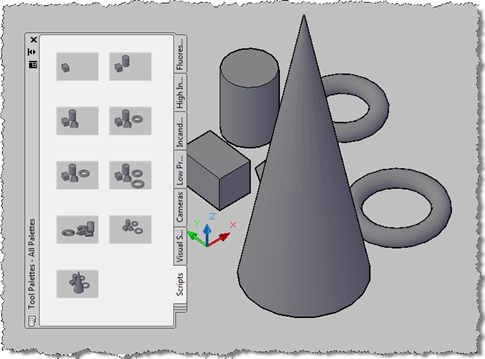
A big thanks to Tony Tanzillo for providing some tips to help improve the implementation of the application we saw in these previous posts: in particular Tony pointed out the ability of AutoCAD 2010 to generate a thumbnail image for a document in the editor programmatically (something I had forgotten was possible… at least I think I knew it existed – it certainly seemed familiar once I saw it :-S). Anyway, the version of the code in this post will only work from AutoCAD 2010 onwards because of the use of this function, Document.CapturePreviewImage(). Tony's code also showed some interesting…
-
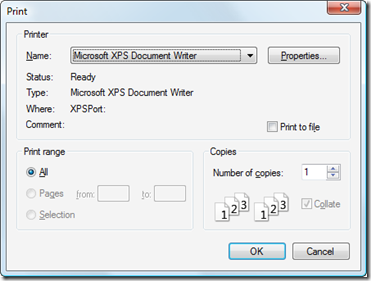
Now that I'm completely finished with my AU 2009 preparation, it's time for me to get back to the next "Plugin of the Month", given that we have just a few days left of the month of October. Here's another iteration of the application, this time implementing the following enhancements: The application now keeps the chosen settings: they follow you between drawings and even between sessions. We now perform a Regen after selecting objects to capture to unhighlight them There is now a "Print" setting, which gives the option of sending the capture image directly to a printer The image…
-
Seeing Jeremy's post from Friday, I decided to give you a quick update of where I am with my own preparation for this year's Autodesk University. I'm delivering two sessions, this year: CP9214-1 AutoCAD® .NET – Developing for AutoCAD Using F# CP208-1 AutoCAD® .NET – Developing for AutoCAD Using IronPython and IronRuby So yes, it seems as though I'm carving out a niche for myself as "the quirky languages guy". 🙂 The first one of these is actually a virtual session, and will be broadcast twice during the week of AU. It's one I presented already, last year, and here…