AutoCAD
-
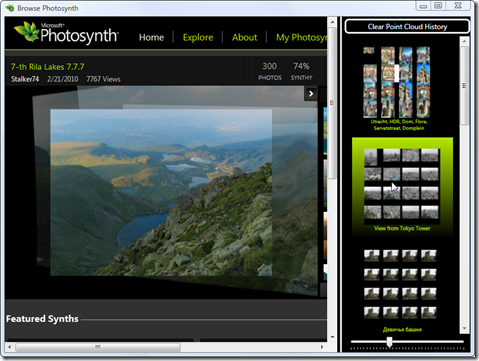
As alluded to in the last post in this series (ignoring a related post that dealt with user interface integration) I wasn't really happy with some of the tricks I needed in the WinForms version to try and make a coherent user interface for tracking accessed point clouds in a hosted Photosynth browsing session. This post replaces the WinForms UI with one implemented using WPF, and in fact might also have been titled "Using data-binding in WPF to track a list of objects with associated thumbnails" or something to that effect. 🙂 What I've done in the new version of…
-

To help people who don't master English with their efforts to migrate their code from VBA to VB.NET, my team has been busy translating our existing AutoCAD VBA to VB.NET Migration Basics DevTV session into other languages. Here are the languages we have, so far (including an updated English version): English view download (44.7 MB) Chinese view download (88.9 MB) French view download (39 MB) Portuguese view download (80.3 MB) Russian view download (39.3 MB) A big thanks to Augusto Gonçalves, Xiaodong Liang, Philippe Leefsma and Marat Mirgaleev for their hard work on these sessions. German and Spanish versions should…
-
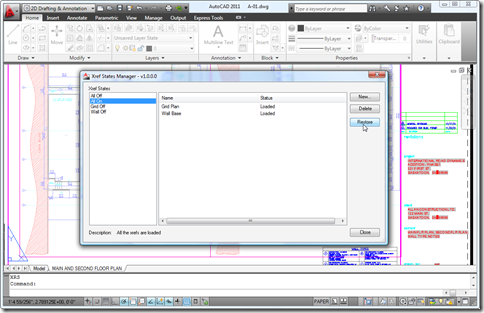
Yes, I know, I know – we're halfway through the month, already. This plugin has been live on Autodesk Labs since the beginning of the month, but I've been a little distracted by April Fools' jokes, fooling around with Photosynth point clouds as well as finishing up some internal activities which always tend to take time away from blogging at this time of year. Anyway, I've been remiss talking about this very cool application, but at least Scott was there to announce it on day one. The application was developed by Glenn Ryan, and there are a number of notable…
-
I received this question from Vikas Hajela a few days ago: I am developing a plugin in C#, which will add a link in Quick Access Toolbar in AutoCAD. […] My problem is that I don't know how to add a link into existing Quick Access Toolbar and Menu Bar in AutoCAD using ObjectARX SDK and C#. Also I want that on click of that link it should open a new window. We're going to look at some code that – on initialization of the application – adds an item to AutoCAD's "Big A" Application Menu and to the Quick…
-
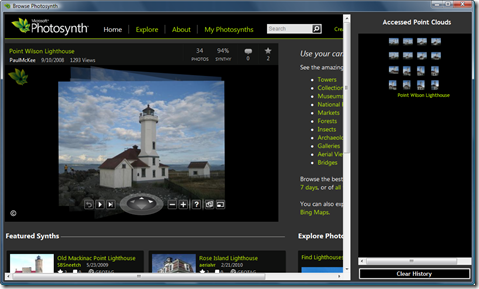
In the last post we looked at a command to allow importing of Photosynth point clouds into AutoCAD. In this post we'll put a GUI on the front end, to avoid people having to sniff network traffic to determine the location of the appropriate files on the Photosynth servers. The application is actually relative simple: it hosts a browser control that gets pointed at the Photosynth web-site, allowing the user to browse through Photosynths. As point clouds are detected (as the browser has some handy events notifying of the HTTP traffic generated by the embedded Photosynth application, and we know…
-
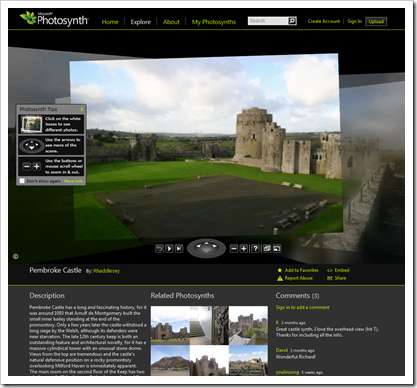
For some background into what this series is all about, see this previous post. I've been tracking Photosynth for some time, but only recently became aware of its use of point-clouds on the back-end and the possibility of extracting this information from the site. I first got inspired by Binary Millenium's video of the process they've used along with the Python script they've provided on their website to extract the points from a Photosynth point cloud file. I converted this code to C# (without realising there was already a version out there – I should really have done better research,…
-
As you're by now probably aware, the 2011 family of our products is now shipping. I'll have lots to say on AutoCAD 2011's new API features over the coming weeks/months, but for now here's a quick post on the items from the most recent API Wishlist Survey that we delivered in this release (the items we've addressed in some way are in bold below): .NET API for Property Palette Parametric Drawing .NET API Enhanced Dynamic Block API Runtime Ribbon API enhancements Enhanced Dynamic .NET language support Improved .NET<->LISP Interop Object transparency API Enhance Visual LISP IDE Boundary tracing API Solid…
-

Well, they've done it again. Having received positive feedback on Episode 1, Stephen and Fenton have now recorded another ADN DevCast, this time with a guest appearance of another member of the DevTech team, Cyrille Fauvel. During this episode they talk about disposing in .NET, diagnosing DLL load problems using gflags, and deepcloning in ObjectARX. If you prefer you can download this episode for offline viewing (36 MB) and take a look at the accompanying samples (95KB). Enjoy! 🙂
-
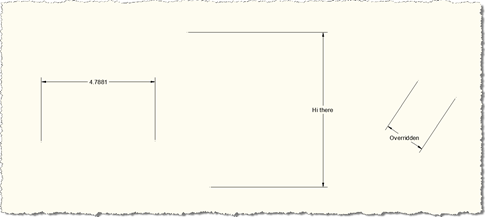
Thanks to Stephen Preston for providing the prototype that I extended for this post. He put it together in response to a suggestion for a new Plugin of the Month from Shaan Hurley, who thought a "dimension finder" tool for locating overridden dimension text would be useful for people. This code may well develop into that tool, but for now it's being posted in its current, admittedly still somewhat rough, state. The below code implements a couple of overrules using the mechanism introduced in AutoCAD 2010: one to highlight dimensions in a drawing which have had their text manually overridden…
-
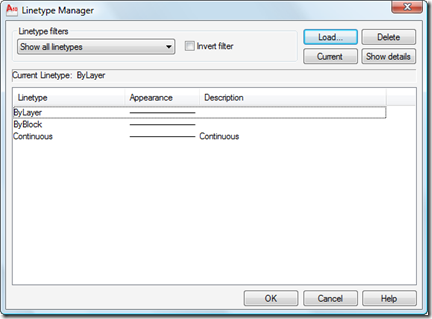
I received this question by email from Chris Witt: I know you can load specific linetypes with vb.net, but is there a way to load *all* line types from a specified lin file with vb.net without having to name each one? This is an easy one, as the Database.LoadLineTypeFile() method supports wildcard characters in the linetype name. Here's some C# code that does this: using Autodesk.AutoCAD.ApplicationServices; using Autodesk.AutoCAD.DatabaseServices; using Autodesk.AutoCAD.EditorInput; using Autodesk.AutoCAD.Runtime; namespace LoadLinetypes { public class Commands { [CommandMethod("LL")] public void LoadLinetypes() { Document doc = Application.DocumentManager.MdiActiveDocument; Database db =…