AutoCAD
-
OK, I have to admit I feel a bit cheeky making a separate post out of this one, but then I did promise our friends at TheSwamp that I'd post this additional code, once more provided by Sreekar Devatha in response to an ADN support request. The code is basically the same as that in my last post. The only change is that after we reverse the list of containers we don't go and add in the selected entity. Which means that when we get our path it stops at the container of the selected entity, not the entity itself.…
-
I'd like to thank two people for this post: Kerry Brown, an ADN member in Australia and regular contributor to TheSwamp, pointed me to a response he'd received from a member of the DevTech team in India, Sreekar Devatha. So thanks to both Kerry and Sreekar for providing the material for this post. The problem was to highlight the nested entity returned by the Editor.GetNestedEntity() method. Sreekar's solution was to create a sub-entity path through the nested block structure, and use that to highlight the entity in question. To create the sub-entity path he retrieved the containers of the nested…
-
As promised in the last post, here's some old LISP code I used to demo the original circle linking application. I've changed it slightly to not only move the snake in 2D, now the Z-value of the lead object is set to be a fraction of the object's Y-value. This won't actually change what's seen in a standard overhead view... if you want to revert to 2D-only movement of the snake, simply remove "zval" from the two calls to the MOVE command. I should also add that while the snake will move through 3D by default, I didn't change the…
-
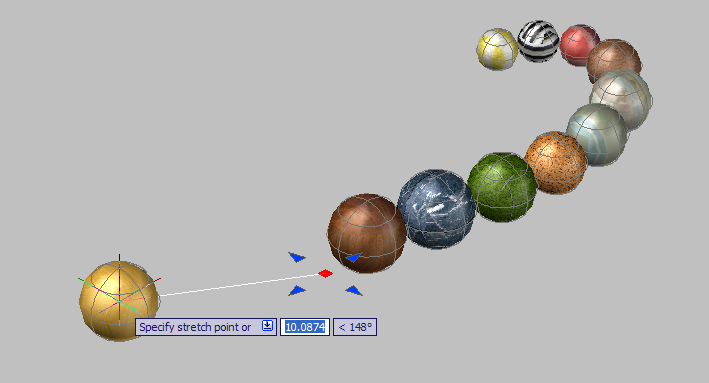
In the last three posts, we've looked at how to link circles using .NET events, how to store the link data in the drawing database, and how to create links automatically as objects are created. In this post we'll extend the code to support 3D. Yes, that's right, we're going to add support for creating chains of spheres, and with surprisingly little additional effort. Here's the source code for this post as a download. Notes on the changes: Lines 522, 526 and 536 are simply changes to prompts to refer to spheres as well as circles. To actually support the…
-
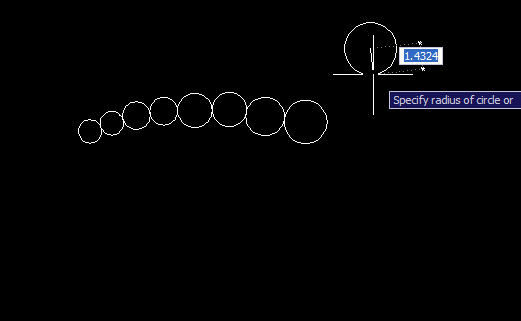
In the previous posts we looked at some code to link AutoCAD entities via .NET events, and how to persist the link data in the drawing file. This post extends the previous code to automatically link circles into the head of the chain, as circles are drawn by the user. The changes to the project are relatively modest compared to last time. Once again, the source is both available for download and listed below with changed line-numbers in red. Some notes on the changes: First we declare some new variables in our command class: a boolean (m_autolink - line 463)…
-
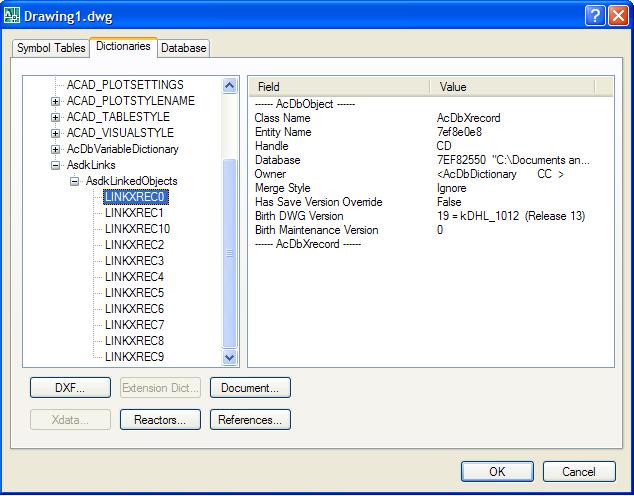
In the previous post we looked at some code that created chains of circles, linking them together using .NET events (a technique that can be used to maintain other types of geometric relationship, of course). In this post, we're going to extend our sample to support persistence of the link data in the AutoCAD database. Firstly, here's the updated source file. Below I've posted the code, once again with line numbers - but this time the lines that have changed or been added since the previous post are marked in red. This should highlight the modified sections of the code.…
-
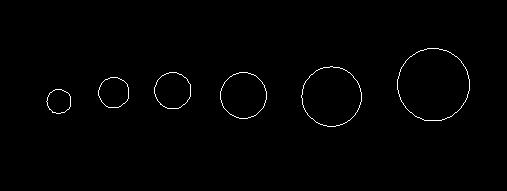
I received this question some time ago from Paul Richardson from CAD System Engineering: I have never been sure when to update objects programmatically. An example would be a user edits an entity that I'm tracking and I need to edit another entity in reaction to that change. Is there a standard used to cache the handle, and make the change. Doesn't seem editing of entities should be done in the event that is watching for the change. When/how does one do it? Doesn't seem to be any info on a standard for this. This is such an excellent question…
-
A quick pre-Thanksgiving tip that came from an internal discussion today: how to find the location of a .NET module (meaning the currently executing assembly). Two techniques were identified: Identify the current assembly by asking where one of its types is defined Use the Assembly.GetExecutingAssembly() to get the assembly from where the current code is executing Here's the C# code showing the two techniques: using System; using System.Reflection; using Autodesk.AutoCAD.ApplicationServices; using Autodesk.AutoCAD.EditorInput; using Autodesk.AutoCAD.Runtime; namespace AssemblyLocationTest { public class AssemblyCmds { [CommandMethod("LOC")] public void GetModuleLocation() { Editor ed = …
-
This entry was contributed by an old friend who recently rejoined the ADN team, Jeremy Tammik. Jeremy has been in and around the Autodesk family for many years - he actually delivered the first ever ARX training in San Rafael, back when it was still called ARX - and I'm very pleased he chose to rejoin our team earlier this year. It also happens to be Jeremy's birthday this coming weekend (on Sunday 26th November), for anyone who's interested. 🙂 The question came in from an ADN member and revolved around the need to select objects at a particular location…
-
This post extends the polyline-creation jig shown in the previous entry to support the use of keywords both for arc segments and for undo. A few notes: I removed the use of a separate vertex list, as it proved to be less necessary than needed This implementation supports Undo, and the toggling between Line segment and Arc segment entry Arc segments have a fixed bulge of 1.0, which is actually quite useful if drawing a cloud, but not really useful for much else. Generally the bulge should be adjusted according to the position of the cursor relative to the previous…