AutoCAD
-
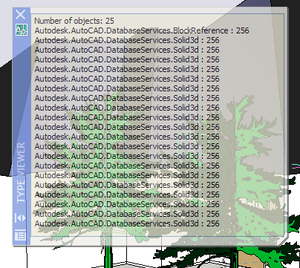
After a brief interlude we're back on the series of posts showing how to implement basic user-interfaces inside AutoCAD using .NET. Here's the series so far: Using a modal .NET dialog to display AutoCAD object properties Using a modeless .NET dialog to display AutoCAD object properties Using a modeless .NET dialog to display properties of multiple AutoCAD objects In this post we're going to swap out the modeless form we've been using in the last few posts in the series and replace it with an instance of AutoCAD's in-built palette class (Autodesk.AutoCAD.Windows.PaletteSet). Firstly, why bother? Well, the PaletteSet class is…
-
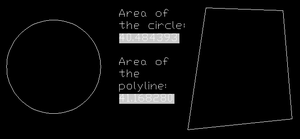
Thanks to Wolfgang Ruthensteiner for suggesting this excellent topic a comment to this previous post. Here's Wonfgang's question: How do I read back the field code with C# (from an attribute e.g.)? I am linking room-label blocks with polylines, using fields inside an attribute to display the polyline's area property. Later I want to find out programatically, which polyline a certain block is linked to by evaluating the field in the attribute (extracting the objectId). This was actually quite tricky, and one I needed the help of our old friend, ArxDbg, to solve (see here for some information on this…
-
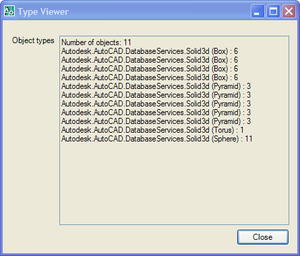
After a few comments on this previous post I decided that, rather than rushing on to show palettes, I'd first extend the existing code to work with multiple entities and provide specific support for solids. Here are the main changes to the way the code works: Changes to the Commands class The form object is now a static member, and so is shared across documents To support this I added a DocumentCreated event to make sure it gets added when new documents are created or opened Initialization/termination happens via IExtensionApplication, not on class construction/destruction In OnMonitorPoint we get the first…
-
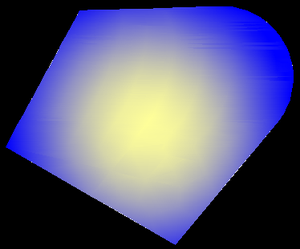
So, back in the saddle after an eventful week off, back in the UK. Aside from the extremely changeable weather (even by British standards) and the heightened security at UK airports, the week went swimmingly... 🙂 It's now Friday night, and disappointingly I've spent nearly two days regaining control of my inbox. I really wanted to make a quick post before the weekend, so rather than diving into the issue I'd planned on tackling (Palettes), I decided to take a shot at a request I'd received by email a few weeks ago: to show how to create a gradient fill…
-
In this previous post we looked at creating a simple modal dialog and using it to display object properties. This post looks at the structural changes you need to make to your application for the same dialog to be used modelessly. In a later post we'll look at the benefits you get from leveraging the Palette system for modeless interaction inside AutoCAD. Firstly, let's think about the interaction paradigm needed by a modeless dialog. A few things come to mind: There is no longer a need to hide and show the dialog around selection Rather than asking the user to…
-
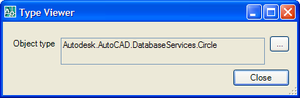
Firstly, a big thanks for all your comments on the first anniversary post. It's good to know that people are finding this blog useful, and I hope the flow of ideas (internal and external) doesn't dry up anytime soon. So keep the comments coming! 🙂 This post is going to start a sequence of posts that look at how to integrate forms into AutoCAD. This post looks at modal forms, and later on we'll look more at modeless forms and - in particular - palettes. Just to be clear, these posts will focus on the basic integration - the more…
-
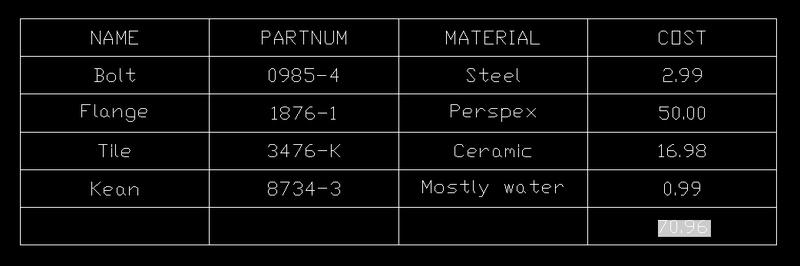
In the last post we looked at some code to create a table of attribute values for a particular block. In this post we'll extend that code and show how to use a formula to create a total of those values. Below is the C# code. I've numbered the lines, and those in red are new since the last post. The complete source file can be downloaded here. Firstly, a quick breakdown of the changes: Lines 60-81 deal with user input, and the forcing of the decision to "embed" rather than "link", if we're performing the total (table formulae do…
-
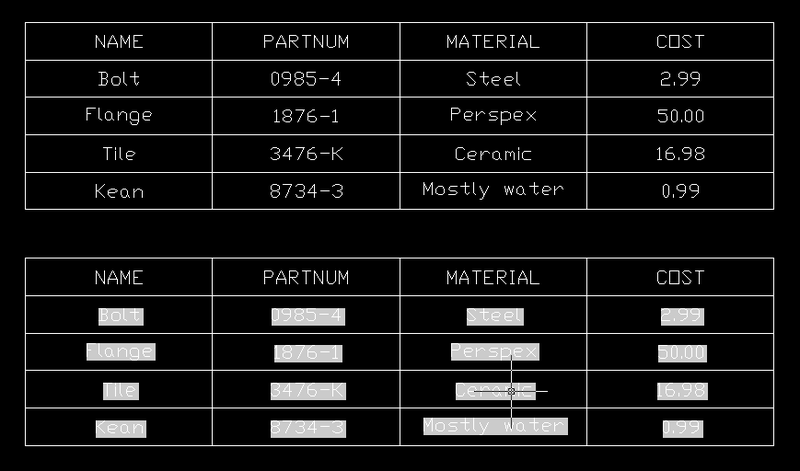
This post was inspired by suggestions from a few different people (you know who you are! :-). I'm going to take it in two parts: this post will focus on creating a table automatically that lists the values of attribute references included in block references in the modelspace that point to a particular block table record selected by the user. Phew. The next post will add some functionality to create a "total" of one of the columns in the table we create, by using a table formula that performs a sum of the appropriate cells. The below code is actually…
-
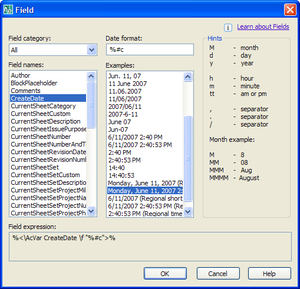
This post is in response to a few requests I've received to show how to embed fields in tables. It follows on from this previous post, where we looked at how to embed a block preview icon in a table. The technique I'm showing in this post is far from being specific to tables, however. You could very easily use it for any other text object that supports fields inside AutoCAD (MText, Text, Attributes, etc.) Fields are very cool objects: they allow you to access a very wide array of information and embed them inside textual objects in AutoCAD. A…
-
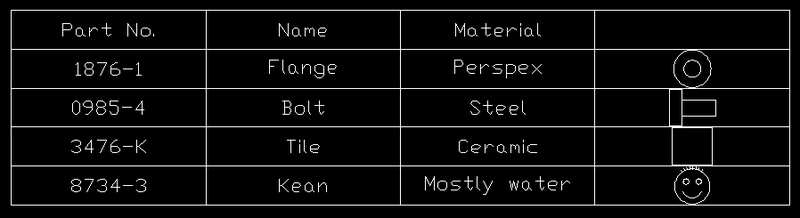
Further to the previous post showing the creation of a simple table, this shows how to add a column that contains a preview image of a particular block definition. I had to modify the code somewhat to open the block table sooner than we did before (I tend not to leave it open for longer than I have to, but in this case we want to check it for appropriate block definitions earlier on, while we're creating the table). Then I added a simple check, to see whether a block definition corresponding to our "name" field exists for a particular…