Autodesk
-
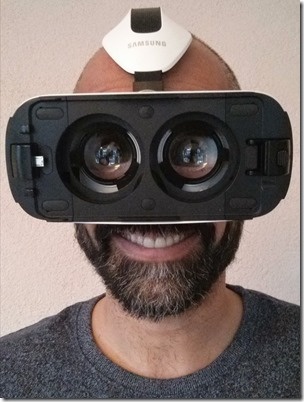
Back in October, I had a lot of fun developing some Virtual Reality samples using Autodesk's View & Data API. The samples instanced the A360 viewer component twice in a web-page and controlled the views on these two instances – maintaining a stereoscopic effect – as the mobile viewing device changed orientation. Here's a video we saw in a previous post to give a sense for how these demos work… The original samples were developed for Google Cardboard – which many of you will have received at the recent DevDays events around the world – but they're just as applicable…
-

I mentioned this event – an excellent opportunity to kickstart your web or mobile application development efforts – late last year. The original submission deadline was last week, but this has been extended to January 17 – the end of this week! If you can put together a proposal (which shouldn't be more than 1,000 words) by then, you may still be able to participate. As a reminder, Autodesk is hosting the 2-week workshop in our downtown San Francisco offices from March 9-20, and will pay the hotel costs for 1-2 people per company. Get more information here.
-

Even if you weren't able to make it across to Las Vegas for AU, this week, then you can still attend the opening keynote, innovation forums, closing session and a number of key classes via live streaming video. Apparently an additional 200+ classes will be recorded for AU Online, but I don't know which – if any – of mine will be. Here are links to the events/sessions in which I'm participating in some way, should you want to check out the posted handouts, samples and presentations. I've put them in chronological order, so people lucky enough to be here…
-
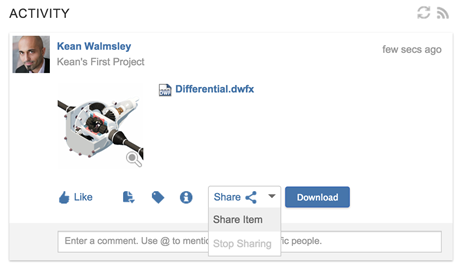
In advance of next week's AU, our Cloud Platforms team has released a new version of A360. The key feature of this update is the ability to share and embed A360 models. I uploaded a new model to my A360 account – it works with existing models, too, of course, but it's nice to show something different – and can already see the new "Share" button at the bottom of the model's description in the activity feed. (The button is also available at the top of the viewer screen and as an icon in the data view, in case.) When…
-

Autodesk's Cloud Platforms team is running an interesting "incubator" program to encourage software developers to create applications that leverage Autodesk's PaaS layer. (This currently includes the View & Data, AutoCAD I/O, Autodesk Fusion 360, Autodesk BIM 360 and Autodesk ReCap 360 web-service APIs.) I won't go into the details – you can get them here – but I will call out the important points as I see them. 2 weeks of working on your cloud-integrated app in Autodesk's San Francisco office March 9-20, 2015 Autodesk experts on hand to help Open to all, but there's limited capacity 14 companies will…
-
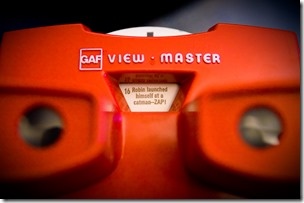
I've long been fascinated by stereoscopy, as I suspect is the case for most people lucky enough to have two functioning eyes. There's something magical about a device that immerses us in a three dimensional scene by hijacking that fundamental input mechanism of ours, binocular vision. I almost always get that "oh wow" feeling: it just never gets old. I also happen to like collecting cool bits of vintage technology, although in an admittedly haphazard and opportunistic way: I have printing blocks, a typewriter, a TI-57 programmable calculator, an Apple Newton, a Palm Pilot and an iPAQ, to name a…
-

I've been chewing on this for some time, now, but I've decided it's time to act. Well, as soon as AU is over I'll act, anyway. Which I expect means it'll morph into a New Year's resolution for 2015. 🙂 Back when this blog was launched, the Git project was still relatively young. But it's clearly become the version control technology to use, especially when putting code out there in the open. And this blog is all about putting stuff out there in the open, after all. Autodesk is using GitHub for our PaaS samples – which for now includes…
-
One of the pieces of feedback I received from internal folk on the prototype VR app I developed for Google Cardboard and then added voice recognition to was "it'd be really cool to add ViewCube-like navigation commands". Which basically meant adding "front", "back", "left", "right", "top" & "bottom" to the list of voice commands recognised by annyang and have them hooked up to a function that changes the view accordingly. The main complication being the fact that some models come in with "Z up" despite the majority having "Y up". Hopefully none will come in with "X up", an eventuality…
-
Thanks to all of you who contributed responses to last week's "guess the dashboard" competition. I had a lot of fun seeing the responses roll in! I didn't actually expect anyone to get the "right" answer – as the service the dashboard is monitoring hadn't been announced publicly, at the time – but I was impressed by the Autodesk employees who used their knowledge to try and get a free t-shirt – that's the kind of initiative that helped build this company into what it is today ;-). With 20-20 hindsight I probably should have specifically excluded Autodeskers from participating.…
-
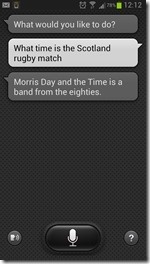
I nearly named this post "Creating a stereoscopic viewer for Google Cardboard using the Autodesk 360 viewer – Part 4", leading on from the series introduction and then parts 1, 2 & 3. But then I decided this topic deserved it's very own title. 🙂 The seed for this post was sown during the VR Hackathon, at the beginning of which I had an inspiring chat with Theo Armour. Not only does Theo have a name worthy of a gladiator – and it turns out there is a list of gladiator names on the Internet, just one more reason I…