IoT
-
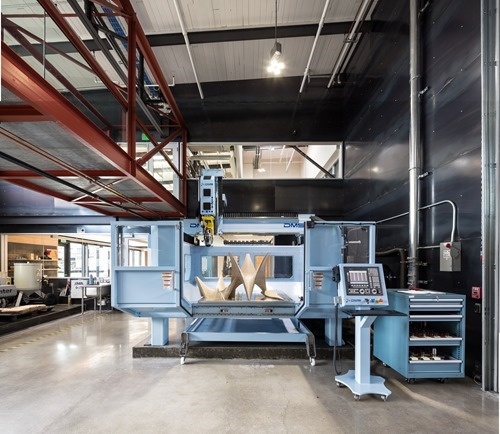
Over the coming weeks I'll be sharing a number of guest posts by Autodesk colleagues working on a project that I think will be of interest to many of this blog's readers. The first post is by Alec Shuldiner, who is introducing the project. At Autodesk, we have a bridge. Recently, we gave that bridge a nervous system: sensors, wires to carry the signal, a small amount of local computing power to pre-sort the data, and, far away, in a virtual head, a brain to make sense of it all. It's a neat thing, and in a subsequent post…
-

One year ago today, on April 20th, 2016, Dasher 360 was born. Here's the email I sent one year ago to Simon – the other developer working on the project – on creation of the Git repo. For the first day of its life, Dasher 360 didn't even embed the Forge viewer. 🙂 Things have come a long way over the last 12 months: Dasher 360 now has a significant number of the features originally found in the desktop version of Dasher, plus a few extra besides. Of course there's always more to do, but it feels as though we've…
-
Please note the date above: this is an April Fools' Day post that was deliberately intended to make people only realise late in the article that it is, indeed, #FakeNews. Unfortunately a few (quite possibly automated) news aggregators have passed this on as real. In order to prevent further damage coming from this, I've placed this text at the beginning of the post to make the situation super clear. As much as I'd love to have people continue to fall for it – it gives me a fair amount of personal pleasure, I admit – I think it's safest to…
-
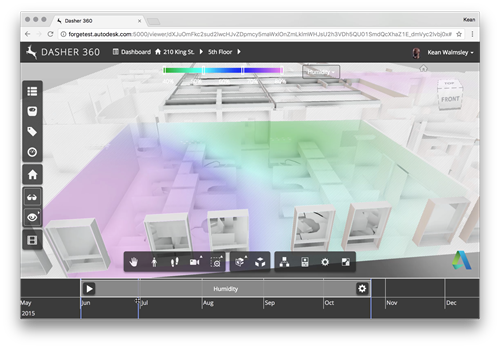
I mentioned in last week's post describing the March update to Dasher 360 that we had temporarily removed the fake surface shading animation – something I talked about way back when – from the public site in order to focus on something based on actual sensor data. Well, we've made quicker progress than expected – largely thanks to the genius of my colleague Simon Breslav, who's a complete GLSL wizard – allowing me to give you all a sneak peek of what's about to go into the public demo: As you can see we have an adjustable range…
-
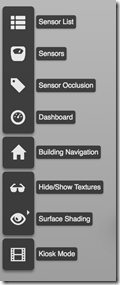
This week we rolled out a significant update to Dasher 360. Those of you who follow this blog regularly will already have seen the implementation details for a number of the features in this release, from point cloud-based sensor dots to "Kiosk Mode". I've linked to those posts wherever possible. We'll take a look at the changes in terms of Dasher 360's Forge viewer extensions, which mostly correspond to items in the Dasher 360 toolbar to the left of the page: Here are the major changes since the December release. If you want to skip the details, just open Dasher…
-

I've been interested in participating in – or at least attending – an AEC Hackathon for a couple of years now. I was first introduced to them during the VR Hackathons I attended in SF in 2014 and 2015 (Damon, Greg and Paul, who help organize the AEC Hackathons, were also organizing/involved in/attending the VR ones). There are a number of AEC Hackathons planned for Europe over the coming months, so I'm happy to say I'll finally get my chance. I've been asked to present at the first – which is in Munich from March 31st – April 2nd –…
-
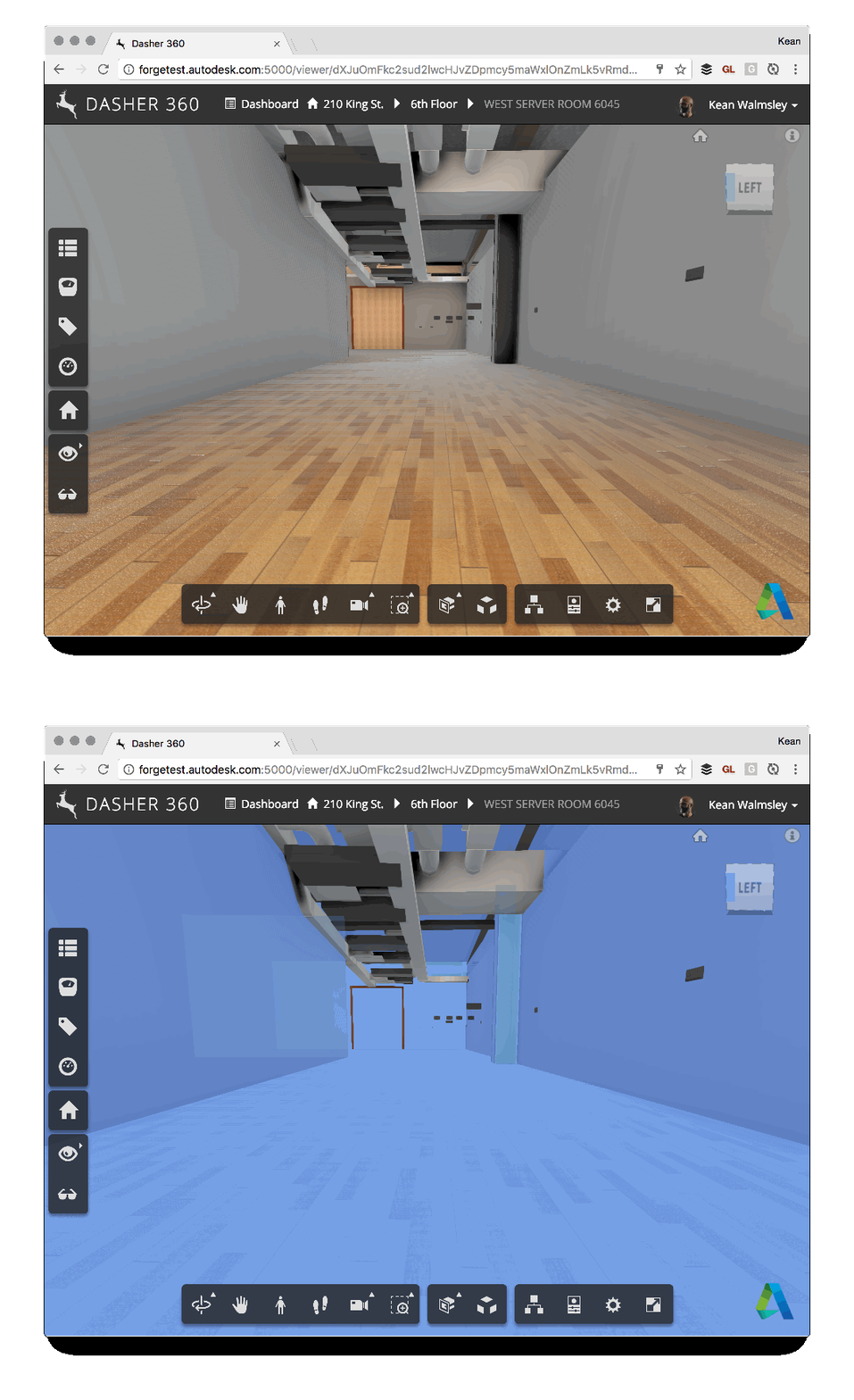
Some of you may remember this post, which talks about the ability to export to Navisworks from Revit to bring room information into the Forge viewer. One of the side effects of using this technique is that there's a bunch of semi-transparent room boundary geometry in the resultant model, which can make navigation a little tricky. For instance, here's what happens when I try to select the wall at the end of a corridor (you can't see the cursor, but you should get the idea – the invisible room geometry gets selected rather than the wall). To help improve the…
-
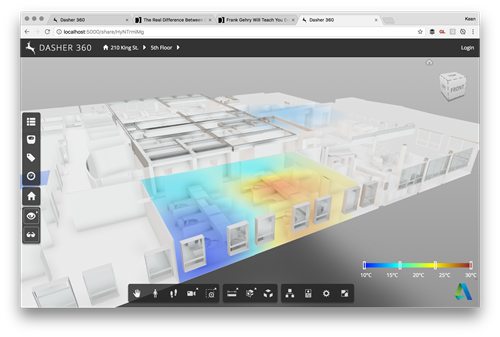
As a follow-up from Tuesday's post, I wanted to hide the title bar of the dialog showing the legend for our surface shading feature. It turned out to be really easy: we're deriving from DockingPanel and we simply need to override the initialize() method and choose not to create either the title bar or the close button. All we do in the method is create "move handlers" that allow the dialog to be moved by clicking and dragging anywhere on it: very important if you no longer have a title bar on your dialog. Here's the TypeScript class I ended…
-
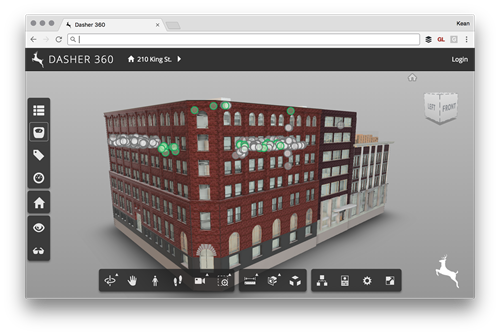
Today I was asked to add the ability to place a custom logo onto an instance of the Forge viewer (in my case for Dasher 360, of course). It seemed like an interesting one to share, as I'm sure others have the same requirement. There are probably lots of ways to solve this – for instance by adding the image with its own camera as an overlay inside the Forge viewer's 3D scene – but I decided to stick to something simple and have the browser overlay the image. There are a few changes needed for this to work. Firstly…
-
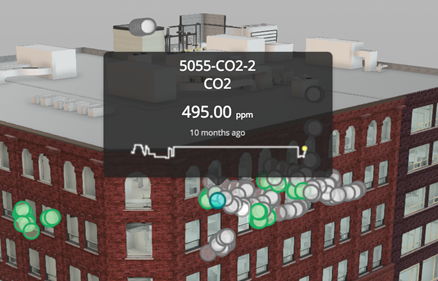
In the last post we talked about a recent optimization to Dasher 360, where we implemented a point cloud rather than individual SVG-based markers for our various sensors. As mentioned, last time, this was pretty straightforward to get working, but did add some complexity: rather than having seperate DOM-resident markers – which can easily have separate tooltips assigned – we now have a single object and need to be able to display tooltips when individual points in the cloud are hovered over. Here's the basic algorithm we used to determine when an individual sensor was being hovered over: Implement a…