Reality capture
-

One of the announcements at the recent REAL 2015 conference – and if you missed the event, as I did, you can see a great summary here – was the fact that the much-appreciated mesh manipulation tool from our Reality Solutions division, Autodesk Memento, has now entered public beta. It has graduated from Autodesk Labs and is now available for download without you having to log into the beta portal. It also has a brand new web-site describing why you might want to use it. For those of you who have been tracking its progress, release on release, here are…
-

There's a really interesting conference in San Francisco, later this month (groan). It's being held in Fort Mason on February 25-27, and covers all aspects of reality computing, whether relating to capture, compute or create: Autodesk is the main organizer of the event, but there are lots of other companies and institutions involved, too. Check out the list of speakers: there are executives and specialists from Autodesk lined up as well as several eminent names from the industry. Here's a quick video giving a sense of what the conference is all about: And in case you're still interested in registering,…
-
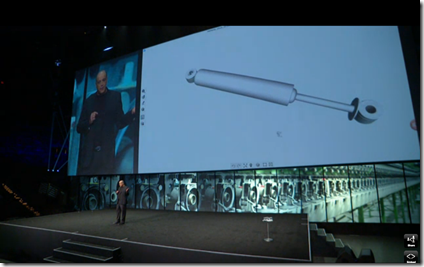
The Memento product got some well-deserved airtime at Autodesk University 2014: it had prominent mentions during both the opening and closing keynotes. A new version has now been pushed live to Autodesk Labs and comes with some really useful enhancements. Full details can be found on Scott's blog. I'll start by talking about three enhancements I made use of for a specific project. My goal was to take some OBJ files – which had previously been generated from photos and exported by Memento – and set the coordinate system correctly for viewing in A360. Well, for use with the View…
-

Some friends from the UK were visiting Switzerland (although not staying with us) over the weekend, so we decided to meet them for dinner on Sunday at Geneva airport before their flight home. Thankfully I'd flown in from Las Vegas (and then Heathrow) to Zurich, the day before, otherwise visiting the same airport twice in one weekend would have seemed very weird. My wife suggested we go a little early (despite me being Vegas-lagged) and visit an exhibition she'd heard about at Palexpo (which is right at Geneva airport, and is also where the Geneva Motor Show takes place). The…
-
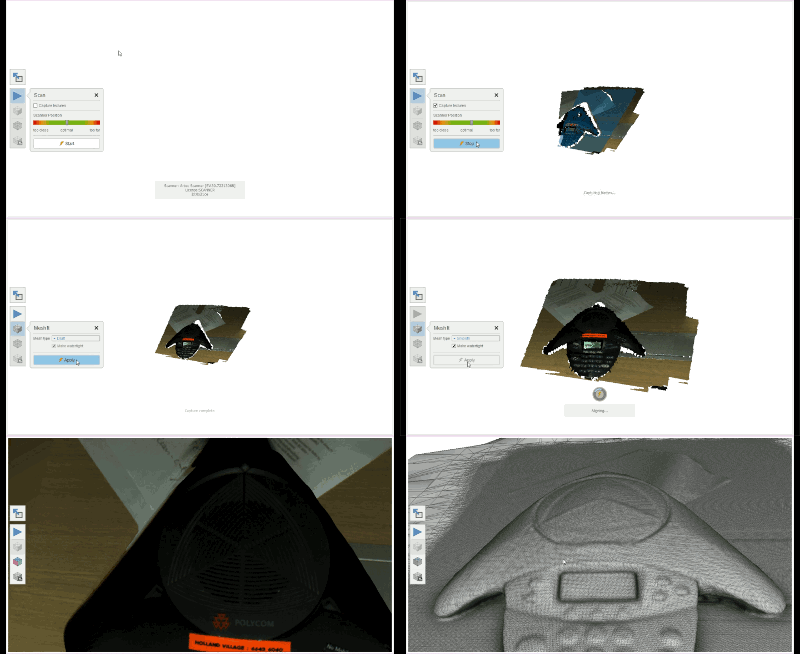
Some exciting news from the Reality Computing team: Project Memento – which has been updated to v1.0.11.3 on Autodesk Labs – now supports direct input from the Artec 3D Eva scanner. You can scan a 3D object or scene – generating a mesh – directly in the Memento software. I've been hoping/waiting for this to happen for some time. Here's a quick GIF showing – in broad strokes – how the process works. I've basically put a bunch of screenshots together – these were captured manually rather than at regular intervals – to show the flow in a lightweight manner,…
-

As reported over on Scott's blog, Project Memento v1.0.10.5 is now available on Autodesk Labs. I won't repeat the specific new features in this release – Scott covers those thoroughly – but I will say that I'm personally most excited about trying the improved .OBJ and .FBX export and the workflows that they enable. To find out more about Memento, there's a webinar on Wednesday October 15 at 9am Pacific talking about the tool. During the webinar, Tatjana Dzambazova – whom you may have seen in her excellent TEDx session – will cover topics such from uploading photos, working with…
-
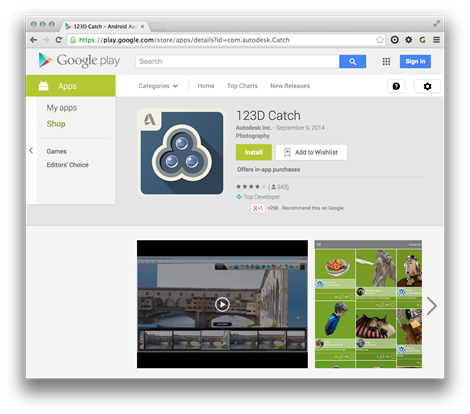
I was very happy to read the news on Shaan's blog: 123D Catch is now available on Android. I blogged about its availability via the web and on iOS, a couple of years ago, but there's now an Android version and it's pretty slick. Some quick background info: I do my best to stay OS agnostic, as a rule. My primary desktop OS is Windows (7 or 8.1, depending) but I also use OS X Mavericks and play with a few different Linux distributions when I get time. I have an old iPad 2 that has a cracked – but…
-
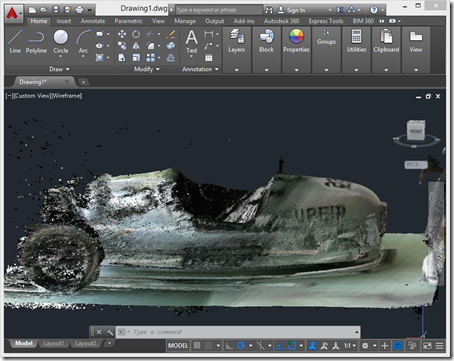
After introducing the series, taking a look at some basic samples and then looking at importing Kinect's high-definition face tracking data into AutoCAD, it's time for (in my opinion) the most interesting piece of functionality provided on the Kinect SDK, Kinect Fusion. Kinect Fusion is a straightforward way to capture 3D volumes – allowing you to move the Kinect sensor around to capture objects from different angles – and the KINFUS command in these integration samples let's you bring the captured data into AutoCAD. Which basically turns Kinect into a low-cost – and reasonably effective – 3D scanner for AutoCAD.…
-
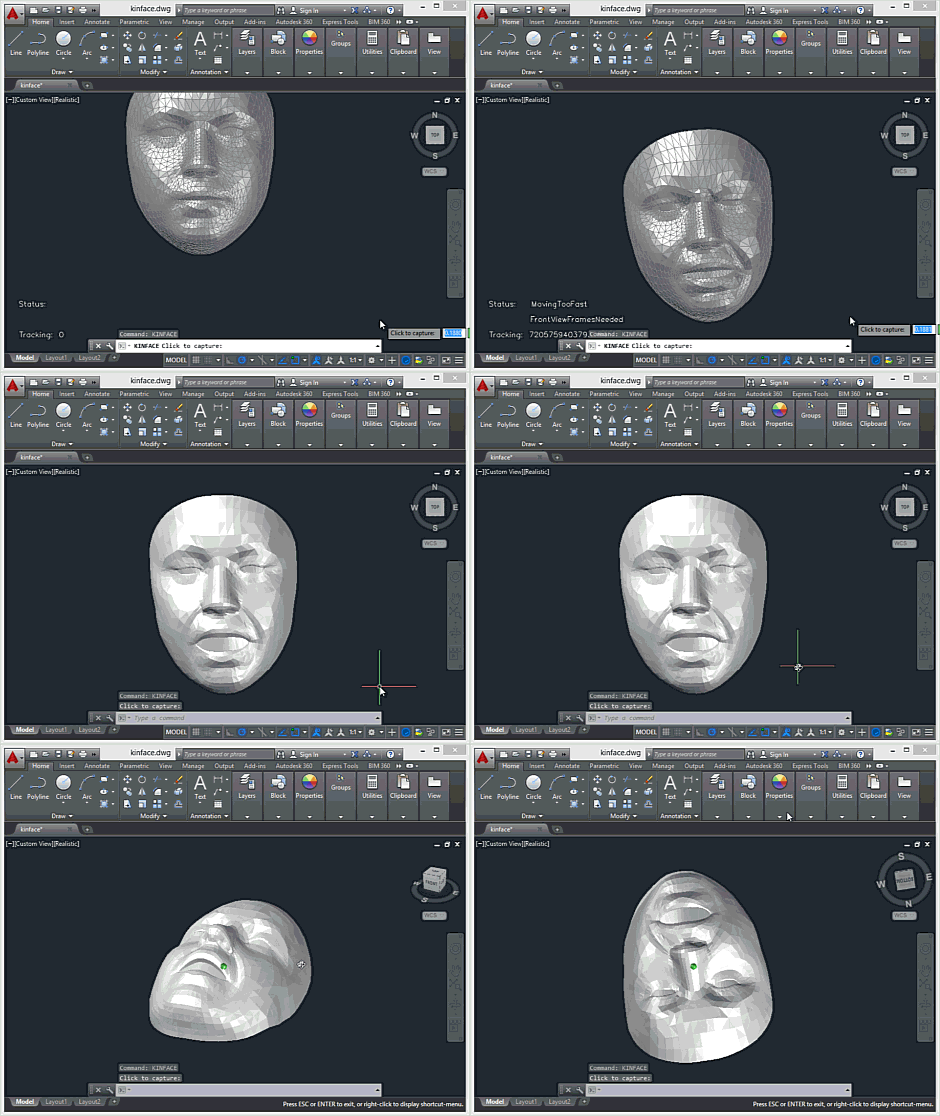
Today's post looks at face tracking and – to some degree, at least – Kinect Fusion, two more advanced Kinect SDK features that go some way above and beyond the standard samples we saw in the last post. In Kinect for Windows v1, these features belong to an additional "developer toolkit", although they appear to have been fully integrated into the core Kinect SDK for v2. At least that's the case in the preview SDK. There are some additional runtime components you'll need to copy across into AutoCAD's program files folder to make use of these features: you'll need Kinect20.Face.dll…
-

Following on from the introduction to this series – and to the Kinect for Windows v2 sensor – it's time to take a closer look at some of the AutoCAD integration samples. At the core of the Kinect sensor's capabilities are really two things: the ability to capture depth data and to detect people's bodies in the field of view. There are additional bells and whistles such as audio support, Kinect Fusion and face tracking, but the foundation is really about RGB-D input and the additional runtime analysis required to track humans. Let's take a look at both of these.…