Reality capture
-

You're probably thinking I've been talking about little else other than making Kinect work with your PC, of late (and not only because I've had a class to prepare for AU, I also think this technology has the potential to be very significant), but I did feel it was worth pointing out this important announcement from Microsoft: early next year (which presumably now means weeks away) we'll see a version of Kinect that's specifically intended to work with Windows systems (rather than the current version of the device that's really intended to be a controller for the Xbox 360). What's…
-
As promised, here's my handout for CP3840, the main class I'm teaching at this year's AU. Introducing Kinect Since Kinect for Xbox 360® was launched on November 4th, 2010, the device has taken the world by storm: it became the quickest selling consumer electronics device ever (according to the Guinness Book of World Records), selling 8 million units in the first 60 days. This record has since been surpassed, but still. Kinect was originally intended to be a controller for the Xbox 360 gaming system – allowing you to play games without a controller, or, as Microsoft like to say,…
-
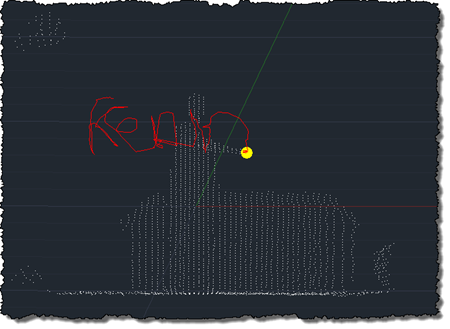
After using the Microsoft Kinect SDK to bring point clouds into AutoCAD and then to track skeleton information, I'm happy to report that I now have an equivalent implementation of this previous post, where we used OpenNI and NITE to understand gestures captured by the Kinect and draw 3D polylines inside AutoCAD. This implementation is a bit different from the last, mainly in that – given the additional calculation needed to map points into "skeleton space" when building out point cloud – I no longer transform all the points and then select a sampling. This implementation passes a sampling value…
-
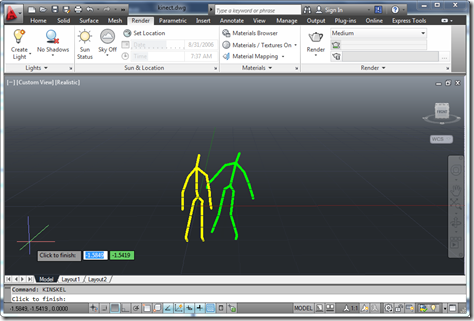
To follow on from my post showing how to get point cloud information from Kinect into AutoCAD – using Microsoft's official SDK – this post looks at getting skeleton information inside AutoCAD. The code in today's post extends the last – although I won't go ahead and denote the specific lines that have changed – by registering an additional callback called by the Microsoft runtime which, in turn, stores data in memory to be displayed when the jig's WorldDraw() is next called inside AutoCAD. The main thing to note is what's needed to map the skeleton information into AutoCAD's world…
-
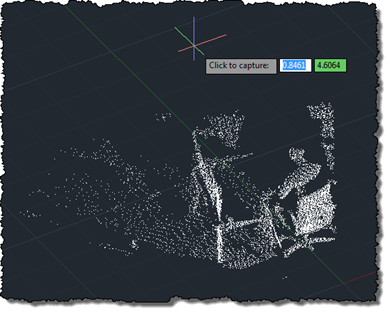
As mentioned, last week, I've been working away to port my previous OpenNI/NITE AutoCAD-Kinect integration across to the official (although still in Beta) Microsoft Kinect SDK. Today's post presents a very basic implementation – essentially equivalent to the code in this previous post – which makes use of the Microsoft Kinect SDK to bring a colourised point cloud into AutoCAD. As in the previous post, the txt2las tool is still currently needed to bring the generated point cloud into AutoCAD. It's worth noting that the Microsoft SDK is a) much simpler to install/deploy and b) provides more reliable colourisation of…
-
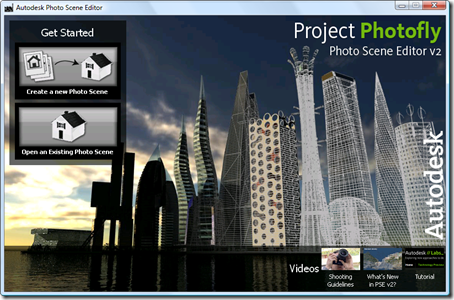
I've been really excited about this release, ever since I saw the technology in action at last year's AU. The first release of the technology was interesting, but this version really takes things to a new level: you can generate a fully textured mesh from a set of photographs. A lot of work has clearly been done on the technology to address scalability issues: I have a set of close to 500 images of a local monument, which previously was not handled by the Photofly service (for which the Photo Scene Editor is the main client application). Now, though, the…
-
After focusing on a manual process for sweeping a solid inside AutoCAD in this previous post, it seemed to make sense to attempt to automate more of that process. In the code in this post, we take a standard circular profile – of a user-specified radius – and sweep it along the path defined by the user's hand movements. Back in the original Kinect integration example we created a 3D polyline path linking every position of the user's hand detected by Kinect. This makes a very jittery path for our purposes, so we're going to define a spline along fit…
-
In this previous post we looked at some code to capture and combine a series of point clouds using a Kinect sensor. In today's post we're going to take a very slightly modified version of the code – which really only adds the feature to let the user choose when the sequence of captures should start by clicking, rather than it just starting at the beginning of the command – to capture the geometry created by dragging a 2D cross-section in 3D space. The code in the last post clearly played a big part in helping digitise the profile and…
-
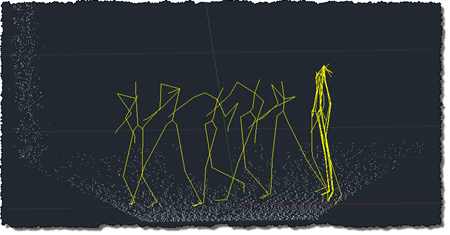
Over the weekend, I had more fun exploring the use of Kinect with AutoCAD. It was prompted by an email I had from a UK-based creative team who are interested in the potential of capturing time-lapse point clouds using Kinect. They were curious whether the quality of data coming from the Kinect device would be adequate for doing some interesting trompe l'oeil video compositions. I started by taking the code from last week's Kinect post: I removed the code related to gesture detection and beefed up the point-cloud related implementation to deal with composite point clouds that are built up…
-
I've improved the basic implementation in this previous post pretty significantly over the last week: New ability to draw multiple polylines Added a gesture of lowering/raising the left hand to start/finish drawing with the right Addition of a transient sphere as a 3D cursor for polyline drawing Quick flash of a transient skeleton (arms and chest only) on user detection The jig now perpetuates by changing the screen cursor minutely to and fro Mouse input is needed to keep the jig active; Kinect input doesn't yet count 🙂 A new gesture of placing hands together to end drawing At Barry…