AutoCAD .NET
-
This is one of those funny scenarios... I was just thinking about what to do for my next post - whether to dive into some new features of AutoCAD 2010 (which I will do soon, I promise! 🙂 or whether to choose something from my ever-increasing to-do list, when I received two emails. One was from our old friend Fernando Malard, suggesting a topic for a blog post, and the other was from Philippe Leefsma, a member of our DevTech team in Europe, in response to an ADN members question. It provided some code that could eventually form the basis…
-
Thanks again to Fenton Webb for providing the code behind the first post in the series and to Jeremy Tammik for providing the suggestion of this alternative implementation. This post follows on from this previous post, which introduced a technique to smoothly transition between 3D views in AutoCAD. It applies a more standard algorithm - known as spherical linear interpolation (or Slerp to its friends 🙂 - to interpolate between views, rather than interpolating individual values using Fenton's custom-built CosInterp() function. We still use CosInterp() to interpolate the width and height of the field of view, but otherwise the below…
-
As many of you are probably aware, my team (DevTech) is involved in a number of activities around the APIs to Autodesk products: we talk about them at conferences and seminars (what we tend to call "evangelism"), we provide API training, support & consulting, and we also develop content to publish via blogs and the Autodesk Developer Network website. One activity of which people may not be aware is the work we do around development tools: one very good example is the ObjectARX Wizard that ships on the ObjectARX SDK and helps C++ developers build applications and use various ObjectARX…
-
This inspiration for this post came during the research for this previous post, where we looked at implementing LookAt inside AutoCAD. It also has roots in the need to perform smooth transitions when zooming inside AutoCAD, which the ZOOM command manages for transitions between 2D views. Fenton Webb, from our DevTech Americas team, kindly volunteered to put together an ObjectARX sample that formed the basis for the code in this post. A huge thanks to Fents for his hard work on this! This code presents a technique that allows smooth transitioning between 3D views in AutoCAD: you set up the…
-
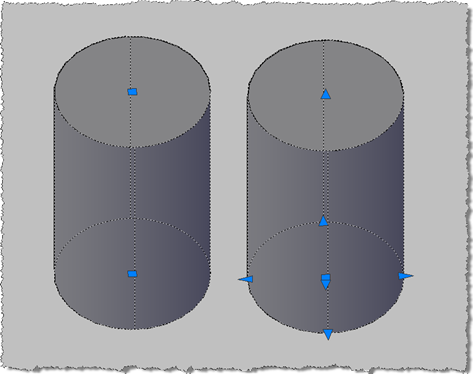
This question came up recently on the AutoCAD .NET Discussion Group: how to create a Solid3d object which provides the user with the full set of grips to manipulate it (which I've abbreviated to "editable" in the title of this post :-). This comes down to a enhancements that were made in AutoCAD 2007 to allow better manipulation of solids via the user-interface via extended grips and a push-pull mechanism. These capabilities need to be enabled solids as you create them - and unfortunately cannot be retro-fitted to existing solid objects - by telling the solid that you would like…
-
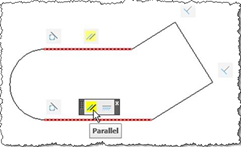
This is the second post in the series looking at the new APIs in AutoCAD 2010, and following on from this post. I've copied the information in this post from the recently-published Platform Technologies Customization Newsletter, a quarterly newsletter available to ADN members. A big thank you to Stephen Preston, Fenton Webb and Gopinath Taget for putting the material together. Parametric Drawing API If you know Inventor® software products, then this feature will seem strangely familiar :-). Using the same solver engine as Inventor, and closely following the Inventor parametric design user interface, the AutoCAD 2010 Parametric Drawing feature is…
-
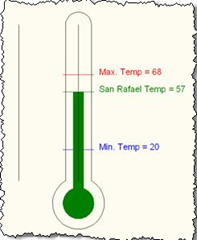
This is the first post in a series looking at the new APIs in AutoCAD 2010, and follows on from this post looking at the migration steps required. I've copied the information in this post from the recently-published Platform Technologies Customization Newsletter, a quarterly newsletter available to ADN members. A big thank you to Stephen Preston, Fenton Webb and Gopinath Taget for putting the material together. AutoCAD 2010 New API Overview AutoCAD 2010 has some really cool APIs. Please download the ObjectARX 2010 Beta SDK and review the Migration Guide for a complete list of changes and additions. [This is…
-
This post looks at the basic steps required to prepare your application to work with AutoCAD 2010. I've copied the information from the recently-published Platform Technologies Customization Newsletter, a quarterly newsletter available to ADN members. A big thank you to Stephen Preston, Fenton Webb and Gopinath Taget for putting the material together. AutoCAD 2010 software release marks the end of a binary compatibility cycle. Remember the migration from AutoCAD 2004/5/6 to AutoCAD 2007? Don't worry – this time is a lot easier. And now you have another three years of compatibility to look forward to. The major migration issues are:…
-

As promised in the last post, we're now going to look at how to change the code to make the colour averaging routine work in parallel. The overall performance is marginally better on my dual-core machine, but I fully expect it to get quicker and quicker as the number of cores multiply. To start with, though, here's the modified "synchronous" version of the code - as I went through making the code work in parallel, I noticed a bunch of general enhancements that were applicable to both versions. Here's the updated F# code: // Use lightweight F# syntax #light…
-

A friend and esteemed colleague asked - very validly - why I decided to use circles on a grid to display the results of a mathematical function in this last post, rather than using a linear object of some kind. Well I did, in fact, have a plan in mind... 🙂 This post extends the concept, introduced in that post, of displaying data in a grid of solid-hatched circles. This post focuses on importing a bitmap image from a file, pixelizing the contents and using the "averaged" pixel colours to modify our grid. The idea actually came to me during…