AutoCAD
-
I'm still on pseudo-vacation. We really had a great week in the snow: sun during the day (everyday!) with the odd bit of fresh snow overnight on a couple of occasions. It's snowing again now, but unfortunately this time it's set to snow all the way through to the end of the day tomorrow, so it's quite possible we'll head home a little earlier than expected. Which, on the plus side, will allow me to do some prep-work for Monday's Geneva Motor Show project installation. Anyway, all this to say that I've written this post really quickly with plenty of…
-
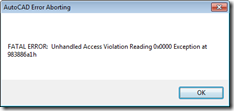
I'm still mainly on holiday this week, so this is a really silly post that I don't realistically expect to be of use to anyone. But then you never know. 🙂 A colleague in Product Support asked me for a quick way to cause AutoCAD to crash, the other day. I didn't ask too much about why he needed to – I trusted he had his reasons – and so went ahead and gave it a try. One very standard way to cause software to crash – at least software that is either written using a pointer-friendly programming language or…
-
I'm up in the mountains for the week as the kids have their winter half-term break (which in Switzerland is actually intended for kids to ski… very civilized :-). I'm going to take a few meetings and probably write a few blog posts, but otherwise I'm planning on hitting the slopes whenever I get the chance. I did want to comment on how my research into right-click menus ended up, last week. I put together some code that made use of the technique shown in this previous post to create and load a partial CUIx file containing our OBJECT_ACAD_TABLE shortcut…
-
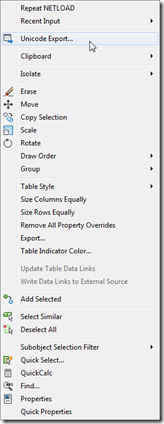
To follow on from yesterday's post, today we're going to look at an alternative implementation that – rather than modifying the Edit shortcut menu that appears for all object types – adds our custom menu item to the shortcut menu associated with a specific type of object. In our case we want to associate the menu item we introduced yesterday with Table objects. The way to associate shortcut menus in CUI with a particular object is to add an alias with "OBJECT_{DXFNAME}": in our case {DXFNAME} will be ACAD_TABLE, making the alias "OBJECT_ACAD_TABLE". You can also add an alias which…
-
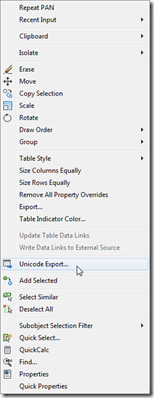
A big thanks to Parrish Husband for both suggesting this topic and providing the majority of the code in this post. Parrish had been attempting to extend the technique shown in this aging post to include an icon with the content menu item. At least one person had done this before, according to the blog comments, but had found – just as Parrish did – that the added icon didn't line up with the others in the menu. In fact it completely messed up the alignment of all the other icons in the menu: less than ideal behaviour. So Parrish…
-

A colleague in our Product Support team came to my desk yesterday afternoon with a problem he thought I might find interesting. He was right. 🙂 It turns out that AutoCAD tables containing Unicode characters don't export very well to CSV files (for later import into Excel, for instance). Here's a sample table with a number of Unicode characters in it: When exported to a CSV file using the standard right-click menu option it contains a bunch of ? characters: The good news is that it's easy to create your own version of the TABLEEXPORT command – the one that…
-

I've pulled together a few miscellaneous updates that relate to Autodesk's Reality Computing efforts, which – as I mentioned earlier – is a term that's intended to include "Reality Capture" at the beginning, followed by "Reality Modeling and Analysis" and then "Reality Delivery". Firstly, looking at the capture side of things… Photo on ReCap 360 (the new name for ReCap Photo) now has free and paid versions available. Although at the time of writing it's still possible to make use of the soon-to-be-paid benefits for free, but do hurry! Preview mode – with up to 50 source images of 12…
-
I wasn't planning on covering this particular topic today, but then this comment came in overnight and I ended up taking a look into it. Paul has been trying to append a specific cell range to his connection string when creating a data-link for an Excel spreadsheet, adding to the code from this previous post. I gave it a try myself with a hardcoded cell range and it seemed to work fine, and so went ahead and modified the implementation of the TFS command to ask the user to enter their own cell range. What's probably most interesting about the…
-
To follow on from yesterday's post, today we're taking a look at a more interactive – and iterative – approach to getting the length of a pipe (defined by a surface generated from an imported SAT file, we're not talking about native Plant 3D objects). This is the second task discussed in the introductory post in this series. We're going to add a CTRLINES2 command that asks the user to select pipe section after pipe section, and will only generate the centreline for a newly-selected section if it's contiguous to the section of pipe that's being "managed" (i.e. whose length…
-
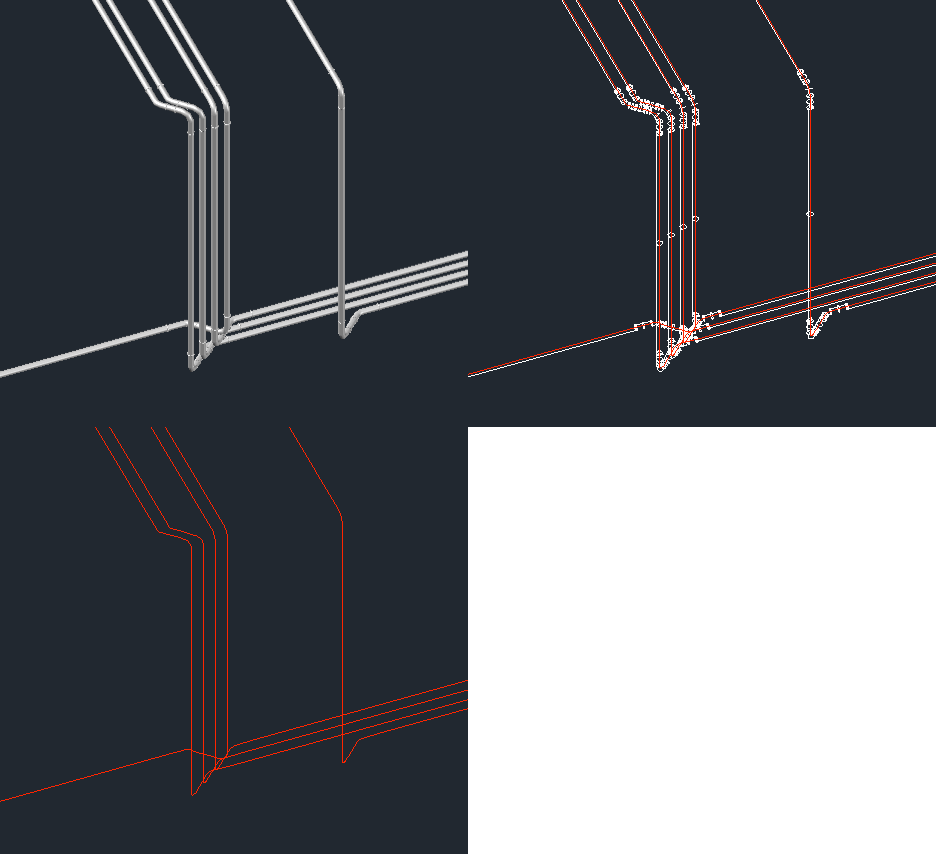
After introducing the series in the last post, today we're going to look at one potential approach for this problem: we will extract and create centrelines for surface objects created after an SAT from an external piping system has been imported into AutoCAD as well as providing a basic command to count their lengths. The code has evolved somewhat since we first saw it in this previous post: it now handles a number of previously problematic scenarios, such as the centrelines for pipe flanges being captured – it now discards polylines that intersect any cross-section circles that get captured, as…