AutoCAD
-
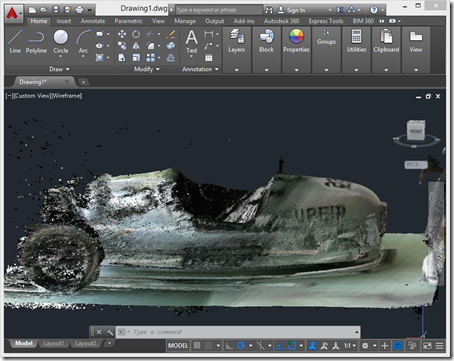
After introducing the series, taking a look at some basic samples and then looking at importing Kinect's high-definition face tracking data into AutoCAD, it's time for (in my opinion) the most interesting piece of functionality provided on the Kinect SDK, Kinect Fusion. Kinect Fusion is a straightforward way to capture 3D volumes – allowing you to move the Kinect sensor around to capture objects from different angles – and the KINFUS command in these integration samples let's you bring the captured data into AutoCAD. Which basically turns Kinect into a low-cost – and reasonably effective – 3D scanner for AutoCAD.…
-
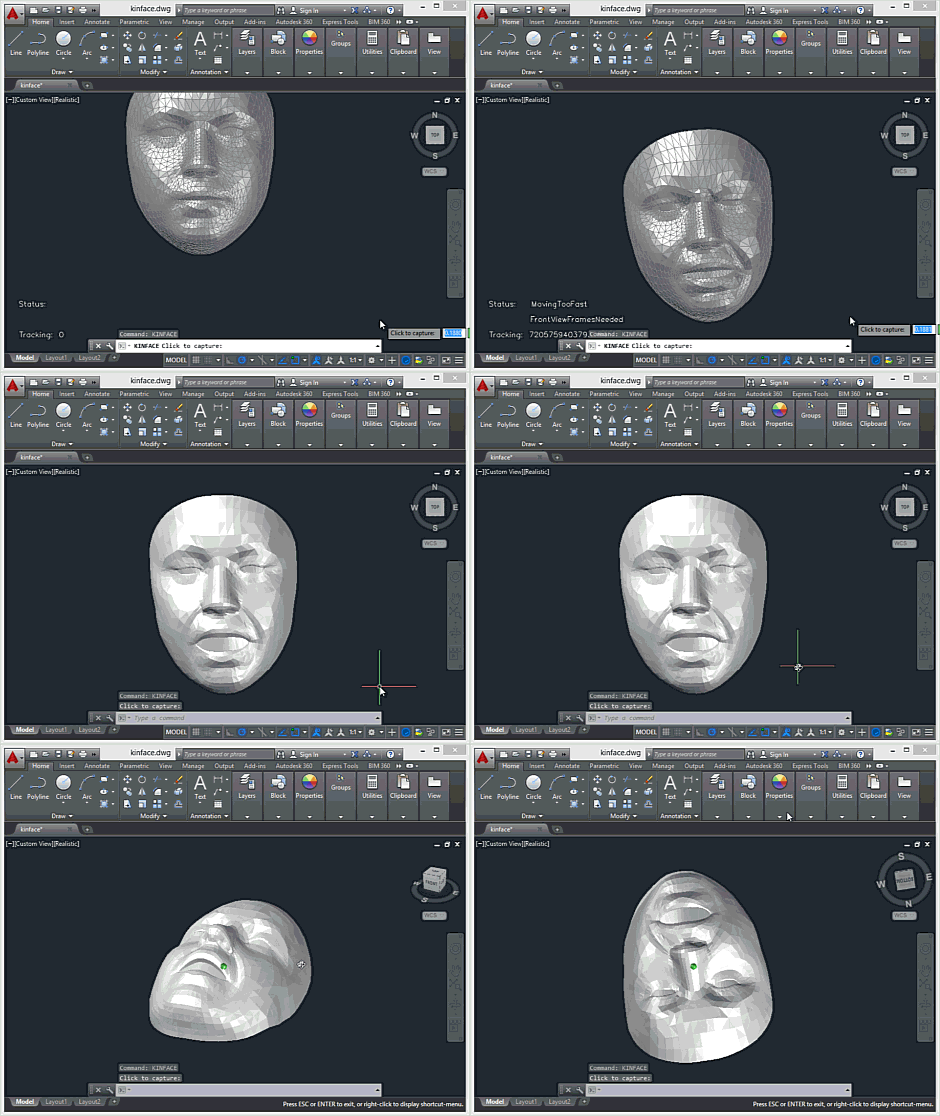
Today's post looks at face tracking and – to some degree, at least – Kinect Fusion, two more advanced Kinect SDK features that go some way above and beyond the standard samples we saw in the last post. In Kinect for Windows v1, these features belong to an additional "developer toolkit", although they appear to have been fully integrated into the core Kinect SDK for v2. At least that's the case in the preview SDK. There are some additional runtime components you'll need to copy across into AutoCAD's program files folder to make use of these features: you'll need Kinect20.Face.dll…
-

Following on from the introduction to this series – and to the Kinect for Windows v2 sensor – it's time to take a closer look at some of the AutoCAD integration samples. At the core of the Kinect sensor's capabilities are really two things: the ability to capture depth data and to detect people's bodies in the field of view. There are additional bells and whistles such as audio support, Kinect Fusion and face tracking, but the foundation is really about RGB-D input and the additional runtime analysis required to track humans. Let's take a look at both of these.…
-
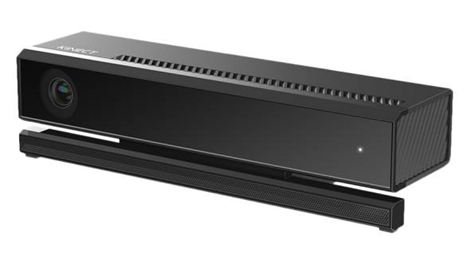
Last Friday Microsoft announced a preview SDK for Kinect for Windows 2. As the first public release of the SDK, it seems a good time to publish an initial set of samples for readers to play with. These are very much a work in progress – I tend to restart AutoCAD between Kinect Fusion captures, for instance, as otherwise I've been getting regular crashes – but they should give people a sense of what's possible. And while I haven't yet implemented certain capabilities we had before, I have gone ahead and snuck a few enhancements in (which you'll see in…
-

A few weeks ago I received the official retail version of Kinect for Windows 2 (having signed up for the pre-release program I had the right to two sensors: the initial developer version and the final retail version). After some initial integration work to get the AutoCAD-Kinect samples working with the pre-release Kinect SDK, I hadn't spent time looking at it in the meantime: the main reason being that I was waiting for Kinect Fusion to be part of the SDK. The good (actually, great) news is that it's now there and it's working really well. For those of you…
-
Over the last few months I've had a number of people ask me for an update to this 6-year old post on implementing a CAD standards plugin for AutoCAD (which in turn was based on code from an older DevNote created from a much older VB6 sample). Augusto Gonçalves from the ADN team very kindly made a start on this while I was out on vacation, providing a basic port that I've now just put a few finishing touches on. Very few changes were actually needed from the code in the original post, thankfully. Also, I did do my best…
-

Sometimes you just need to ease back into work after a few weeks off. So today I decided to have a go at integrating DogeSharp – a programming language on top of of .NET inspired by Dogescript – into AutoCAD. There was absolutely no reason to do so, other than to cause myself some amusement. Which is actually a pretty good reason, now that I think about it. For those of you who – like me – are almost completely unaware of Internet memes such as Doge, this was apparently a big one in 2013 and all started with this…
-

The next few posts may seem a bit anomalous – yes, I more commonly write about programming with AutoCAD – but then I've been sitting on a variety of beaches on the Greek island of Andros for the best part of the last two weeks, so for now it's all I have to write about. 🙂 In today's post I'm going to introduce Andros, one of the islands in the Cyclades island chain, while in the next post I'll talk about its beaches. Here's a quick Autodesk-centric anecdote, though. I wore a pair of flip-flops with the Autodesk logo during…
-
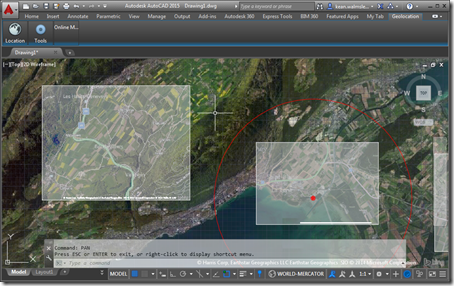
In this recent post we saw how to set our geographic location inside an AutoCAD drawing – essentially geo-referencing the model it contains – programmatically. In today's post we're going to capture a section of the displayed map and embed it inside the drawing, much as the GEOMAPIMAGE command does. In fact, we're going to use the GEOMAPIMAGE command to do most of the heavy lifting: we'll simply call the command and then pick up the created GeomapImage object to manipulate its settings, adjusting some image properties (brightness, contrast and fade settings) and having the map image display hybrid (aerial…
-
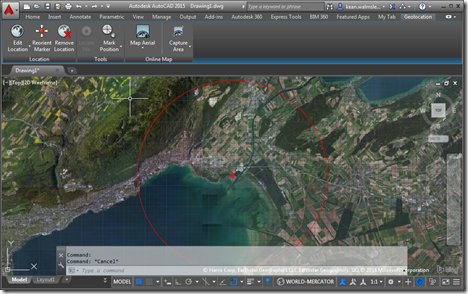
AutoCAD's geo-location API is a topic I've been meaning (and even promising) to cover for some time now. So here we are. 🙂 The below code sample is based on one shown at ADN's DevDays tour at the end of 2013 – for the AutoCAD 2014 release – but the API ended up not being fully usable (at least as far as I recall: someone should jump in and correct me if I have this wrong) until the 2015 release. I've taken the opportunity to use Editor.Command() to call a couple of commands synchronously – to turn on the GEOMAP…