AutoCAD
-
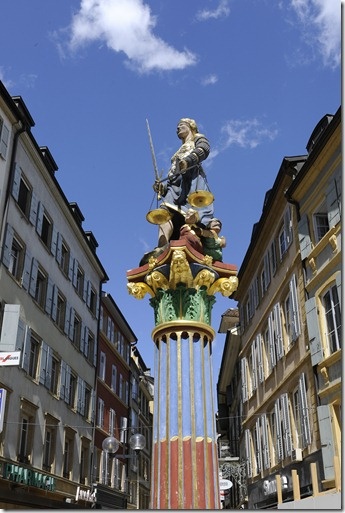
As mentioned in yesterday's post, on Monday I spent a few hours in the early morning at the local archeological museum, the Laténium. While this is nowhere near the scale of the Smithsonian, it is the largest archeological museum in Switzerland and is well known by people in the field, especially those interested in La Tène culture. I love the Laténium – our kids often seem to go there for birthday parties, which certainly beat the ones held at the local McDonalds – and so I was delighted to get to go "behind closed doors" (the museum is closed on…
-
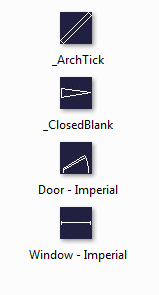
There was an interesting coincidence, earlier in the week. A blog comment came in on an old post on the exact day there was an internal email discussion on the same topic. The post was about using the BLOCKICON command on a document that gets loaded into the editor just for that purpose, generating a thumbnail image on disk for each of the contained block definitions. The problem with this approach – as was suggested by a couple of people in blog comments – is that the generated thumbnail is really small at just 32 x 32 pixels. The exact…
-

For those of you unable to attend AU 2013 in person, the keynote sessions and a small number of this year's classes will be streamed live. And they're free to attend: you just need to be registered with AU Online. I'm lucky to be presenting one of only 11 classes that are scheduled to be broadcast over the web as well as having a live audience: it seems my Kinect Fusion session is the only developer-centric class that's been selected for this year's AU Online, which is quite the honour. Hopefully I'll do it justice! A good piece of related…
-
Yesterday I presented a condensed sneak peek of my upcoming AU sessions on Kinect Fusion and Leap Motion to colleagues in the Neuchâtel office (I'll do the same at our office in Gümligen next week). It was good to make sure my various demos are working well in time for AU, as well as creating some awareness around the possibilities presented by these two technologies. We attempted a live capture of a chair using Kinect Fusion, which actually came out surprisingly well (the Kinect's USB cable popped out as I was trying to scan the chair's back, but the command…
-

Yesterday the first AutoCAD 2014 for Mac customers pealed the virtual shrinkwrap off their shiny digital copies. Here's some info on this release from my friend Micah, the AutoCAD for Mac Product Manager: There's been quite a lot of press on the 2014 release already, both from Autodesk and beyond (here are but a few examples of the coverage to date). The release schedule for our Mac version has now been synced with Apple's annual announcements, allowing us to take advantage of the latest & greatest OS X capabilities but also to be part of the launch event (however briefly: watch…
-
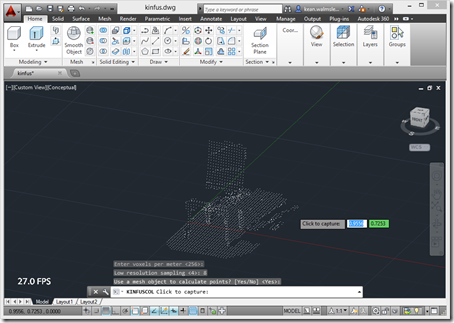
Something you realise quite early on when working with the Kinect Fusion component in the Microsoft Kinect SDK is that it's really meant to integrate into a 2D UI: it takes care of rendering the volume that's being mapped, and you simply have to integrate the generated bitmap somewhere into your app's UI. The primary benefit of this approach is its low latency: it all happens very quickly and the only data you need to move from the runtime into your app is the bitmap itself. With 3D systems such as AutoCAD, though, you really want to take the 3D…
-
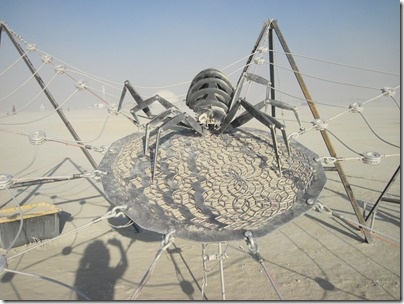
I had a little fun with the title for this post: unfortunately this one isn't a "how to" and I'm not actually going to provide a code sample. But I did want to highlight how AutoCAD's .NET API has been used for at least one exhibit at this year's Burning Man, and a very cool one, at that. I first heard about Burning Man when I was living in the San Francisco Bay Area back at (or soon after) the turn of the millennium. Our housemate back then (being British I have trouble with the term roommate… back in the…
-
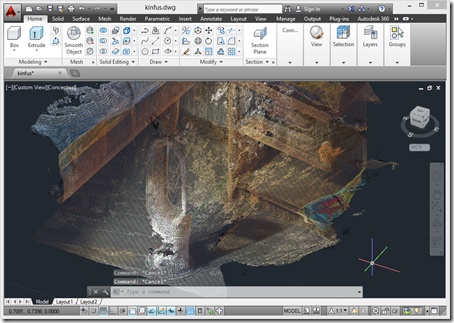
A few weeks ago the Kinect SDK was updated to version 1.8. I'd been eagerly awaiting this update for one reason, in particular: aside from receiving some updates to provide more robust tracking – something that was very much needed – Kinect Fusion has now been updated to include realistic colours in the output. There are some additional SDK enhancements, such as a background removal APIs (good for greenscreening) and HTML support (handy for interactive kiosks), but the ones that interest me most relate to Kinect Fusion. There are a few new Kinect Fusion samples that I need to take…
-
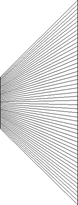
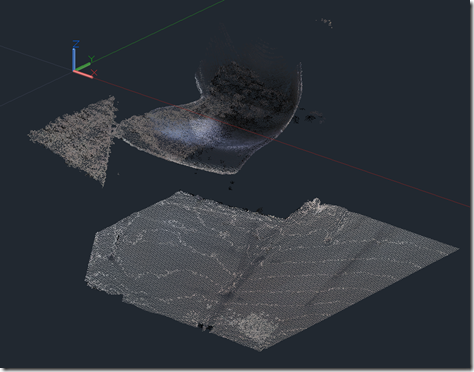
I was writing up a rather lengthy post following on from Monday's when I realised I needed some diagrams. And then I realised they were going to be complicated enough to need AutoCAD to create them. And then I realised I needed to write some code to generate some of the graphics, as they were too complicated to draw by hand. 🙂 Which is what this post has ended up being about: it seemed quicker and easier to write this topic up than it was to finish the other one, which I'll hopefully publish tomorrow, if i can find the…
-
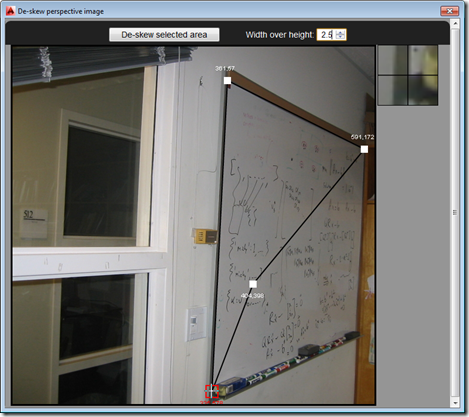
So after several posts leading up to the big reveal, as it were, in today's post we're going to see the full "De-skew Raster" application in action – and give you the complete source to fool around with. The main addition over where we were in the last post is the HTML5 and JavaScript UI implementation, as well as the new C# command – called DESKEW – that loads and displays it: Our JavaScript code uses the new JavaScript API in AutoCAD 2014 to execute the other command (DESKEW_IMAGE, which we saw implemented last time) that drives the core Python…