Autodesk Research
-
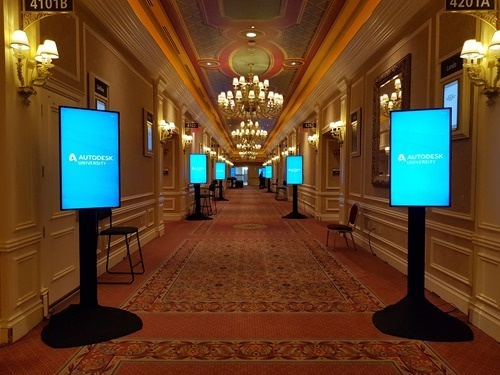
I'm on the train home after a whirlwind week in Las Vegas. Another great AU is "in the bag" and I'm looking forward to getting home to my family. But first a quick recap of the week… I arrived on Saturday night, as usual, and managed to get a decent first night's sleep. On Sunday I did a few things… I checked out the rooms I'd be presenting in during the week, which is always slightly surreal. I wandered along the strip: they'd closed it off for the Rock N Roll Marathon, which apparently caused incredible havoc for those arriving…
-
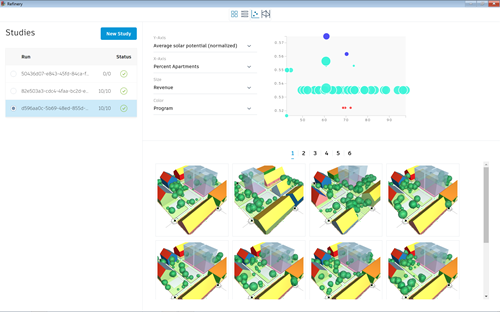
I'm very glad to be able to share the news that Project Refinery is now available as a public Beta. This is the optioneering and optimization engine for Dynamo that Autodesk Research has been using to implement the "generative urban design" workflow for Van Wijnen. It allows you to generate 1000s of solutions to a particular design problem, whether you want to explore random solutions, work your way through the parameter space systematically, or use evolutionary computing to hone in on optimal solutions. In the Manufacturing space we had Project Dreamcatcher – now the generative design capabilities built into Fusion…
-

We're in the last few days before the biggest week in my calendar: Autodesk University in Las Vegas. As usual I'm trying my best to conserve strength in the week before the trip, as if preparing for a marathon. (There's actually a half-marathon in Las Vegas on Sunday, so a number of AU attendees are preparing for that as well as AU itself. Utter craziness!) Photo credit: James Marvin Phelps The Sign Says It All II via photopin (license) My handouts are uploaded and my slides are getting close to being presentable. To give you a sense of what's coming,…
-
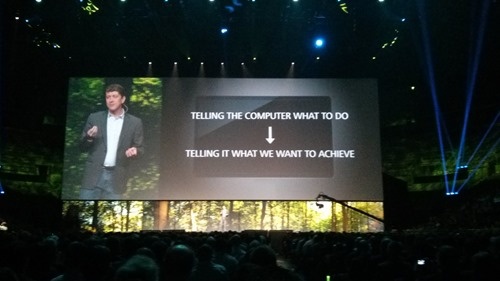
Some of you may have seen the interview on Engineering.com with our new CTO, Scott Borduin. If you don't already know Scott, I recommend reading it to get a sense of who he is as a person. Today's post is both to welcome Scott to his new role and to wish our former CTO, Jeff Kowalski, well on his next adventure. To say that we've seen a lot of change at Autodesk over the last year and a half would be an understatement. Since Carl Bass stepped down as CEO and Andrew Anagnost was promoted into the role we've seen…
-
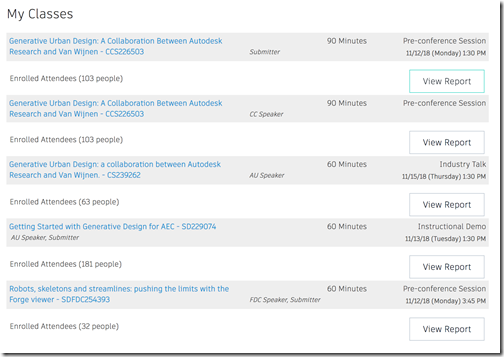
There's just over a week to go before the craziest week of my year (i.e. Autodesk University) kicks off, once again. I've been heads-down preparing various slide-decks and handouts for the big event. Things are in reasonably good shape, but there's still a bit of work left to do. I had a quick glance at the class list – mainly to make sure that I had the classes themselves in my calendar, before people start double-booking me for meetings – and I noticed the numbers of registrations: Here's a list to the various classes with links so you can check…
-
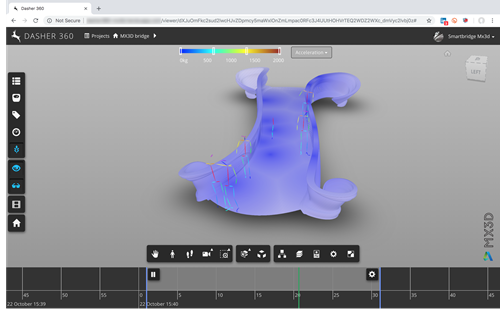
We hit a major milestone with our research into smart infrastructure, this week. After a massive push over the last 3-4 weeks (which in itself was built on work done over several years), we were able to deploy a system that measures – and reports in realtime – the performance and usage of the world's first 3D-printed steel bridge. To give you a quick sense of some of the results of this work, here's an image of Dasher 360 showing the 3D model of the bridge with skeletons walking across it with the bridge's accelerometer readings displayed as a heatmap.…
-
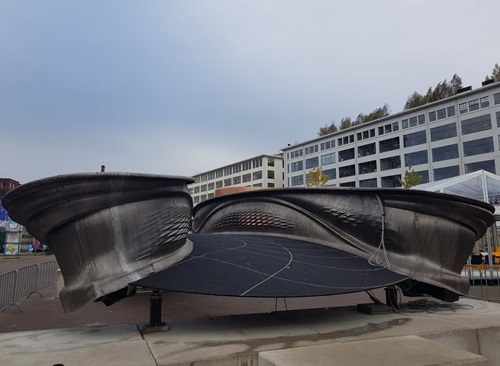
On Sunday I flex across to Amsterdam, once again, this time to take the train down to Eindhoven for Dutch Design Week. Alex Tessier and Michael Lee – colleagues who had barely recovered from the last trip across before coming back to help the project with one last big push – had arrived a few days before me. When we got to the bridge – on oversized cycles borrowed from the hotel but clearly intended for giants – the sky was still a little overcast. Alex and Mike got cracking on fixing some stray sensors and connectors. Our "home" for…
-
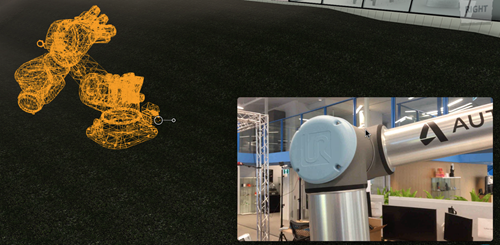
This week I spent quite a bit of time talking to people about digital twins that include skeletons and robots. For skeletons I've been working off real data from static JSON files – not yet time-series database-resident – but for robots I've just been relying on simulated movements. Until today, that is. Josh Cameron, an Autodesk Research colleague in Toronto, sent through a video he took of a robot while streaming its data to our time-series back-end. This helped me interpret the data (reasonably) correctly, at least for a first pass. You'll notice the virtal robot is a different model…
-
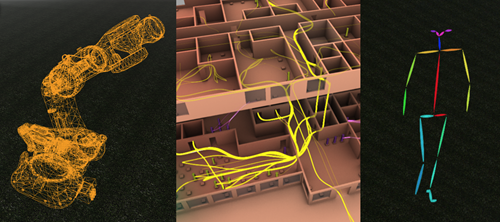
Well, this just happened: after having had three generative design-related classes accepted for AU 2018 (well, really two were accepted and one ended up getting a repeat slot at the Connect & Construct pre-conference), I wasn't due to talk about anything I've been doing lately with the Forge viewer. Which frankly was a shame, because between robots, skeletons and streamlines, as feel as though I've got lots of fun stuff to share, at the moment. That was until yesterday, when I got pinged by Stephen Preston (for the US DevCon) and Cyrille Fauvel (for the European one), to ask if…
-
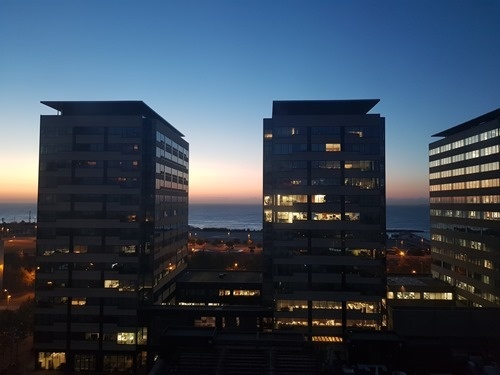
After a crazy (but cool) few days in Amsterdam at the beginning of last week, on Thursday night I hopped across to Barcelona for an event being organised by our Enterprise Priority support team. They had invited our larger customers from all over Europe to come and hear about the use of generative design technologies in the AEC space, both present and future. I woke up early in the hotel opposite Autodesk's nearly-beachfront office to see the morning light hitting it. The event itself was on the first floor of the office, so we were surrounded by autumn colours. My…