Autodesk Research
-

A year ago I talked about my early forays into the world of home automation, mainly via Philips Hue. I'm now treating the "experiment" as a success, and have decided to invest in more lights (and another Hue bridge for our main home). While thinking about this, I decided to check on the availability of an API. Sure enough there's a great REST API available for Philips Hue, as well as a number of SDKs. All of which has me thinking about possibilities of using Philips Hue as a way to visualize data. Just as we use Forge inside Dasher…
-
I was planning to post something today about our trip to Lesotho – which it turns out is the most amazing country, more on that next time – but as Autodesk Neuchatel employees have now received definitive communication regarding our future employment, it seems more appropriate to talk about that. It has now been confirmed that the Neuchatel office is definitely going to close its doors. According to Swiss law, employees had a 2-week consultation period to find alternatives to closing the office and – in this case, more importantly – to negotiate a more favourable social plan for those…
-
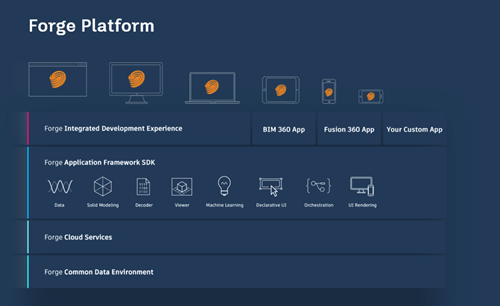
For those of you who – like me – weren't able to travel to Las Vegas for this year's Forge DevCon, I thought I'd do a quick round-up of the major news that I could extract over the wire. I'm sure there will be further blog posts from the Forge team summarising more of things I couldn't see – not being there in person – but this will hopefully be of some use to people, at least. To kick things off, I suggest reading this blog post. It talks about some high-level items, such as additions to the platform, the…
-
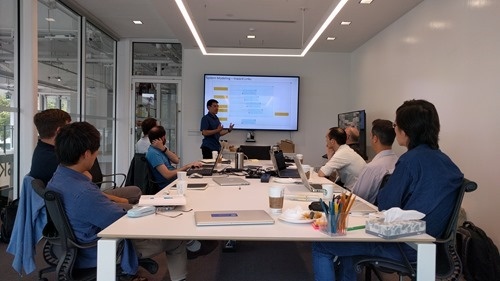
For the last year and a half I've been reporting into an Autodesk Research team based mainly in Toronto, so it made sense to include that city in the itinerary of our round-the-world tour. This did mean, however, that almost inevitably my wife and kids would be left alone for the majority of our time in the city, while I spent time with colleagues. I'm part of the Complex Systems Research group, run by Azam Khan. It's an impressive group – many have PhDs, a few of us do not – so it's always an education for me to spend…
-

OK, so that was perhaps a little mad. Earlier today I spent 5 hours on the train – going from Neuchatel to Zurich and then on the new SBB service via the Gotthard Base Tunnel – to get to Milan, had a coffee with my uncle (who lives and works nearby), gave a 30-minute presentation on Forge and AR/VR at a Meetup, and then spent 4.5 hours on more trains – this time going towards Geneva on the EuroCity (formerly Cisalpino), and then changing at Brig to head via Bern – to get home. This was the main train there…
-
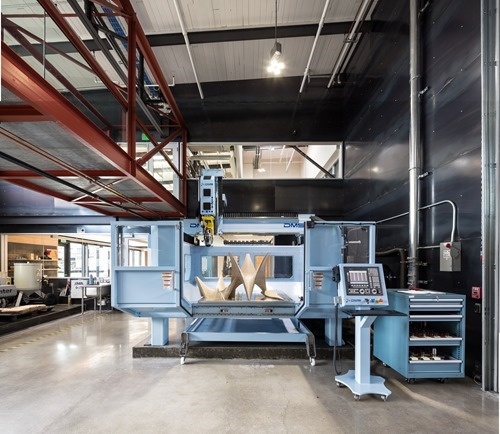
Over the coming weeks I'll be sharing a number of guest posts by Autodesk colleagues working on a project that I think will be of interest to many of this blog's readers. The first post is by Alec Shuldiner, who is introducing the project. At Autodesk, we have a bridge. Recently, we gave that bridge a nervous system: sensors, wires to carry the signal, a small amount of local computing power to pre-sort the data, and, far away, in a virtual head, a brain to make sense of it all. It's a neat thing, and in a subsequent post…
-

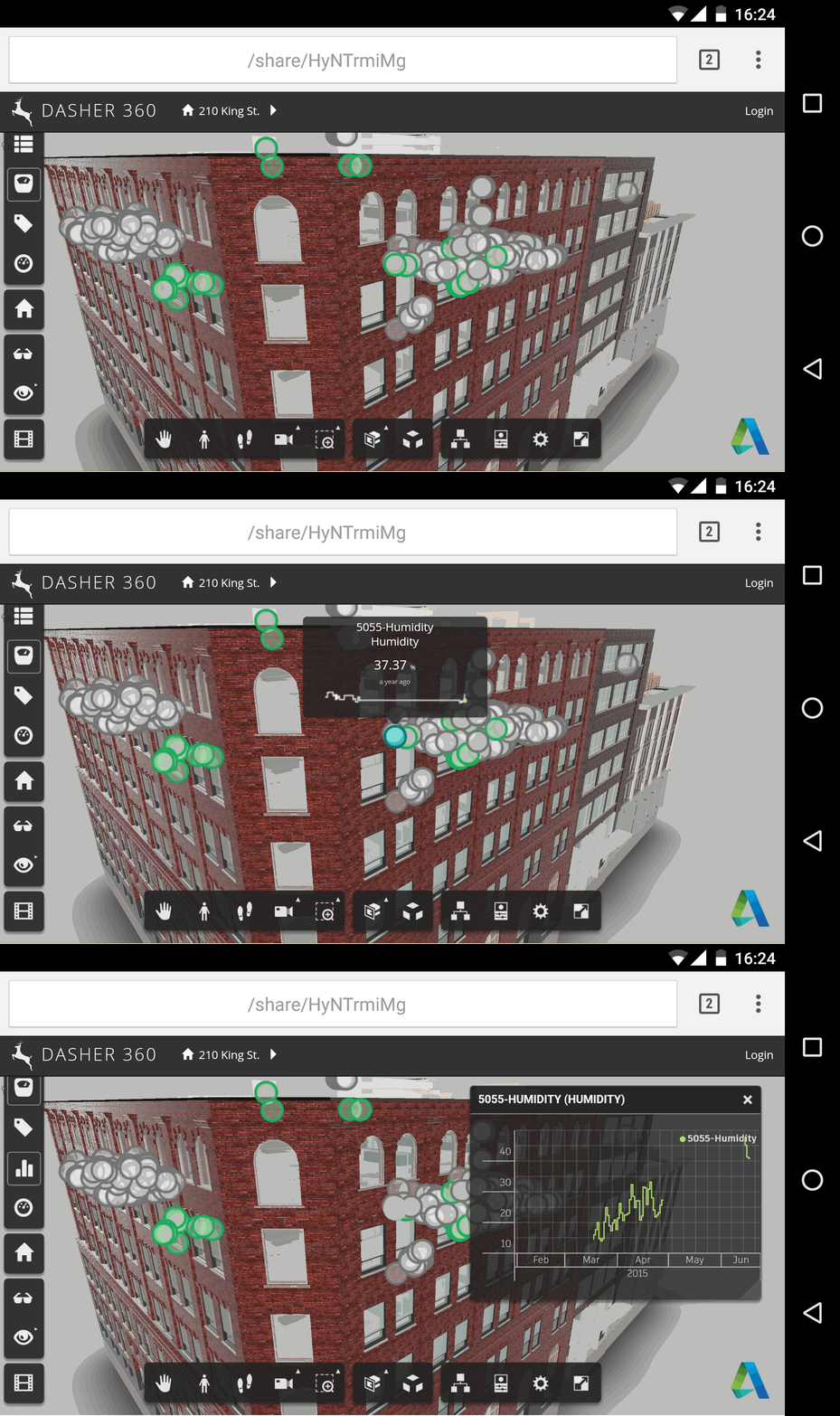
One year ago today, on April 20th, 2016, Dasher 360 was born. Here's the email I sent one year ago to Simon – the other developer working on the project – on creation of the Git repo. For the first day of its life, Dasher 360 didn't even embed the Forge viewer. 🙂 Things have come a long way over the last 12 months: Dasher 360 now has a significant number of the features originally found in the desktop version of Dasher, plus a few extra besides. Of course there's always more to do, but it feels as though we've…
-
To follow up on the last post – where we talked about adding a custom tool to provide better support for pinch gestures – today we're going to talk about some other possibilities for supporting touch in the Forge viewer. Once again we're using Autodesk.Viewing.ToolController & ToolInterface. The Forge viewer uses Hammer.js internally to support touch, so that's one good place to look for clues on how things work. (Groan – I've just realised why it's called "Hammer"… "you CAN touch this!" 🙂 I was looking into how to support both "touch-capable" (i.e. they also have mouse & keyboard input)…
-
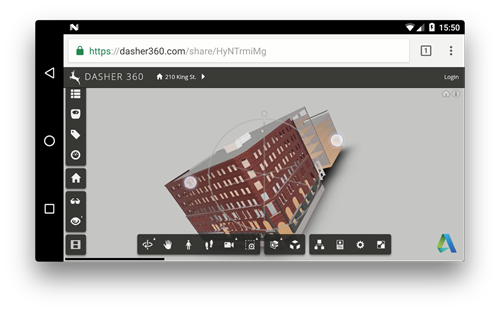
Over the last few days I've been working to improve support for touch devices in Dasher 360: the primary focus is on touch-enabled TVs and monitors, but I've been doing much of the testing for this on my mobile phone. Which means things are steadily getting better for people wanting to use phones and tablets to access the site, too. It turns out – and this may not come as a surprise to many of you – that the default pinch behaviour in the Forge viewer is to do an unconstrained orbit. No zoom, just the orbit mode that makes…
-
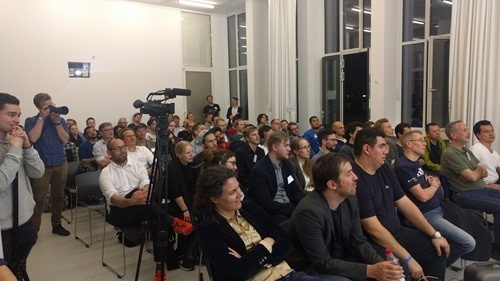
I had the great pleasure of attending the first half (give or take) of the recent AEC Hackathon in Munich. It was held over the first weekend of my kids' school holidays, so I ended up having to compromise on attending the full event: I flew in on Friday afternoon – with just enough time for some VR fun at our Munich office – and flew back home on Saturday afternoon. So I didn't get to attend the really fun piece – seeing the results of the weekend's efforts – but I will talk in this post about what I…