Autodesk Research
-
Please note the date above: this is an April Fools' Day post that was deliberately intended to make people only realise late in the article that it is, indeed, #FakeNews. Unfortunately a few (quite possibly automated) news aggregators have passed this on as real. In order to prevent further damage coming from this, I've placed this text at the beginning of the post to make the situation super clear. As much as I'd love to have people continue to fall for it – it gives me a fair amount of personal pleasure, I admit – I think it's safest to…
-
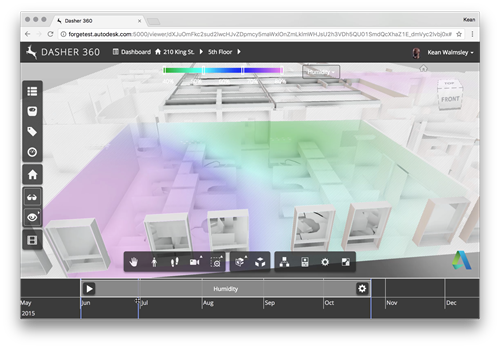
I mentioned in last week's post describing the March update to Dasher 360 that we had temporarily removed the fake surface shading animation – something I talked about way back when – from the public site in order to focus on something based on actual sensor data. Well, we've made quicker progress than expected – largely thanks to the genius of my colleague Simon Breslav, who's a complete GLSL wizard – allowing me to give you all a sneak peek of what's about to go into the public demo: As you can see we have an adjustable range…
-
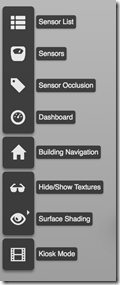
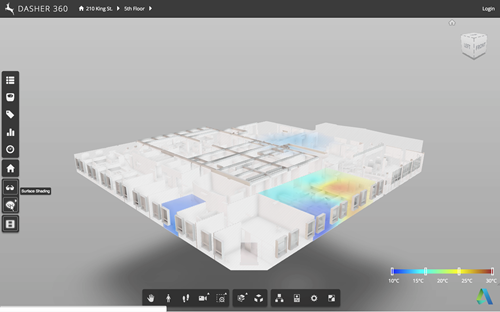
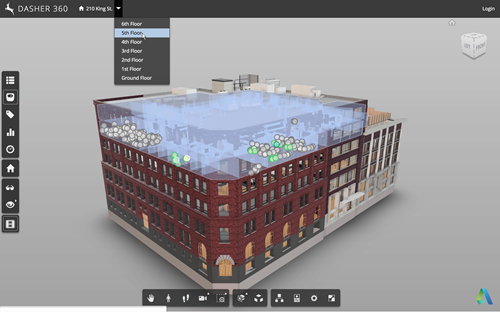
This week we rolled out a significant update to Dasher 360. Those of you who follow this blog regularly will already have seen the implementation details for a number of the features in this release, from point cloud-based sensor dots to "Kiosk Mode". I've linked to those posts wherever possible. We'll take a look at the changes in terms of Dasher 360's Forge viewer extensions, which mostly correspond to items in the Dasher 360 toolbar to the left of the page: Here are the major changes since the December release. If you want to skip the details, just open Dasher…
-
In this final (for now, anyway) part of the series, we're going to look at the approach taken in the Dasher 360 kiosk mode to loop the demo indefinitely (although with variations, as mentioned last time) until someone interrupts by moving the mouse. The first piece of this is to track the mouse. We do this by attaching an event handler to 'mousemove'. Here's the TypeScript code we're using: onMouseMove = (event: any): void => { this._canvasX = event.canvasX || event.clientX; this._canvasY = event.canvasY || event.clientY; if (this._startX !== null && this._startY !== null && this._inKioskMode…
-
Now that we've seen how to move a fake cursor across the screen, let's talk about how best to use this technique to implement a demo mode for your Forge viewer-based application. Something I mentioned last time was that – for our purposes – this code needs to be fairly adaptable, whether for different views, models or screen configurations. It also needs to be easy for us to modify or extend. Inside Dasher 360 we've implemented a number of different extensions. Many of these have their own UI, typically launched by a button. One of the first things I did…
-
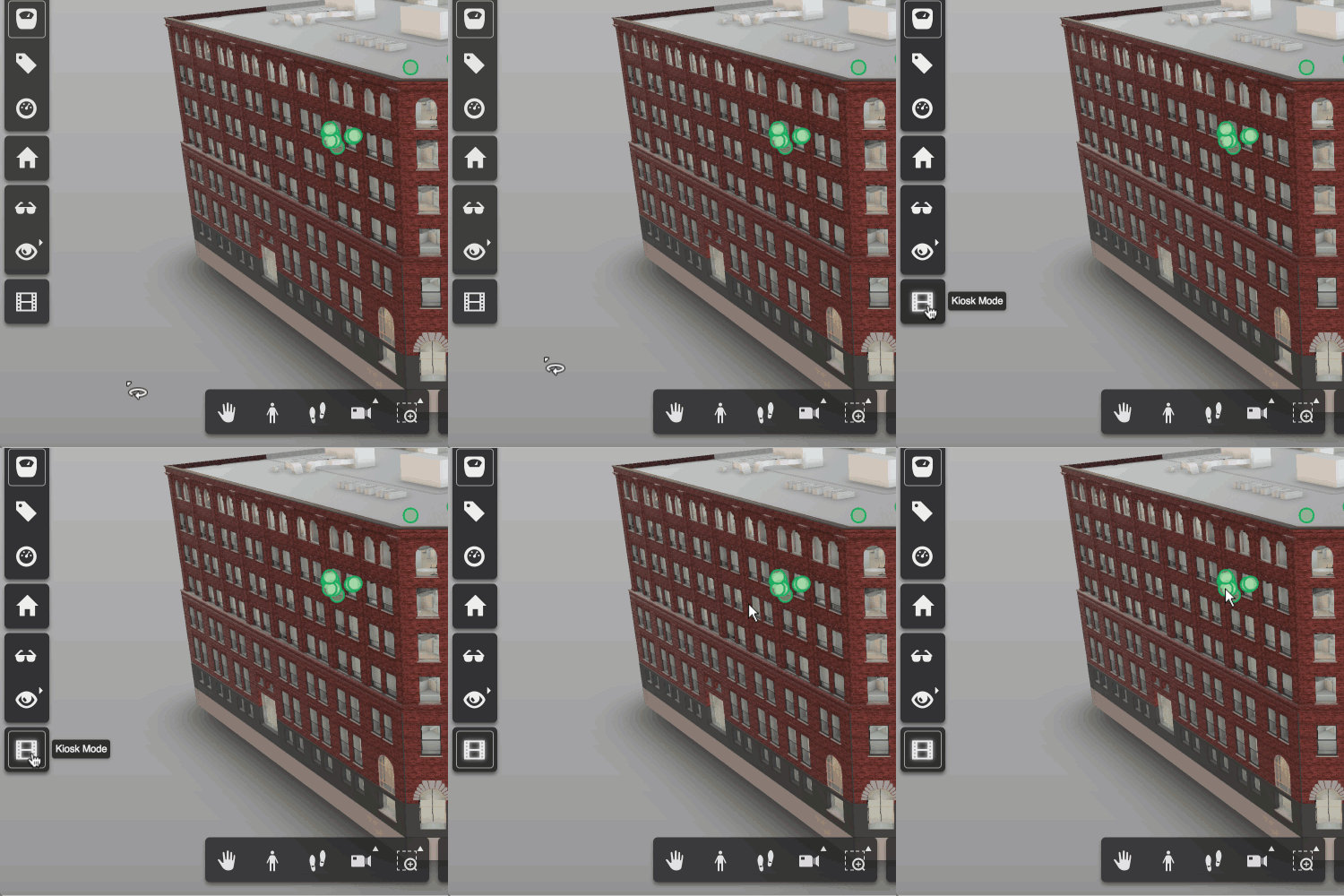
A request came up in a recent meeting talking about future features for Dasher 360. We want to be able to leave Dasher 360 running in "kiosk mode", whereby if left unattended for some time it starts to run through some canned activities, showing off some of the tool's capabilities. The mode should be interruptable: when the mouse moves the mode should stop, allowing the user to continue exploring on their own. This sounded like a really fun problem to tackle, so I started on it right away. My first avenue of research was around tools that already exist for…
-
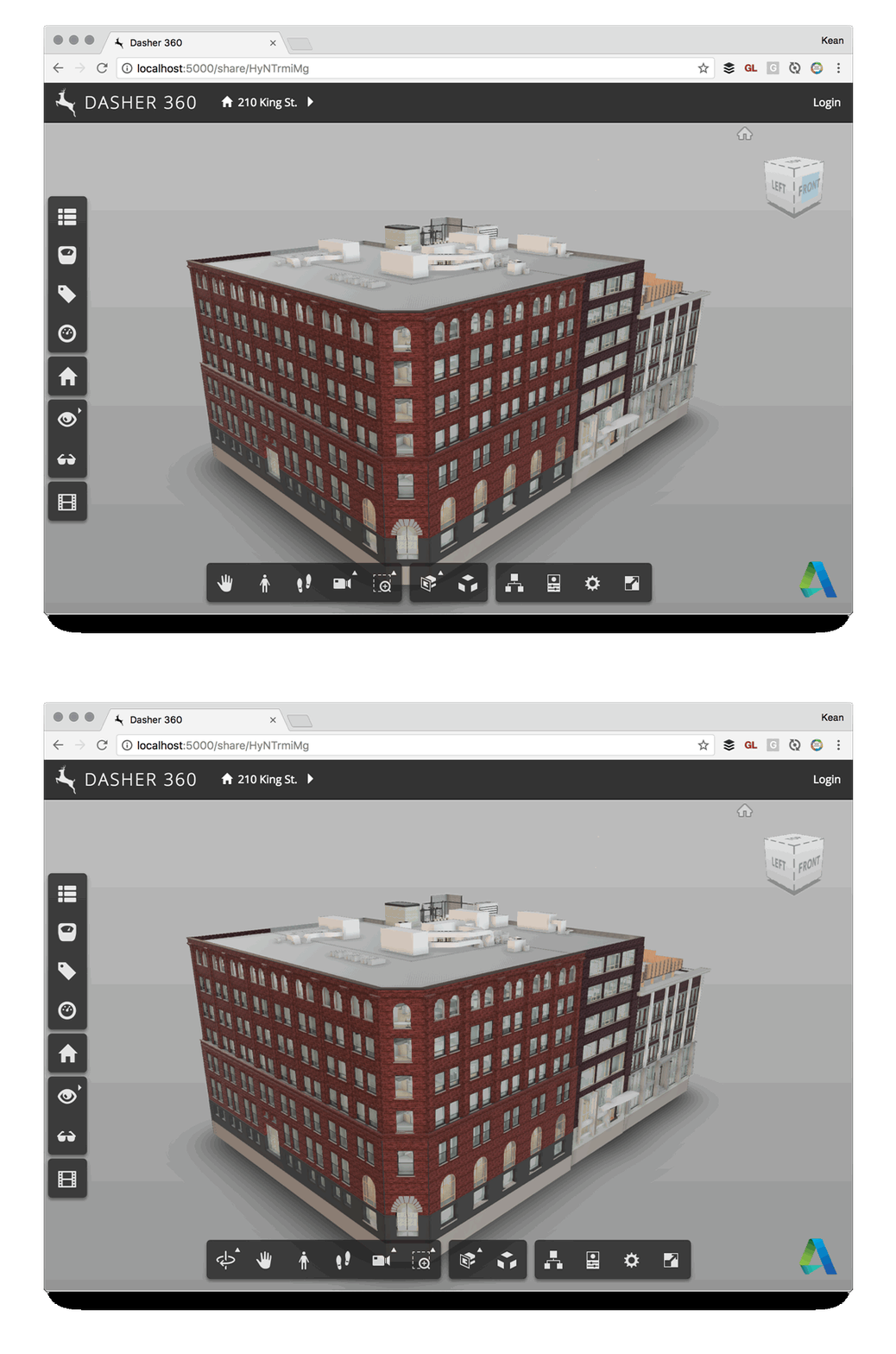
Here's a quick one to wrap up the week. Some time ago we decided that Dasher 360 didn't need to provide the option for users to do an unconstrained orbit: the default mode of turntable orbit would be perfectly adequate, especially as we deal mainly with building models. So it was that I created a simple extension to hide that particular toolbar button. It worked well enough, but after a while I saw the icon creep back into the UI. It turns out that the application resize event – which is called for lots of different reasons – was re-enabling…
-
I had a lot of fun presenting some of my WebVR-related research at the Expanding Immersive Design conference in Zurich, late last year. The recording of my session – where I demoed v1 of Vrok-It – is now online: It was very different conference for me: it was held at ZHdK - the Zürcher Hochschule der Künste, Zurich's Fine Arts University – and so was inevitably more focused on design as it relates to VR (as opposed to VR as it relates to design, where I'm more focused ;-). But I think my session helped expand the topic…
-
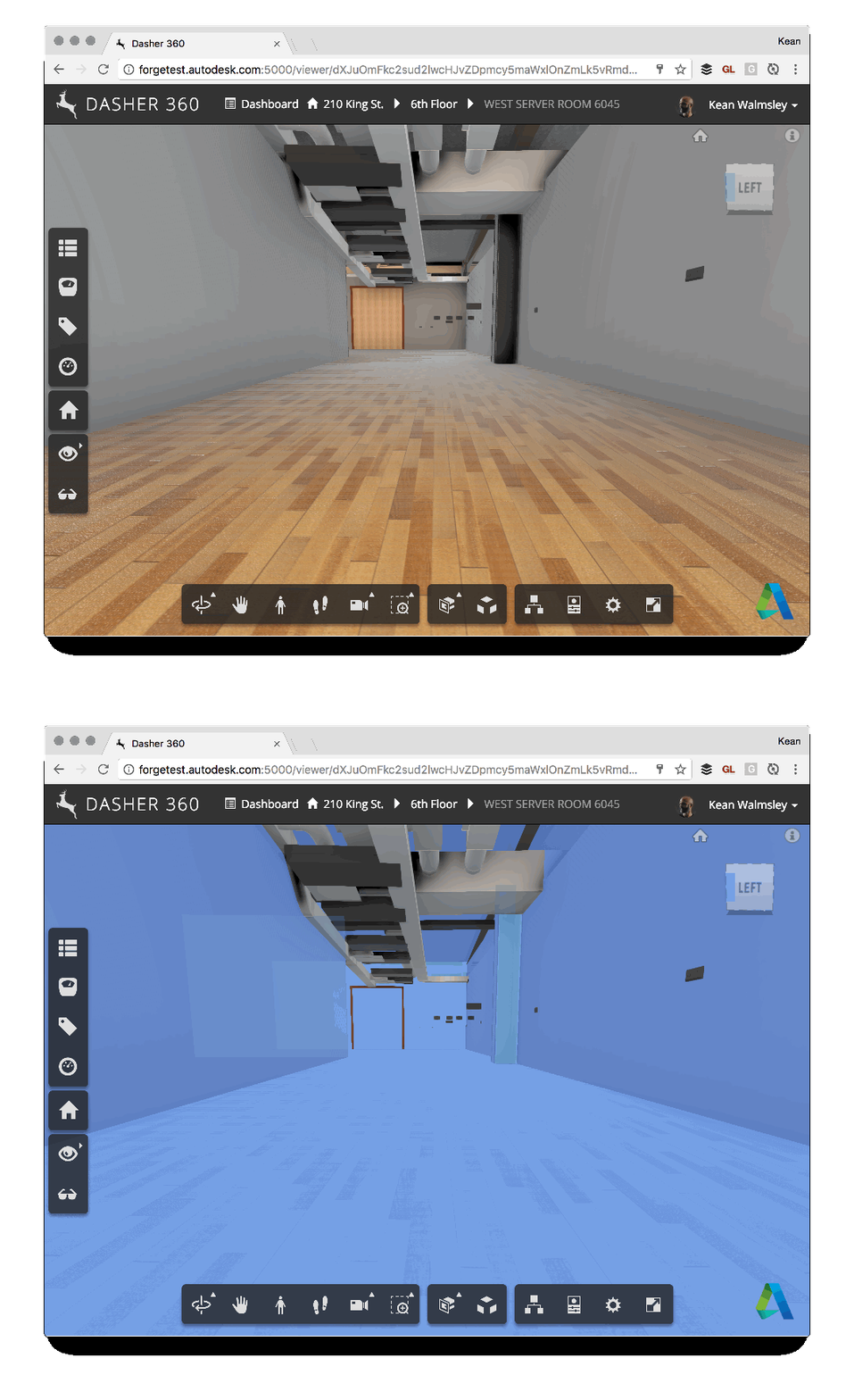
Some of you may remember this post, which talks about the ability to export to Navisworks from Revit to bring room information into the Forge viewer. One of the side effects of using this technique is that there's a bunch of semi-transparent room boundary geometry in the resultant model, which can make navigation a little tricky. For instance, here's what happens when I try to select the wall at the end of a corridor (you can't see the cursor, but you should get the idea – the invisible room geometry gets selected rather than the wall). To help improve the…
-
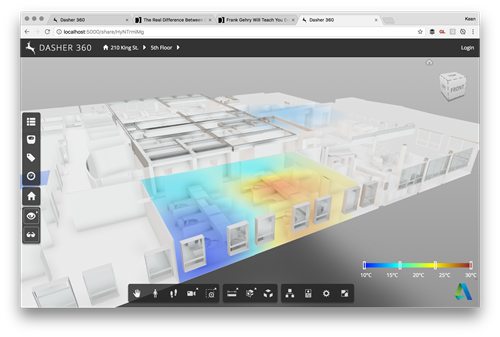
As a follow-up from Tuesday's post, I wanted to hide the title bar of the dialog showing the legend for our surface shading feature. It turned out to be really easy: we're deriving from DockingPanel and we simply need to override the initialize() method and choose not to create either the title bar or the close button. All we do in the method is create "move handlers" that allow the dialog to be moved by clicking and dragging anywhere on it: very important if you no longer have a title bar on your dialog. Here's the TypeScript class I ended…