User interface
-
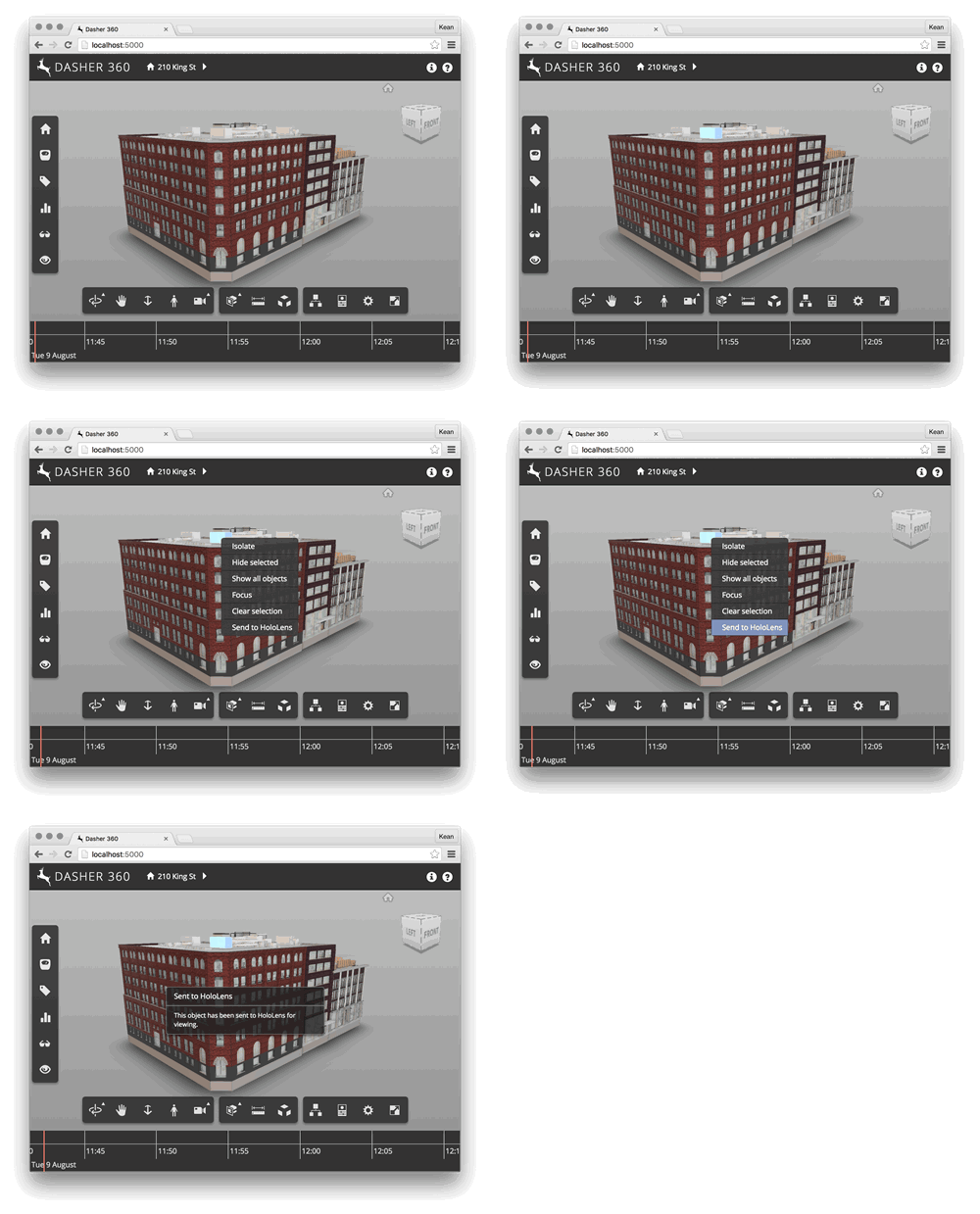
I've been spending quite a bit of time working on our "Dasher 360" prototype, recently. Which is, of course, based on the Forge Viewer. A simple – but handy – feature I added today is to add a context menu item to be displayed when objects are selected – and right-clicked – inside the Viewer. In my case I wanted to prototype a possible workflow for a "Send to HoloLens" capability: the feature itself isn't ready (that's what you might call an extreme understatement), but I thought I'd add the menu item in preparation for something being implemented. Here's a…
-

Regular readers of this blog will have heard mention of Project Dreamcatcher and how Autodesk Research is using it to explore the future of design. It's a generative design technology that goes beyond the current "state of the art" – which means combinations of tools such as Revit + Dynamo or Rhino + Grasshopper – as it works backwards from goals stated by the user, rather than expanding and evaluating options that have been programmed in. One great way for people with a programming background to "get their heads around this" is to relate it to the world of programming…
-
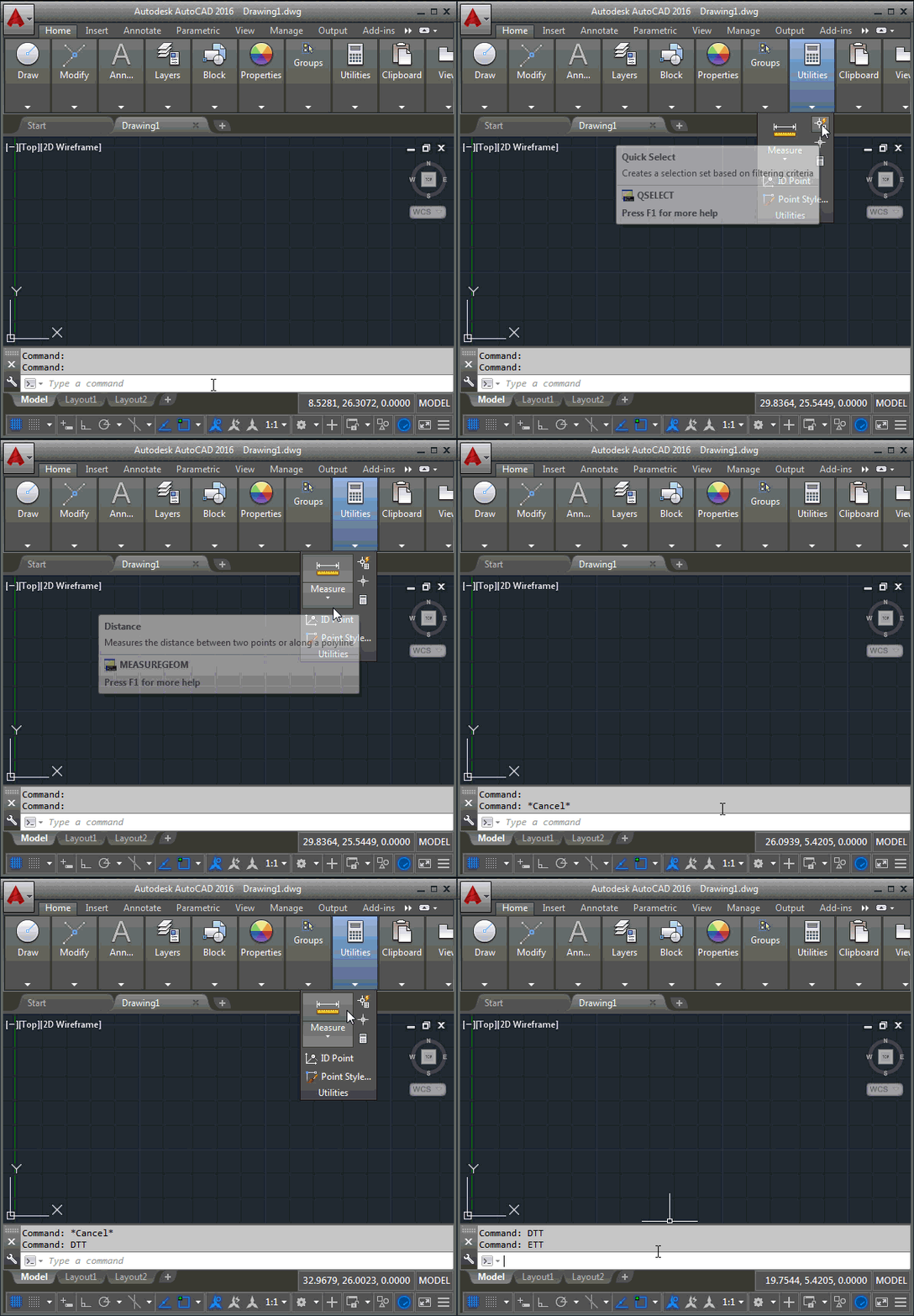
I wasn't planning on posting to this blog again, this week – three times per week is enough, I find, so I tend to save any leftovers for the week after – but this question James Maeding asked is very much related to this week's posts, and – in any case – I already have three fun posts planned for next week. 🙂 Here's the question James asked, again: wish I had something to make tooltips disappear when needed. I like them on for many things, but then they get in the way sometimes, and you have to cancel all…
-

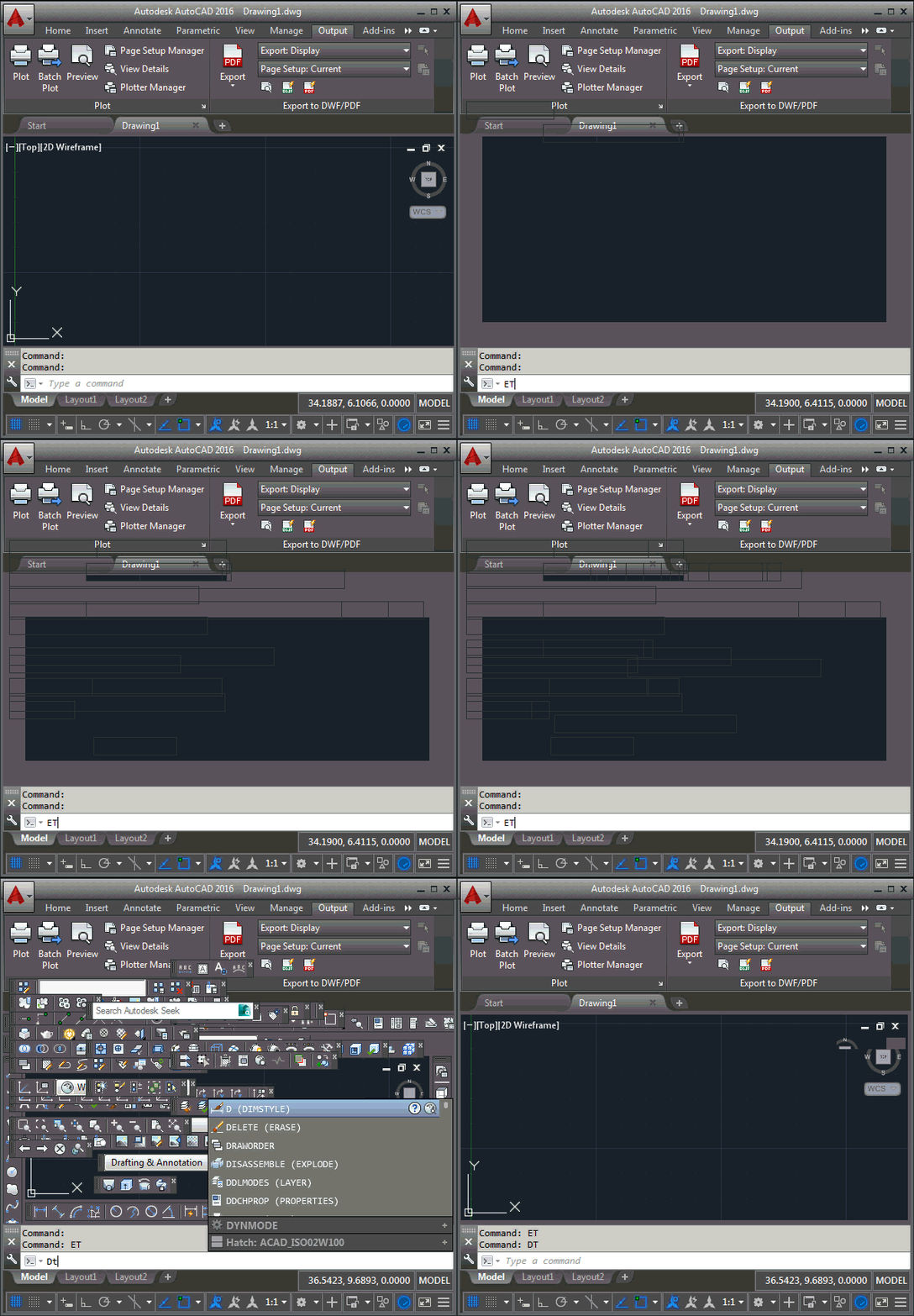
In the first post in this series, we saw how to disable AutoCAD's ribbon. In the second post, we saw how to make (with some caveats) AutoCAD's toolbars disappear. In this post we're going to throw all that away and show how to get better results with a single line of code. <sigh> But before all that, a big "thanks" to both James Meading and Alexander Rivilis, who have helped us get to this point. James pointed out a fairly significant flaw in yesterday's toolbar-hiding code (hence the mention of caveats, above), in that it didn't place toolbars on multiple…
-
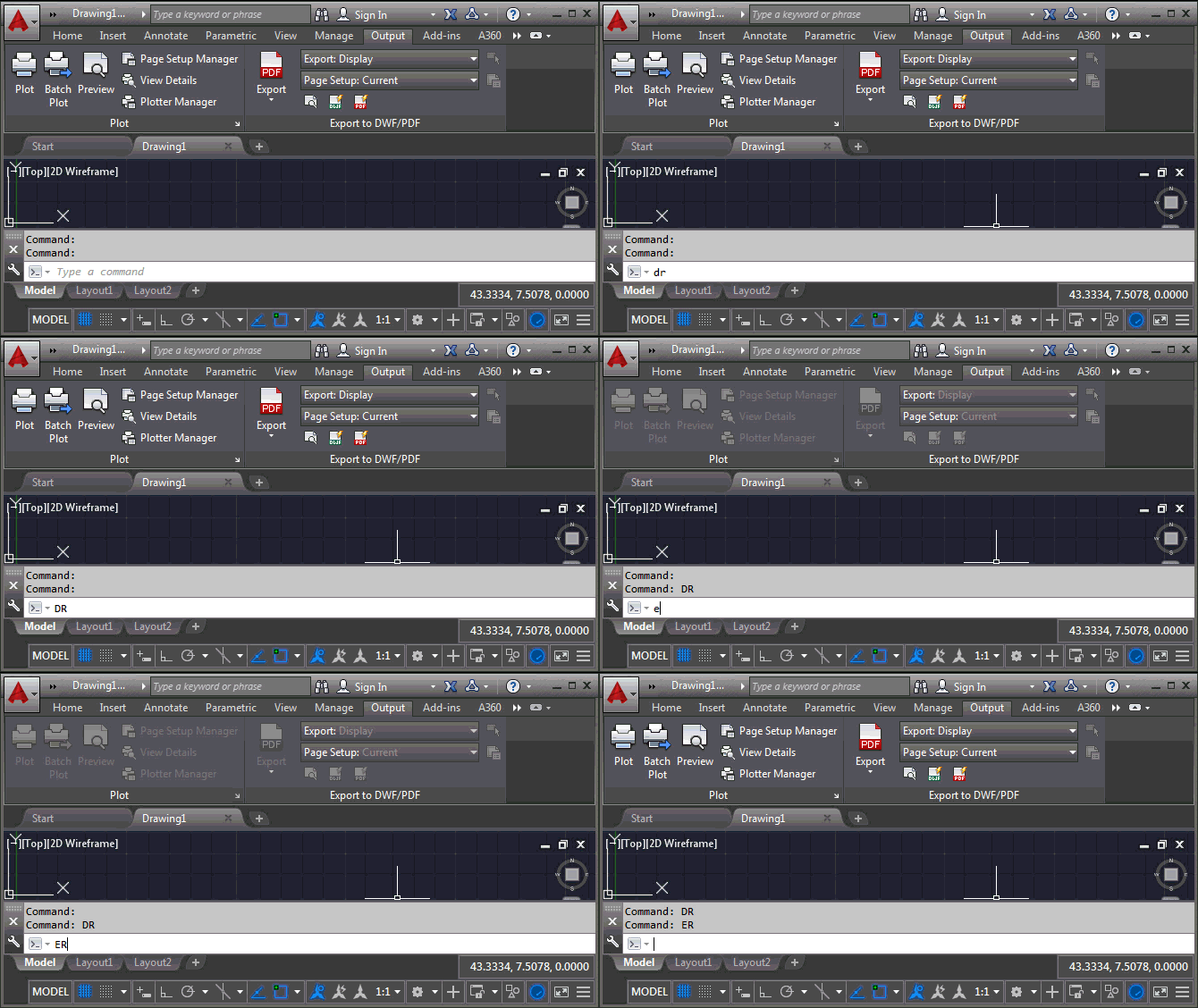
It turns out that the forum request I attempted to cover in the last post – handily re-interpreted to deal with something I knew how to do 😉 – was in fact about toolbars, rather than the ribbon. In this post we're going to look at how to disable toolbars – and re-enable them – using .NET, so that Pete's original request is dealt with. To start with, there's no real way to grey out toolbars via the API – at least not at the toolbar level, perhaps it can be done per toolbar item – so I've opted just…
-
I came across this interesting question on the AutoCAD .NET forum, posted by Pete Elliott: When AutoCAD is loading, I see that my toolbars are disabled (grayed-out) until the loading has finished. Our company does some additional data loading after AutoCAD has become idle. But if the user clicks certain custom toolbar buttons while our additional data is loading, AutoCAD fatal errors. Is there a way we can disable the toolbars (like AutoCAD does) until our loading is finished, and then enable them? I haven't been able to locate an API that provides this capability. Any suggestions greatly appreciated! It…
-

This came up during an internal discussion and I thought it worth sharing here. It's easy enough to use a point monitor in AutoCAD to determine the current cursor location, but how do we make sure it's in the current User Coordinate System (UCS) and that we adjust for object snapping (osnap)? To keep the code simple I've been a little lazy: I'm just adding an event handler as a lambda, without worrying about removing it. Also, to avoid a crash when you switch to the New Tab page or a new document and back, the code swallows an eNotApplicable…
-

I'm in San Francisco again for the Autodesk X Summit 2015. The event is targeted on User eXperience (UX), but is being attended by a very diverse set of Autodesk employees. It's the first such summit since Maria Giudice joined the company from Facebook, which many of us hope (believe!) will usher in a new era for our products. I'll be presenting a session on Wednesday regarding my experiments around UX for VR, particularly with respect to my View & Data API samples for Google Cardboard, culminating in a widescale demo of Vrok-It. Should be a lot of fun!
-

I needed to run some code from a modeless dialog, the other day, and found it was a bit of a pain to generate something quickly to do so. So I thought it might be a good idea to populate a palette dynamically with buttons that call commands and methods that were somehow tagged in the current project. The first step was to work out how to tag them: the obvious choice being some kind of method-level designation (much as we have with the CommandMethod() attribute). I created a command – named PC, for PaletteCommands – that uses reflection on…
-
In the last post we looked at some simple JavaScript code to automate AutoCAD's UI Finder, locating a sequence of commands in the ribbon. In this post we're going to look at how to generate a more extensive list directly from AutoCAD's documentation. The first step I took was to download and install the offline help for AutoCAD 2016. This gives us a set of HTML and JavaScript files in a local folder (c:\Program Files\Autodesk\AutoCAD 2016 Help/English/Help on my system). To parse the files I ended up using some old-school UNIX commands via my OS X environment (which shares the…