User interface
-
The implementation in this recent post to display a "Help!" message to the screen was well received by the person requesting it, but they ended up also wanting a command to display a message in the case that the user has help to offer other members of the class. Which basically meant a great opportunity to refactor the previous implementation, so that it could be used more generally. 🙂 Here's the updated C# code which now implements a generalised "flash message" capability that is used by both the original HELPME and the new HELPYOU commands: using Autodesk.AutoCAD.ApplicationServices; using Autodesk.AutoCAD.Runtime; using…
-
Thanks, once again, to Scott McFarlane for working his magic and finding a simple way to make an approach work that I'd convinced myself wasn't workable. (He took the implementation in my last post and adjusted it to work via a non-static event – something I had tried to do myself, but had somehow failed… I can probably blame it on post-DevDays fatigue… time for a week off, indeed. 🙂 Here's the adjusted PaletteSet2 implementation, with the event no longer defined as static and the trigger happening via an instance rather than being fired statically: using Autodesk.AutoCAD.ApplicationServices; using Autodesk.AutoCAD.Runtime; using…
-
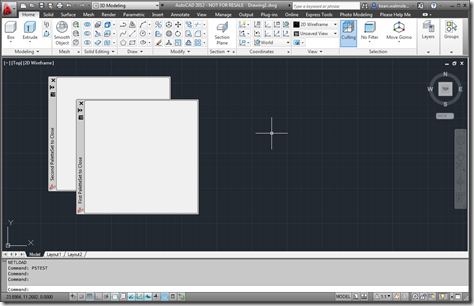
In the last post, we saw some code that provided a relatively crude mechanism for finding out when a particular custom palette set gets closed by the user. In this post, we encapsulate this technique in a new class – which I've called PaletteSet2, for the want of a better name – that can be used to apply it to a number of custom palette sets at once. Here's the C# code for the new PaletteSet2 implementation: using Autodesk.AutoCAD.ApplicationServices; using Autodesk.AutoCAD.Runtime; using Autodesk.AutoCAD.Windows; using System; [assembly: CommandClass(typeof(PaletteSet2))] namespace Autodesk.AutoCAD.Windows { public class PaletteSet2 : PaletteSet {…
-
I've just come back from the last of the European DevDays in the UK. It was fun being back in my home country so close to Christmas, and the event itself seemed to go well. It was great to catch up with some developers I've known since my early years at Autodesk, some of whom stayed on for dinner and then the DevLab we held yesterday in the brand new office Autodesk Ltd. has just moved into in Farnborough. A really interesting question came up during the DevLab, and it's one that has been asked before: how do you respond…
-
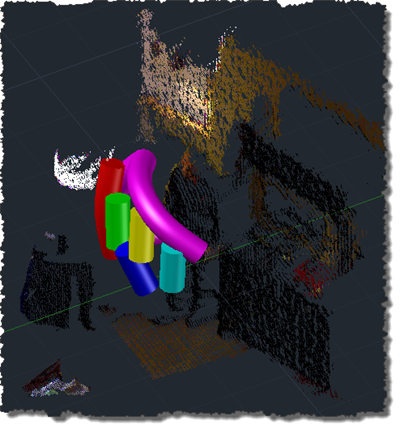
Ah, the joys of jetlag. After getting up with jetlag at 3am, yesterday, I finally worked out what was wrong with my inconsistently performing speech recognition approach shown in this previous post. I tracked down this helpful piece of advice on the Microsoft forums, which explained that the Kinect Audio capability really needs to be initialized on a MTA (multi-threaded apartment) thread. Moving the relevant initialization to a function marked with the [MTAThread] attribute and then spawning a thread to execute it made all the difference – the code now behaves predictable and effectively. I added a few more enhancements…
-
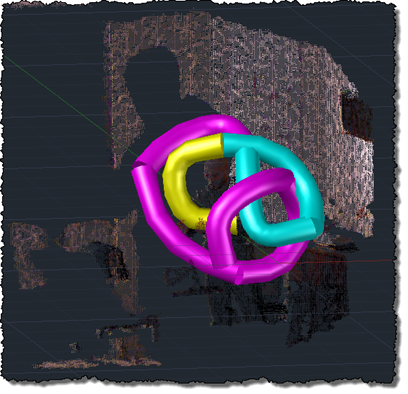
Oh, what fun. Kinect's audio capabilities were an area that I hadn't spent any time on, but an email conversation with a developer (thanks, Glenn! 😉 spurred me to take a closer look. The Beta 2 version of the Microsoft Kinect SDK, there's a new sample showing how to process audio and add speech recognition via the Microsoft Speech SDK. The Kinect SDK sample is pretty interesting: it displays a graphical indicator of where the sound is located, relative to the device (its array of four microphones allows Kinect to quite accurately position where sound is coming from, presumably to…
-
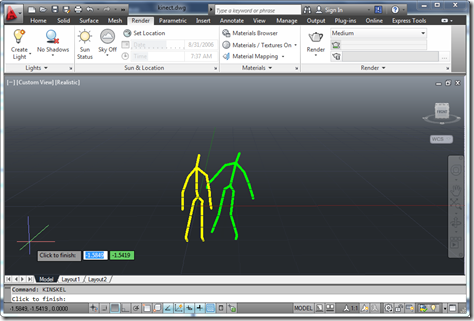
As promised, here's my handout for CP3840, the main class I'm teaching at this year's AU. Introducing Kinect Since Kinect for Xbox 360® was launched on November 4th, 2010, the device has taken the world by storm: it became the quickest selling consumer electronics device ever (according to the Guinness Book of World Records), selling 8 million units in the first 60 days. This record has since been surpassed, but still. Kinect was originally intended to be a controller for the Xbox 360 gaming system – allowing you to play games without a controller, or, as Microsoft like to say,…
-
The looming AU material deadline has finally forced me to work out how to use Kinect gestures to navigate within an AutoCAD model. It's far from perfect, but the fundamentals are all there: we have a loop – outside of a jig, this time, as we don't need to display a point cloud or generate geometry in-place – that takes skeleton data provided by the Kinect and uses it to adjust the current view. Like most people, my head gets a bit twisted when dealing with DCS and WCS, cameras, targets, views, etc., but thankfully I stumbled across an old…
-
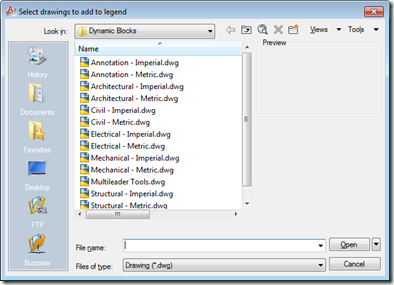
This interesting question came up in our discussion forums: Does anyone have a routine that will insert all the drawings from a single folder into one drawing to create a legend sheet? I'm trying to document the company's various blocks and details for dissemination amongst several offices. The simplest – and most elegant, in my opinion – approach for addressing this requirement is via the Table object, which allows you to include block thumbnails in each of its cells. So we would need to import the various drawings into the current drawing as blocks, and then point the various cells…
-
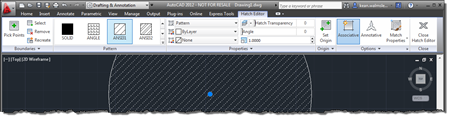
This very interesting feature came to my attention via an internal discussion. Thanks, once again, to George Varghese for providing the base sample used for this post. At various times inside AutoCAD – such as when a block is selected, for instance – a specific ribbon tab is displayed "contextually". As an example, when you select a Hatch object inside the AutoCAD editor, you should see a hatch-related contextual tab displayed: It's possible to implement your own, comparable behaviour inside the AutoCAD editor using a combination of a simple .NET module, a XAML file and some CUI editing (or a…