AutoCAD .NET
-
I had a question come in by email about how to find out the full path of a drawing open inside AutoCAD. Here's some C# code that does just this: using Autodesk.AutoCAD.Runtime; using Autodesk.AutoCAD.ApplicationServices; using Autodesk.AutoCAD.DatabaseServices; namespace PathTest { public class Commands { [CommandMethod("PTH")] public void DrawingPath() { Document doc = Application.DocumentManager.MdiActiveDocument; HostApplicationServices hs = HostApplicationServices.Current; string path = hs.FindFile( doc.Name, doc.Database, FindFileHint.Default …
-
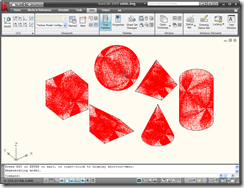
To start off my series of more in-depth looks at the new APIs provided in AutoCAD 2009, I decided to extend some recently posted F# code to generate and draw transient point clouds to be slightly less transient: we'll see how to use the new transient graphics API in AutoCAD to display a cache of transient graphics, even after the view has been changed. Some of you may be wondering about the amount of code I'm posting in F#. I find the technology extremely interesting and am also increasingly productive with it, so I've found myself gravitating towards using it…
-

I've been taking some time this week to dive into some of the new APIs available in AutoCAD 2009. I'm going to post a very quick overview of the APIs available in this post, following up with a more in-depth look at some of the individual APIs in posts over the coming weeks. I've used material presented at our most recent ADN Developer Days tour as a source of information (a big thanks to Fenton Webb, from DevTech Americas, who was largely responsible for developing this content). Before talking about the new APIs, the first thing to note is that…
-
At the beginning of the week, we looked at some iterative F# code to generate random point clouds inside AutoCAD. We then took the time to use Reflector to dig under the hood and understand why the previous recursive implementation was causing stack problems. For completeness (and - I admit it - being driven slightly by laziness, as this is a quick post to crank out 🙂 here's the recursive version of the random point cloud generation code in F#: // Use lightweight F# syntax #light // Declare a specific namespace and module name module MyNamespaceRecursive.MyApplication // Import managed assemblies…
-
I've talked about Lutz Roeder's Reflector tool a couple of times and it's proven to be very useful to me, once again. I mentioned in my last post about some problems I was having with tail recursion, and my choice to replace certain recursive functions with iterative versions. Today we're going to use Reflector to take a look under the hood of some compiled assemblies, to determine which recursive functions have been optimised correctly and which have not. Let's start by taking a look at the two recursive functions I mentioned last time, starting with the most simple: // A…
-
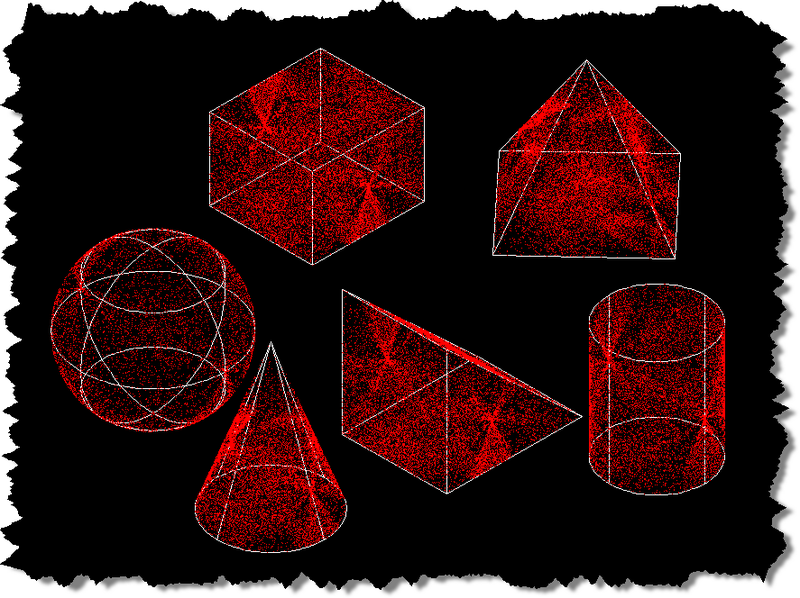
On my way back from the US last week, I started thinking more about uses for random numbers inside AutoCAD: especially ones that allow me to try out some possible application areas for F#. There's something deliciously perverse about using random numbers in Engineering systems, where it's really important for outcomes to be deterministic (i.e. predictable) & precise. And that perversity appeals to me quite strongly, for some reason. Feel free to drop me a mail if you have an idea why that might be, any amateur psychologists out there... 😉 So, I got to thinking... an interesting domain area…
-
In the last post we saw some code combining F# with C# to create a random "hatch" - a polyline path that bounces around within a boundary. This post extends the code to make use of Asynchronous Workflows in F# to parallelize the testing of points along a segment. In the initial design of the application I decided to test 10 points along each segment, to see whether it remained entirely within our boundary: the idea being that this granularity makes it very likely the segment will fail the test, should it happen to leave the boundary at any point.…
-
I had too much fun with the last post just to let it drop: I decided to port the main command to F#, to show how it's possible to combine C# and F# inside a single project. The premise I started with was that the point-in-curve.cs library is something that we know works - and don't want to re-write - but would like to use from a new application we're developing in F#. This also gives us the chance to compare the performance between C# and F# when solving the same problem (although as we'll be calling through to some…
-
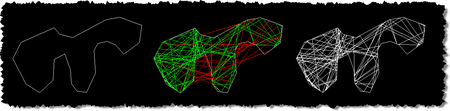
This may strike you as a fairly bizarre title for a post, but I was inspired to develop the below code by a robotic lawnmower we bought about a year ago. This fantastic tool bounces around our garden, changing direction randomly when it hits the lawn's boundary. I got to thinking how to implement a similar technique to hatch a boundary with a polyline. While this is mostly for fun, I can see a few interesting potential uses: you might use the technique to test randomly generated paths of, for example, a robot or you might simply want to supplement…
-
In the last post we saw code to display and use AutoCAD's built-in colour, linetype and lineweight dialogs. In this post we extend that by using each of them in sequence to display various properties of an entity, allowing the user to modify them. While this is slightly more "real world" than the last post, it doesn't really make sense to implement a command such as the one below (the property palette is much better, for instance :-). The main purpose is to show how to set the initial values in the various dialogs and afterwards to make use of…