AutoCAD .NET
-
I just missed my connecting flight in Chicago, so have 3 hours to pass until the next, and decided to post some code I finally got around to writing on the plane from Zurich. I've had a few requests for code showing how to plot using the .NET API in AutoCAD. There's an existing ObjectARX (C++) sample on the SDK, under samples/editor/AsdkPlotAPI, but there isn't a publicly posted .NET version right now. Here's the C# code I put together. Please bear in mind that it was written during less than ideal coding conditions, and I haven't spent a substantial amount…
-

I'm now back from a fantastic break in Italy and am trying hard to catch back up. Next week I'm off again to San Diego (work, this time), which may cause further interruptions in blog postings. This question came through from Genésio from Brazil: I wish jig a leader with an bubble in the and of the leader, at the same time. Can you help me. Perhaps post the solution in your blog (through the interface). It took me a while - frustratingly long, in fact, and probably this is not exactly what Genésio is after - but here's what…
-
This question was asked as comment to a previous post by har!s: Thanks a lot for the code. I have yet to see 2008 and MultiLeader. But I presume that it works on both Model and paper spaces. In that case, what is the best method to make the operation space independent? i.e., it should work on active space irrespective of whether it's model or paper. I think this will be generally applicable to almost all the entity creations. The question is very valid and does indeed apply to a lot of entity creation - and other - activities. Most…
-

Some more fun with multileaders... this post shows some code that adds multiple leader lines to a multileader/MLeader, each of them "spraying" out from the central text. We ask the user for the central point and the location of the first leader along with the number of leader lines to "spray". These lines then get created at evenly spaced angles around from this initial location. I can't think of anything immediately useful about this technique, other than it was fun to write the code and it shows how to add multiple leader lines. It also generates some fun results. 🙂…
-

I thought it would be interesting to spend a few posts looking into the multileader or MLeader functionality in AutoCAD 2008. To get things started, here's some simple code that prompts the user for a couple of points and then creates a single spline-segment multileader with multi-line text at the points specified. It also uses the technique shown in this previous post to specify a custom arrow-head. Here's the C# code: using Autodesk.AutoCAD.Runtime; using Autodesk.AutoCAD.ApplicationServices; using Autodesk.AutoCAD.DatabaseServices; using Autodesk.AutoCAD.EditorInput; using Autodesk.AutoCAD.Geometry; namespace DimensionLibrary { public class DimensionCommands { static ObjectId GetArrowObjectId(string newArrName) { …
-

In the last post we saw some code to update an AutoCAD table linked to an Excel spreadsheet. In this post we go the other way, updating an Excel spreadsheet from a linked AutoCAD table. Here's the C# code: using Autodesk.AutoCAD.ApplicationServices; using Autodesk.AutoCAD.DatabaseServices; using Autodesk.AutoCAD.EditorInput; using Autodesk.AutoCAD.Runtime; using Autodesk.AutoCAD.Windows; namespace LinkToExcel { public class Commands { [CommandMethod("T2S")] static public void UpdateSpreadsheetFromTable() { Document doc = Application.DocumentManager.MdiActiveDocument; Database db = doc.Database; Editor ed = doc.Editor; PromptEntityOptions opt = new…
-

Thanks to Viru Aithal, from DevTech India, for providing the code for this post (I converted the C# code below from some C++ he had sent to a developer). In the last post we showed how to create a table linked to an Excel spreadsheet using .NET in AutoCAD 2008. AutoCAD does a great job of looking for changes in the Excel spreadsheet, and asking whether you want to update the linked table: There may be times, however, when you want to force the update programmatically, whether from the spreadsheet to the table ot vice-versa. In this post we'll show…
-
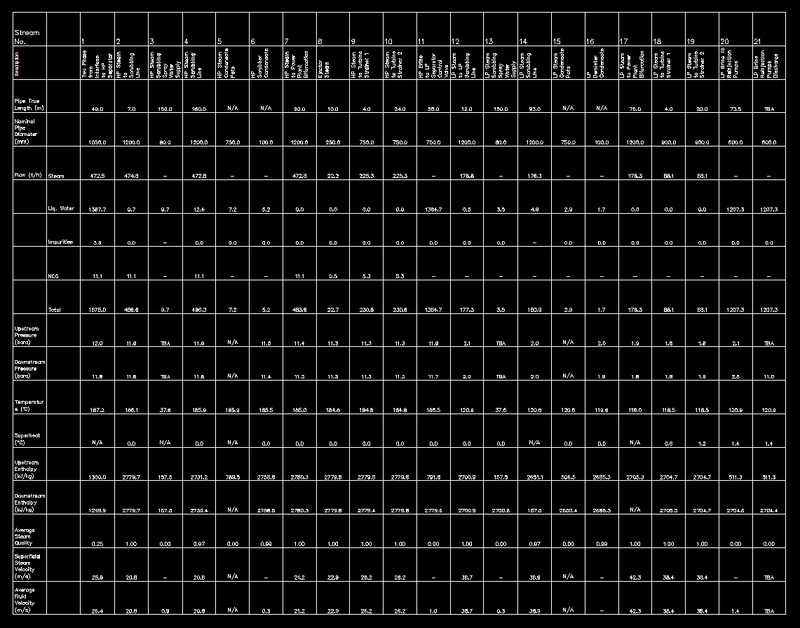
In the last post I promised to tackle this issue, and so here we are again. 🙂 Note: the code in this post relies on enhanced table functionality introduced in AutoCAD 2008, so please don't get frustrated trying to make this work in previous versions. The following C# code follows on from yesterday's, taking the spreadsheet selected by the user and linking it to a newly-created table in the active AutoCAD drawing. I haven't bothered with line numbering in the below code, as it follows on almost exactly from the code shown last time (aside from renaming the namespace, the…
-
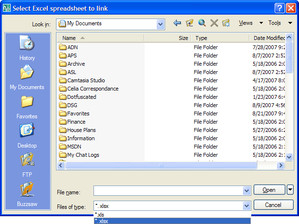
Today I started putting together some code showing how to link an Excel sheet to an AutoCAD table (watch this space - there should be something posted later this week). As I was working through it I decided enough was enough, and rather than - yet again - using the command-line to get the name of the file, I'd use the opportunity to demonstrate how to make use of AutoCAD's standard file selection dialog in your applications. At which point I decided to cut the original post short, as I didn't want this useful (but quite short) topic to get…
-
In the last post we looked at some code to programmatically purge Registered Application names from the drawing currently active in AutoCAD. In this post we take the "batching" code first used in this previous post and apply it to this problem. What we end up with is an additional command called PF which asks the user to specify a folder and then purges the RegApps from the DWGs in that folder, saving those files that end up being modified with the "_purged" suffix. One point to note is the use of the Database.RetainOriginalThumbnailBitmap property: as we're not making any…