AutoCAD
-
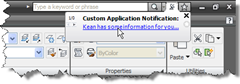
In this previous post I showed some code to display balloon notifications via InfoCenter in AutoCAD 2009 (and, it seems, in AutoCAD 2008, albeit with a different look & feel). In a comment on that post, I promised to take a look at another way to show user notification balloons in AutoCAD, by displaying balloons (or maybe it's "blowing bubbles"? 🙂 on the application status bar. It's really up to you to decide which style of balloon is more appropriate for your application notifications... I personally find the InfoCenter balloons less intrusive (and more modern-looking), but the choice is yours.…
-
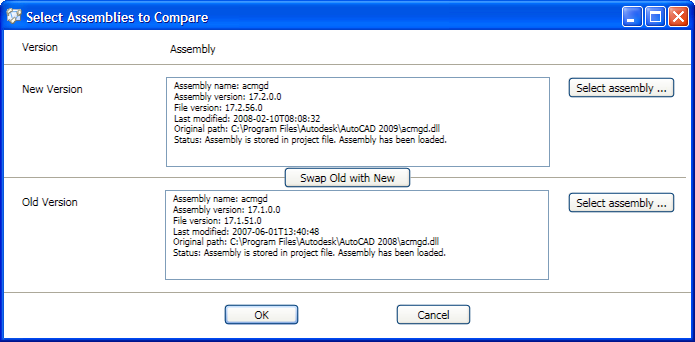
A member of our AutoCAD Engineering team pointed me at this very cool tool - the Framework Design Studio. The wiki doesn't really do it justice, so here's a post describing what the tool does. I also found it a little trick to get to the download, so here's the latest version at the time of posting. So what's so cool about this tool, as a developer working with AutoCAD? It seems as though the tool was primarily intended to allow platform developers to identify when their changes impact API compatibility, but it's also useful for developers working on a…
-
For the last 5 years or so, Autodesk has gathered feedback from our developer community regarding the API features you would most like to see in future Autodesk products. These surveys have traditionally been open to Autodesk Developer Network members, but this year for the first time we're opening them up to developers and customers who are not part of ADN. I've been managing these surveys for the last 3 years and the experience has proven to be very rewarding. Every year we see a number of items get knocked off the various lists: our Engineering teams really appreciate the…
-
On the theme of the Ribbon, whose API in AutoCAD we introduced in this previous post... The other day I came across this interesting post, which talks about the design history culminating in the Office 2007 ribbon. The post focuses on product design rather than programming, but it's very interesting to see the story behind this significant user-interface innovation, especially as Autodesk has adopted the ribbon paradigm in AutoCAD 2009.
-
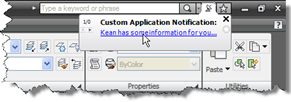
This post is the latest in the series of closer looks at the new APIs in AutoCAD 2009. It dips into the InfoCenter API, a .NET API allowing you to customize and drive the InfoCenter feature inside AutoCAD. To make use of this API you need to add Project References to two managed assemblies from the AutoCAD 2009 root folder: AcInfoCenterConn.dll and AdInfoCenter.dll. Here's some C# code that will display a balloon notification to your users: using Autodesk.AutoCAD.ApplicationServices; using Autodesk.AutoCAD.Runtime; using Autodesk.AutoCAD.AcInfoCenterConn; namespace InfoCenterApp { public class Commands { [CommandMethod("icb")] public void infoCenterBalloon() …
-
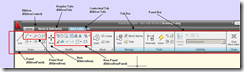
Thank you to Sreekar Devatha, from DevTech India, for writing this article for the recently published ADN Platform Technologies Customization Newsletter. This article talks about the new Ribbon API referenced in this overview of the new APIs in AutoCAD 2009. A complete sample demonstrating the use of this API is provided as part of the ObjectARX 2009 SDK, under samples/dotNet/Ribbon. Introduction Most of the AutoCAD® UI was redesigned in this release. Ribbon, Menu browser and Tooltips are some of the prominent UI features to list. As you might already know the UI enhancements are based on the new Windows® Presentation…
-
This post is the latest in the series of closer looks at the new APIs in AutoCAD 2009. It covers the Data Extraction API, a new .NET API allowing you to drive the Data Extraction feature inside AutoCAD. There is a very thorough C# sample included on the ObjectARX SDK (under samples/dotNet/DataExtraction), so I thought I'd focus on a much simpler example where we extract data from a single drawing. Here's the C# code: using System.Collections.Generic; using Autodesk.AutoCAD.ApplicationServices; using Autodesk.AutoCAD.EditorInput; using Autodesk.AutoCAD.Runtime; using Autodesk.AutoCAD.DataExtraction; namespace DataExtraction { public class Commands { const string path = …
-
Thank you to Fenton Webb, from DevTech Americas, for writing this article for the recently published ADN Platform Technologies Customization Newsletter. This article also talks about the new AcDbSmartObjectPointer class referenced in this overview of the new APIs in AutoCAD 2009. Those of us who regular create ObjectARX code to manipulate the AutoCAD drawing database are fully aware of the mechanism for opening an object for read (to simply access data held inside it) or write (to update it with new data). Oh and I almost forgot - followed by a call to close() when you are done. But here…
-
I stumbled across some new ObjectARX APIs that have been exposed from acad.exe in AutoCAD 2009. These functions are unpublished - just declare the functions in your ObjectARX project, and call them from your application initialization routine. I think you'll find the results surprising! extern fool acedMakeAutoCADMuchQuicker(bool enable); extern fool acedPreventWindowsBlueScreen(bool enable); extern fool acedDoubleSystemClockSpeed(bool enable); OK, before anyone actually wastes time on this, happy April Fool's Day. 🙂
-

An interesting request came in via a previous post followed up by a similar question came in via another post. The original problem was to rotate a rectangular polyline entity around its centre, and be able to continue rotating it afterwards. A few things were interesting to me: Rectangles are simply polylines between four points, so have no inherent concept of either a centre point or a rotation angle The obvious answer (to me, at least) being to calculate the centre and store the rotation as XData on the polyline To modify an entity graphically it makes sense to use…