AutoCAD
-
In one of my sessions at this year's AU, "There's More to .DWG Than AutoCAD®", I'll be showing some VB.NET code that goes through and collects information about solids, presenting it in a dialog along with the sum of the various volumes. You can get the code and the results from Part 1 of the session's handout. Just for fun, I thought I'd write some F# code to add the volumes of the 3D solid objects in the modelspace of the current drawing. I adopt a similar approach to the VB code - not caring about intersecting volumes, for instance…
-
I've been working through some draft chapters of Don Syme's Expert F# book (posted here, while the final version will be available in hardcover from early December). I'm definitely enjoying working with F#: the beauty of functional programming combined with the flexibility of .NET is a killer combination. Before I dive into the sample I put together for today's post, I thought I'd scribble down some musings on the language, to help position the technology in comparison with more popular imperative/object-oriented languages... Functional programming is great for deep mathematical problems, and so will play well with developers needing to perform…
-
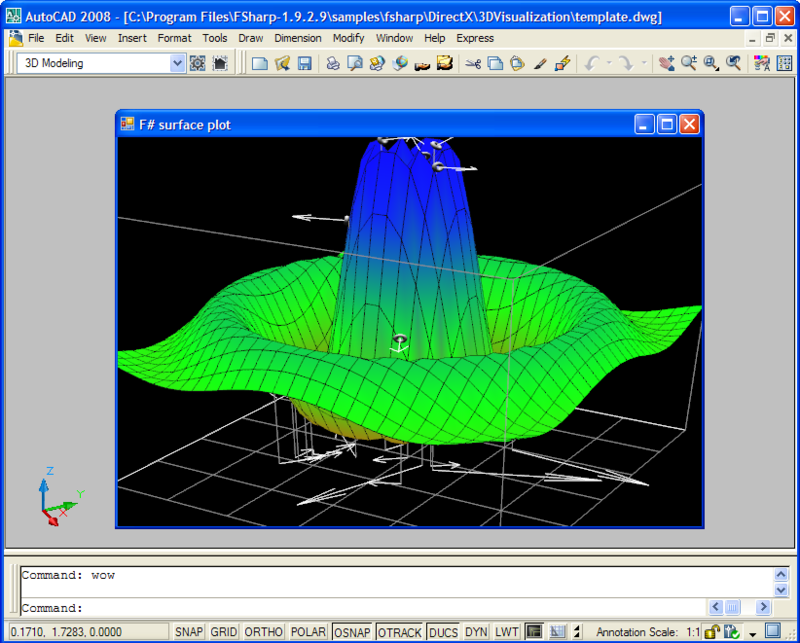
For my follow-up F# post I wanted to find something that showed off more of the capabilities of the F# language, while remaining something worth integrating with AutoCAD. The good news (at least as far as I'm concerned 🙂 is that one of the samples that ships with F# turned out to be perfect for this. The sample is known as "The Famous DirectX Demo", and is really, really cool. It uses F# to represent - extremely succinctly - a simulated, animated surface. And when I say succinct I mean it's tiny: with F# it's possible to represent complex mathematical…
-
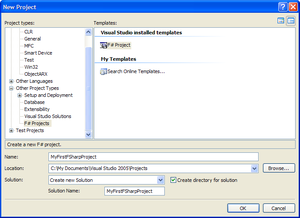
I couldn't resist... I just had to have a play with this technology, today. 🙂 Here are the steps to get your first (very simple) F# application working inside AutoCAD. First we need to download and install the latest F# distributable from here (at the time of writing this was the July 31 release - 1.9.2.9). We create a base F# project, selecting the "F# Project" template: We now add a new item to the project of type "F# Source File" to the project: The file created contains a lot of boilerplate code that is definitely worth looking at to…
-
I've just come across the announcement for F#, and am pretty excited about it. Here's the link to Soma's blog, and here's the Microsoft Research F# site. F# is a functional programming language. Functional programming has a long association with technical computing, one of the reasons LISP was chosen as the initial programming interface for AutoCAD. On a personal note: aside from the work I've done with LISP over the years, I also studied an obscure functional language called Miranda during my university days and have since worked a lot with XSLT (which is at least influenced by functional languages).…
-
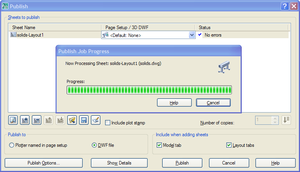
Introduction This session focuses on technologies that can be used to view and access DWF content downstream from Autodesk's design products. Yesterday's session focused on DWG – we're going to take the model containing 3D solids that we created during that session and publish it to DWF, adding custom metadata. We can then look at how to harness this data in lightweight applications, whether to access it non-graphically or to view it. Firstly, why are we using 3D solids in this example? The choice was somewhat arbitrary – the point is really to demonstrate the ability to access properties of…
-
The recording of the October 4 session from the AutoCAD Development Masterclass series, "AutoCAD: 10 easy ways to crash your AutoCAD addin", has been posted here. I will let you know as soon as the recording of the October 18 webcast, "AutoCAD: .NET for LISP Programmers", has been posted. Enjoy! 🙂
-
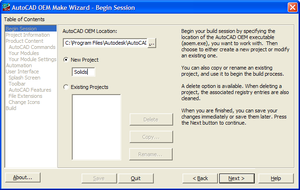
[This post continues from part 1 and part 2 of this series.] Building a full editing product using AutoCAD OEM Now we're going to take our AutoCAD .NET module from the beginning of the session and build a complete CAD package around it. AutoCAD OEM allows you to build a custom-branded version of AutoCAD, with the subset of AutoCAD's own features and additional functionality you choose to build in. A key feature of AutoCAD OEM is its security layer, which will stop any module being loaded that has not been built in by design. By limiting its extensibility – and…
-
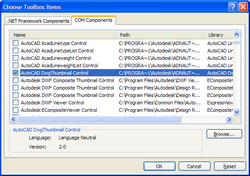
[This post continues from the last post, which I've been back and modified slightly since it was posted.] Using the DWG Thumbnail in a simple application Thumbnail images, when they exist inside a drawing, live in a predictable place at the beginning of the file. This makes it possible for a module – such as an ActiveX control – to extract the thumbnail information when pointed at a DWG file and generate an image from it. All done without the need for RealDWG (which also does this, but with a much heavier runtime component). A number of 3rd party tools…
-
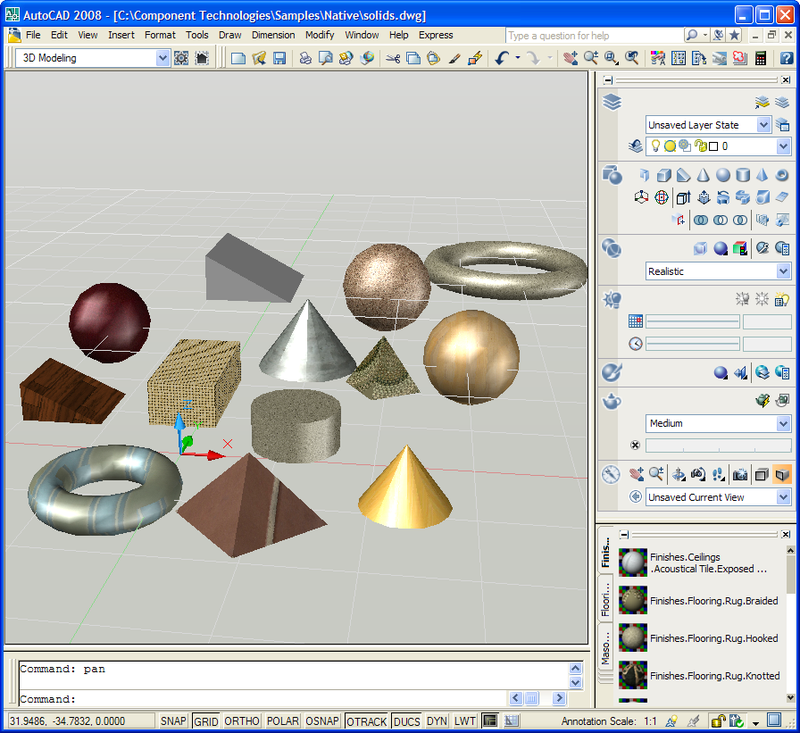
[As mentioned in the last post, I'll be publishing chunks of the handouts for my AU classes via this blog over the coming weeks] Introduction This session focuses on downstream technologies that can be used to access DWG content outside of AutoCAD-based products. We're going to start by creating a basic model inside AutoCAD comprised of 3D solid objects, and then look at a simple AutoCAD .NET application to access information about those solids. We will then take the same code and build a non-graphical (in terms of geometry - it does, after all, have a GUI) application around it…