AutoCAD
-
Just a quick post today regarding an AU Unplugged! topic I've submitted. The proposed session is called "Developing applications for AutoCAD: best practices for using AutoCAD's APIs." Here's the description I gave for the topic: "Come along to share and learn best practices for customizing/developing with AutoCAD: discuss your choice of API technology and how best to address common development issues. Find out where best to focus your learning around AutoCAD customization." If you're interested in attending this (and other developer-oriented Autodesk University sessions), you can register for the conference at AU Online. I don't know whether the Unplugged event…
-

Some more fun with multileaders... this post shows some code that adds multiple leader lines to a multileader/MLeader, each of them "spraying" out from the central text. We ask the user for the central point and the location of the first leader along with the number of leader lines to "spray". These lines then get created at evenly spaced angles around from this initial location. I can't think of anything immediately useful about this technique, other than it was fun to write the code and it shows how to add multiple leader lines. It also generates some fun results. 🙂…
-

I thought it would be interesting to spend a few posts looking into the multileader or MLeader functionality in AutoCAD 2008. To get things started, here's some simple code that prompts the user for a couple of points and then creates a single spline-segment multileader with multi-line text at the points specified. It also uses the technique shown in this previous post to specify a custom arrow-head. Here's the C# code: using Autodesk.AutoCAD.Runtime; using Autodesk.AutoCAD.ApplicationServices; using Autodesk.AutoCAD.DatabaseServices; using Autodesk.AutoCAD.EditorInput; using Autodesk.AutoCAD.Geometry; namespace DimensionLibrary { public class DimensionCommands { static ObjectId GetArrowObjectId(string newArrName) { …
-
The recording of the latest in the AutoCAD Development Masterclass series, "Creating an Installer" held on August 16, has been posted here. The supporting MSI template used in the session is available from here. The next in the series, "10 easy ways to crash your AutoCAD addin", is scheduled for Thursday September 27. You can go here to register (like all in this series, this session is free for all to attend).
-

In the last post we saw some code to update an AutoCAD table linked to an Excel spreadsheet. In this post we go the other way, updating an Excel spreadsheet from a linked AutoCAD table. Here's the C# code: using Autodesk.AutoCAD.ApplicationServices; using Autodesk.AutoCAD.DatabaseServices; using Autodesk.AutoCAD.EditorInput; using Autodesk.AutoCAD.Runtime; using Autodesk.AutoCAD.Windows; namespace LinkToExcel { public class Commands { [CommandMethod("T2S")] static public void UpdateSpreadsheetFromTable() { Document doc = Application.DocumentManager.MdiActiveDocument; Database db = doc.Database; Editor ed = doc.Editor; PromptEntityOptions opt = new…
-

Thanks to Viru Aithal, from DevTech India, for providing the code for this post (I converted the C# code below from some C++ he had sent to a developer). In the last post we showed how to create a table linked to an Excel spreadsheet using .NET in AutoCAD 2008. AutoCAD does a great job of looking for changes in the Excel spreadsheet, and asking whether you want to update the linked table: There may be times, however, when you want to force the update programmatically, whether from the spreadsheet to the table ot vice-versa. In this post we'll show…
-
In the last post I promised to tackle this issue, and so here we are again. 🙂 Note: the code in this post relies on enhanced table functionality introduced in AutoCAD 2008, so please don't get frustrated trying to make this work in previous versions. The following C# code follows on from yesterday's, taking the spreadsheet selected by the user and linking it to a newly-created table in the active AutoCAD drawing. I haven't bothered with line numbering in the below code, as it follows on almost exactly from the code shown last time (aside from renaming the namespace, the…
-
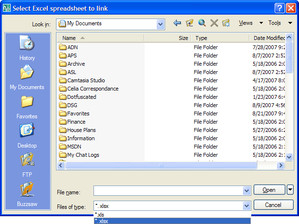
Today I started putting together some code showing how to link an Excel sheet to an AutoCAD table (watch this space - there should be something posted later this week). As I was working through it I decided enough was enough, and rather than - yet again - using the command-line to get the name of the file, I'd use the opportunity to demonstrate how to make use of AutoCAD's standard file selection dialog in your applications. At which point I decided to cut the original post short, as I didn't want this useful (but quite short) topic to get…
-
Most members of my team (DevTech) have a background in software development, having developed code professionally in previous jobs. People often join DevTech because they enjoy the variety and flexibility the role brings as well as the direct communication we have with the Autodesk development community. That said, we still like to hone our coding skills - some of this we get from fielding questions we receive from ADN members but it's also helpful to work on the odd software project. Back in the day - during my stint living in India - DevTech was part of Autodesk Consulting and…
-
In the last post we looked at some code to programmatically purge Registered Application names from the drawing currently active in AutoCAD. In this post we take the "batching" code first used in this previous post and apply it to this problem. What we end up with is an additional command called PF which asks the user to specify a folder and then purges the RegApps from the DWGs in that folder, saving those files that end up being modified with the "_purged" suffix. One point to note is the use of the Database.RetainOriginalThumbnailBitmap property: as we're not making any…