Blocks
-

There was an interesting coincidence, earlier in the week. A blog comment came in on an old post on the exact day there was an internal email discussion on the same topic. The post was about using the BLOCKICON command on a document that gets loaded into the editor just for that purpose, generating a thumbnail image on disk for each of the contained block definitions. The problem with this approach – as was suggested by a couple of people in blog comments – is that the generated thumbnail is really small at just 32 x 32 pixels. The exact…
-
This question came in recently by email: I have reached a snag when trying to find the boundaries of external references that have been "xclipped" by the user. Or, to be more precise, I can't even really find the data telling me whether or not the external reference has been "xclipped" at all. I'm wondering if you have any idea how or where I could find this data. While I found this previous post showing how to perform an XCLIP, I couldn't find anything showing how to query for XCLIP information. Here's some C# code that does just that for…
-
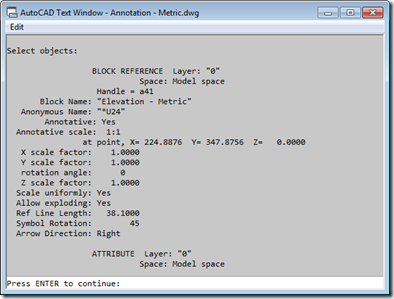
An interesting question came in via email from Rob Outman. He's interested in applying a selection filter when the user selects dynamic blocks. This is straightforward for unmodified dynamic blocks – just as with standard blocks, you can filter on the block name very easily – but it works less well on dynamic blocks whose properties have been modified at an instance level. Essentially what happens is this: if you select a block reference to a dynamic block in the AutoCAD editor and then use (for example) the Properties window to edit some of the custom properties associated with that…
-
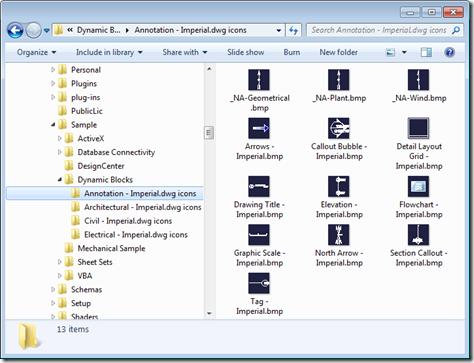
This was a nice little solution I saw provided recently by Viru Aithal from DevTech India. It's a simple command to open a drawing and generate preview icons for each of the blocks it contains. It forces an icon to be generated – when it doesn't already exist – via Viru's old trick of using InvokeMember() to call IAcadDocument::SendCommand() via COM (which is synchronous, where Document.SendStringToExecute() is asynchronous and only executes once the command has completed). Viru's trick allows him to call SendCommand() without creating a dependency on the AutoCAD Type Library (something developers often prefer to avoid, as it…
-
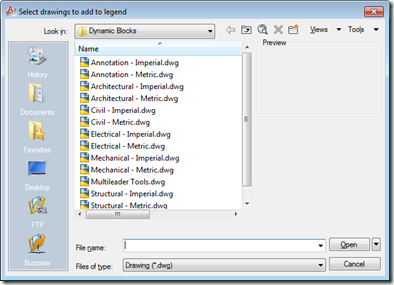
This interesting question came up in our discussion forums: Does anyone have a routine that will insert all the drawings from a single folder into one drawing to create a legend sheet? I'm trying to document the company's various blocks and details for dissemination amongst several offices. The simplest – and most elegant, in my opinion – approach for addressing this requirement is via the Table object, which allows you to include block thumbnails in each of its cells. So we would need to import the various drawings into the current drawing as blocks, and then point the various cells…
-
Time to go back to basics. I realised recently – on receiving this comment – that I hadn't specifically covered the nature of Entity.Explode() in a post (even if it's been used in a few of them, over the years). Entity.Explode() is one of those tricky methods: it's actually a faux-ami with the AutoCAD command of the same name, in a very similar way to Database.Purge(). The way in which Explode() and Purge() differ from their "equivalent" commands is that they're non-destructive: they don't actually result in a change to the AutoCAD drawing database. Explode() populates a DBObjectCollection with the…
-

The reason for this post may be obvious to some – probably those who are doing this kind of analysis already – and less obvious to others – who will have to wait for the next post to see why it's helpful. 🙂 I won't ruin the surprise, but suffice it to say that for various types of spatial analysis it's helpful to acquire first points from geometry. This post attempts to do that for 2D geometry, and hopefully deals with a few of the trickier cases related to rotated text and such-like. For this particular task I chose a…
-
Thanks for Chris, Dan and Dale for pointing out the obvious issue(s) with my last post. Let's just blame it on a few holiday cobwebs needing brushing away during the first week back in the saddle. 🙂 The main issue with my previous implementation was that I'd somehow forgotten that Database.Insert() allows you to insert into a named block definition. This simple function does all my previous, manual approach did and more. The secondary issue – but still very important to those using annotation scaling – is that the previous code does not work for annotative blocks, as Dan very…
-
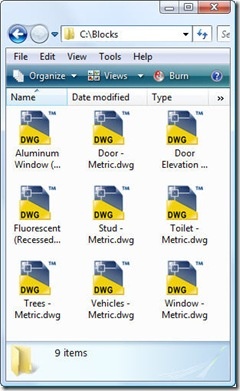
Important note: the code in this post – while potentially interesting, at a certain level – has been superceded by the code in the following post. Please go ahead and use that simpler, more complete implementation instead. This question came in, over the holidays, that seemed like it was worth addressing: How do I get an external DWG into the blocks table as a block definition? I started by quoting this ancient (at least in terms of this blog) post, but it turned out only to be of partial help: the problem is that the external DWG does not contain…
-
I've now checked in for my flight to Las Vegas – and, thanks to Jeremy Tammik's recent troubles, I luckily renewed my ESTA – so I'm pretty much all set for my trip to AU 2010, at least from a travel perspective. I'm just keeping my fingers crossed that the gastric 'flu my kids seem to have come down with doesn't hit me before I leave (or once I'm at AU… what a grim thought). I was going to keep today's post light, just like the last one, but then decided to dip into my email folder of externally contributed…