Blocks
-

While my last post on tables was apparently interesting, it turns out it didn't actually address the question that inspired it. Oh well. Here's a recent comment that gave greater clarity on the requirement: Do you know those no smoking signs commonly seen in public places: a cigarette with a red cross struck through it. Can a similar thing be done programmatically in a table with the strike through happening through a number. A picture is worth a 1000 words: http://imgur.com/gallery/qPzEm... In other words, can a block be inserted into a particular cell which already contains a number value? side…
-
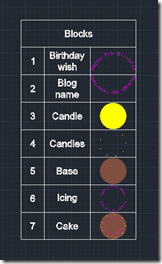
After the last post, where we saw some code that creates an AutoCAD table based on the blocks in a drawing, in this post we're going to modify our table, adding a new, initial column that numbers the contents. Here's what we want to create using our new MBT command: Here's the way the command looks when it runs: And, finally, here's the updated C# code with our new MBT command: using Autodesk.AutoCAD.ApplicationServices; using Autodesk.AutoCAD.DatabaseServices; using Autodesk.AutoCAD.EditorInput; using Autodesk.AutoCAD.Runtime; namespace TableCreationAndModification { public class Commands { const double rowHeight = 3.0, colWidth = 5.0; const…
-
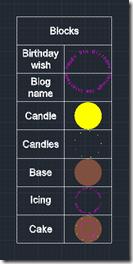
This post – and the one to follow it – were inspired by a comment on this old post (which in many ways is quite similar to this one, just using an older syntax and starting with a static array of table data). We're creating a table with information about the various blocks in the block table of the current drawing: in this post we create the basic table containing the table name and its thumbnail, while in the next post we're going add some additional (and as-yet-to-be-determined) information. The basic point is to show how to manipulate an existing…
-
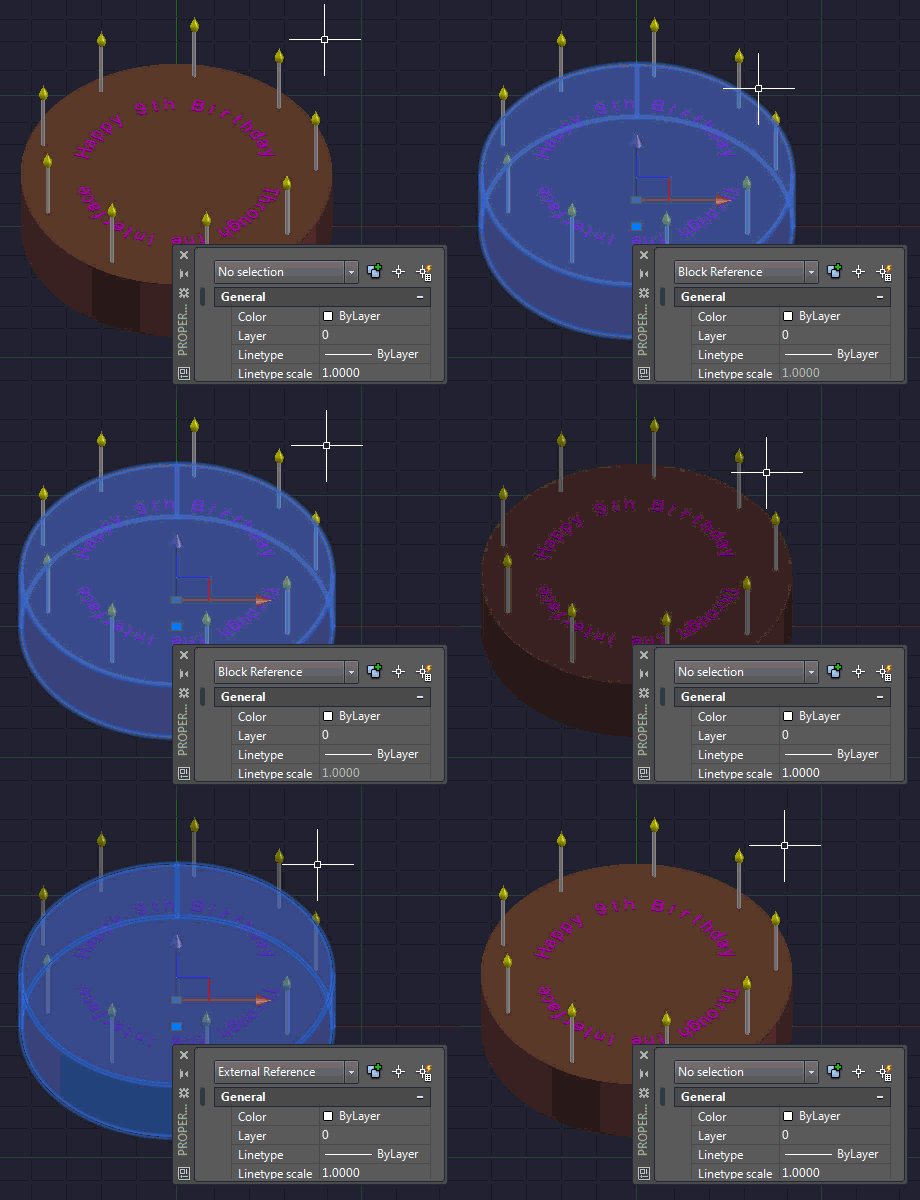
I mentioned in a recent post about some code I put together to replace a drawing's internal block structure with external references. The code determines the blocks used in the modelspace and then works through, saving each to a file via the wblock mechanism and then attaching them back in as Xrefs. The code was surprisingly easy to put together. It's a bit on the destructive side – it rips out blocks and creates equivalent drawings in the temp folder – so I do suggest running this on a copy of your drawings. But as part of a process exporting…
-

When I was a boy, I used to love going to play with toys at my grandmother's house. My absolute favourite was a die-cast Batmobile made by Corgi in the UK. What I particularly liked about this toy was its hidden features: the cars apparently came with secret instructions, although these were nowhere to be seen by the time I started playing with it. The Batmobile had plastic flames that came out of the exhaust when the rear wheels turned and spring-loadable, vertical rocket launchers. The biggest surprise was when I discovered the cutting blade that popped out of the…
-
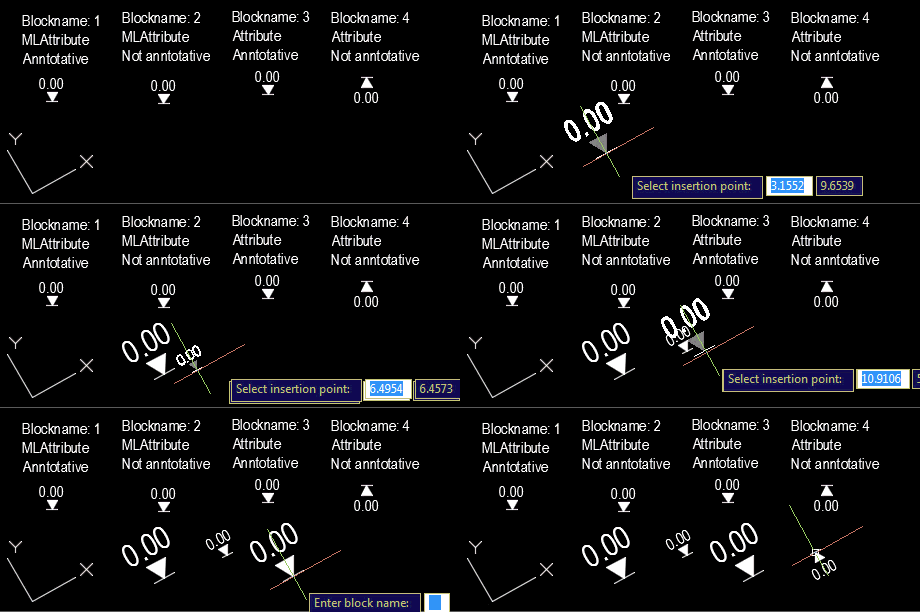
Our old friend Roland Feletic emailed me last week. He'd been having some trouble with this previous post when jigging blocks with multiline attributes. Roland had also identified some code in this post on another blog which worked properly for him. I spent some time looking into what was wrong with the original post. It certainly didn't deal with the appropriate placement of multiline text, and didn't take proper care of annotation scaling and UCS. Time for a do-over. 🙂 The following C# code is a combination of the code from the previous post and the approach spiderinnet1 took in…
-
Some time ago I posted about how to use Entity.Explode() to do something similar to AutoCAD's EXPLODE command. At the time it was mentioned in the comments that BlockReference.ExplodeToOwnerSpace() had some relative benefits, but it's taken me some time to code up a simple sample to show how you might use it (Patrick's recent comment reminded me I ought to, though). Anyway, to end the week I thought I'd throw together a quick sample. BlockReference.ExplodeToOwnerSpace() doesn't return a list of created objects, so I opted to capture this using a Database.ObjectAppended event handler and then recursively call our custom ExplodeBlock()…
-

I wasn't expecting to write a third part in this series of posts, but then Samir Bittar went and asked a follow-up question that I felt obliged to look into. Thanks for the suggestion, Samir! 🙂 Samir basically wanted to provide the user with more feedback as they're selecting the nested entity – so that the sub-entity gets highlighted, rather than the full block reference. This turned out to be quite a tricky scenario to address. The overall approach I used was to use a PointMonitor to perform a non-interactive, nested selection of the geometry beneath the cursor and then…
-

I was planning to post about Autodesk University 2013 today, but things have just been too hectic. I have a 3-hour layover in Heathrow on the journey home – which starts this evening – so I'll try to use that to post a summary of this year's AU as experienced by yours truly. In the last post we saw some code to move an entity – any entity, with text as the primary requirement – in a block. Here's a version of the C# code that shows the entity as it's being jigged across the screen to its new position.…
-

I had this question come in from Bruce Gordon by email a couple of weeks ago, and it seemed like a fun one to look at: Is it possible to write a utility to pick a text entity in a block reference and move it to a new location? As a first step, I put together some code that launches a nested entity selection and then performs a translation of the selected entity by a specified displacement from the picked point. Given the requirement in the original request, the code works "first time" for text entities (DBText and MText), but…