Drawing structure
-
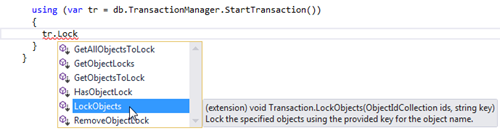
This is one of those topics that has been at the back of my mind for a number of years. Here's a question I received via a blog comment back in 2009: I was wondering if there's an easy way to modify the objects to purge. For example, if a particular text style was included in the drawing that I did not want to be purged. Can this easily be done? Here's how I responded, at the time: There are a couple of ways: You can maintain your own list of objects "to keep" and remove any items that are…
-
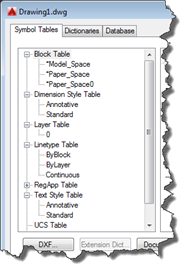
This interesting question came in by email from Igor, over the weekend: Let say I want to delete a layer by it's name. I can get ObjectId or LayerTabelRecord from the name, like LayerTable tLayers = (LayerTable) Transaction.GetObject(Database.LayerTableId,OpenMode.ForRead,false) LayerTableRecord ltRecord = (LayerTableRecord) Transaction.GetObject(tLayers.Item[Name],OpenMode.ForWrite,false); Now having LayerTableRecord how can I found out that this DBObject is not the built-in one? Like names '0' or 'DEFPOINTS'. Same goes for TextStyle (STANDARD) or layout (MODEL)….? I can't found any property regarding this, like IsBuiltIn. The IsPersistent property is no help. It's true that there isn't an IsBuiltIn property on AutoCAD objects… for block…
-
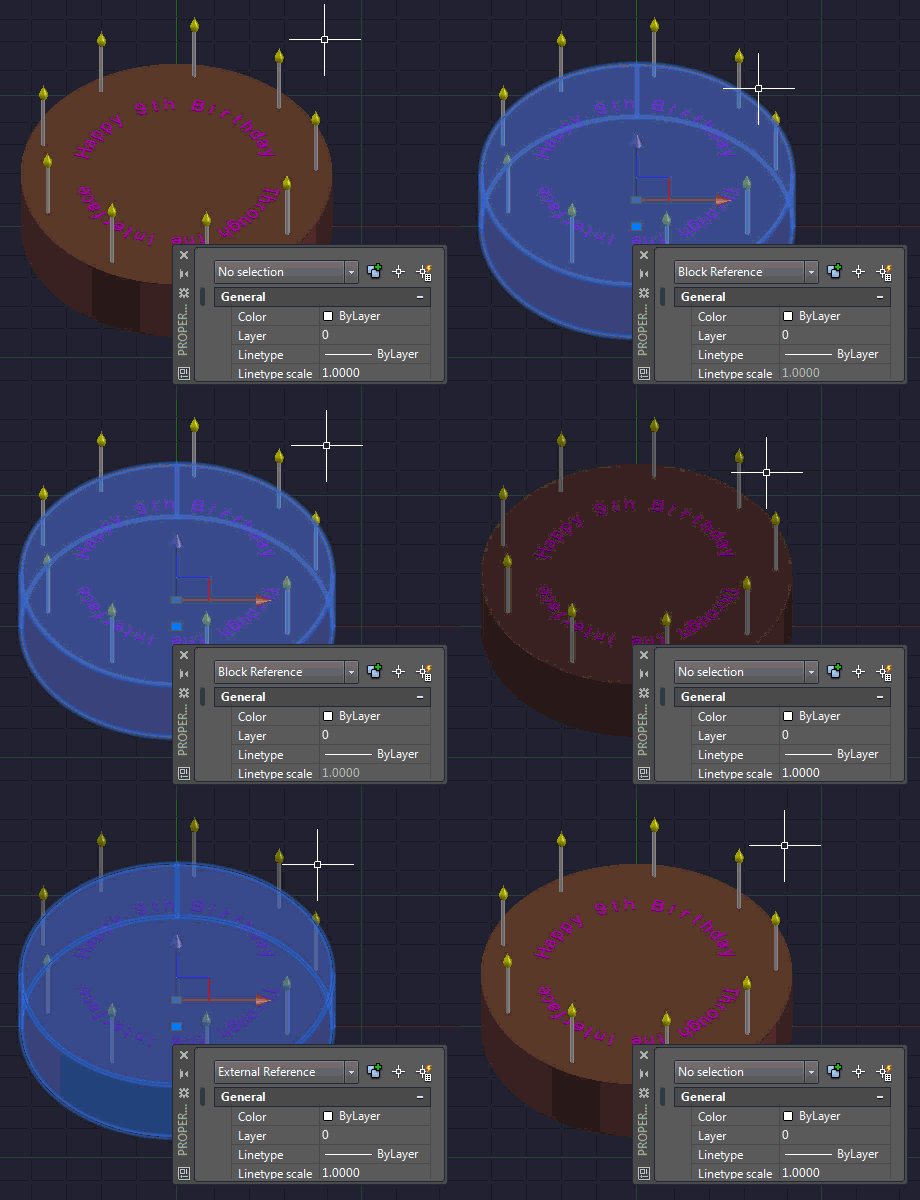
I mentioned in a recent post about some code I put together to replace a drawing's internal block structure with external references. The code determines the blocks used in the modelspace and then works through, saving each to a file via the wblock mechanism and then attaching them back in as Xrefs. The code was surprisingly easy to put together. It's a bit on the destructive side – it rips out blocks and creates equivalent drawings in the temp folder – so I do suggest running this on a copy of your drawings. But as part of a process exporting…
-

When I was a boy, I used to love going to play with toys at my grandmother's house. My absolute favourite was a die-cast Batmobile made by Corgi in the UK. What I particularly liked about this toy was its hidden features: the cars apparently came with secret instructions, although these were nowhere to be seen by the time I started playing with it. The Batmobile had plastic flames that came out of the exhaust when the rear wheels turned and spring-loadable, vertical rocket launchers. The biggest surprise was when I discovered the cutting blade that popped out of the…
-

After introducing a rudimentary program to help build jigsaw puzzles, we needed to fabricate the design in some way. As mentioned originally, we quickly discarded the idea to 3D print it as too time-consuming and unreliable: we decided to at least investigate using a laser cutter, what I considered to be a more natural choice for this. Now I did have some experience of using the laser cutter at our local Fab Lab, but as we wanted to iterate quickly – and didn't have the fixed requirement of the larger cutting bed – we opted to use a slightly smaller…
-
An interesting query came into my inbox, last week. A member of one of our internal product teams was looking to programmatically modify the contents of an external reference file. She was using the code in this helpful DevBlog post, but was running into issues. She was using WblockCloneObjects() to copy a block definition across from a separate drawing into a particular xref, but found some strange behaviour. In this post I'm going to show the steps we ended up following to make this work. We're going to implement a slightly different scenario, where we modify an external reference to…
-
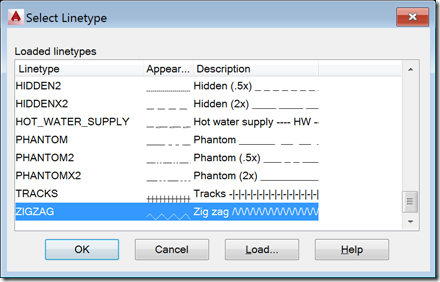
I received this request from Mateusz Andrzejczak, over the weekend: I have problem with LineTypeDialog. Your part of the code is working perfectly, but i have problem with modifying the values. I have a SelectionSet that holds all object that are selected with using a filter. I want to use LineTypeDialog to select linetype and then accept so all the object in selection set will change to selected linetype. I'm working with this for a few hours and it's not working. Any tip for me? The question related to this old post. I started by sending Mateusz a link to…
-

Happy Friday! It's time to unveil the completed Star Wars opening crawl inside AutoCAD… After an intro and seeing various pieces implemented, in today's post we're going to add the crawl text and animate its movement into the distance. The initial blue text The theme music The star field The disappearing Star Wars logo The crawling text As the surprise "bonus" item 6, I decided to add a planet and – at the end of the crawl – shift the view downwards to show its surface: an effect I've seen in the opening crawl for at least one of the…
-

Now that we've introduced the series and seen how to add some introductory text, theme music and a field of stars, it's time for the Star Wars logo. The initial blue text The theme music The star field The disappearing Star Wars logo The crawling text The logo came, once again, from the HTML opening crawl, which embeds some SVG content representing it. I copied this into a standalone SVG text file, ran it through a web-service to translate it to DXF and then opened that inside AutoCAD. The outlines of the letters (or groups of letters) were continuous polylines…
-
After introducing this series in the last post, today we're going to address the first 3 items on our TODO list: The initial blue text The theme music The star field The disappearing Star Wars logo The crawling text The following two items are fairly significant, in their own right, so they'll each take a post of their own to complete. Oh, and I've thrown in a surprise item 6, which I'll unveil when we implement the crawling text. Before we dive in, it's important to make some points about the code: because this is mainly just a bit of…