iOS
-
Autodesk Research has launched a new app via Autodesk Labs called Project Draco. Here's a description of this innovative tool: Draco is an iPad app from Autodesk Research that makes animation as easy as sketching, without the complications of timelines, scripting, and key-framing. The interface of Draco leverages users' intuitive sense of space and time. Compared to traditional 2D animation tools, it provides a simple interface allowing users to add a rich set of subtle, continuous animation effects quickly and without technical knowledge. By enabling the creation of dynamic (animated & interactive) media with sketch-based interfaces, our goal is to…
-

I'm excited to announce the newest member of the Autodesk product portfolio, Autodesk SoCap. The term "SoCap" stands for "Software Capture", in much the same way as ReCap stands for "Reality Capture". SoCap is a tool that helps you capture existing software behaviour as code, just as ReCap helps you capture a 3D scene as a point cloud. For SoCap to do its thing, you point it at the piece of software whose behaviour you want to capture – whether desktop software on Windows/Linux/OS X, mobile software targeting iOS/Android* or the URL of a cloud-based app – and SoCap will…
-

Every so often I get an attack of nostalgia for the early days of personal computing. The latest bout was triggered by the discovery of an app called Retrospecs, an iOS-based image processing app that transforms photos to use the colour palettes of 8- and 16-bit computers. The latest release – v1.7 – supports the following emulations: Teletext Apple ][ (Low res) Atari 2600 (NTSC) Intellivision IBM CGA (6 variations) BBC Micro (Mode 1 & 2) Sinclair ZX Spectrum Commodore 64 (Low res & high res modes) Colecovision Dragon 32 (PMODE 3) Thomson TO7 MSX (Screen mode 2 and (for…
-
I was happy to see Scott's announcement that a tool I'd seen demoed back at AU – and during my recent trip to Israel – has now been published to the iOS App Store (even if it's really a Labs release, at this stage). It was developed by the Applied Research group in our Tel Aviv office, the team that brought you ShapeShifter. It's an iPad app called Vectorize It that allows you to generate vectors from raster images – whether taken by the iPad's camera or picked from its image gallery – with the capability of opening the resultant…
-
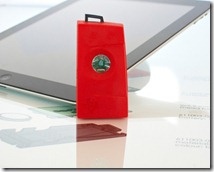
Over the last few days, I've been playing around with Texas Instruments' SensorTag device, working out how to connect it to AutoCAD and make use of the data coming in from it to manipulate the current view. As mentioned in this previous post, the SensorTag is a $25 device containing a number of sensors – an accelerometer, a gyroscope, a magnetometer, a thermometer, a hygrometer and a barometer – that communicates to a monitoring system (whether an iOS or Android mobile device or a Windows or Linux PC) via Bluetooth 4.0. So what is it I expected to do with…
-

A few weeks ago, we looked at using PointCloud Browser to visualize simple spherical primitives brought down from a web-service, as well as creating a simple AR game to obliterate them. Visualizing (and popping) spheres is all well and good, but clearly it'd ultimately be much more interesting to visualize more complex objects in an AR scene. The good news is that PointCloud Browser supports loading models from .OBJ files, a format generated by a number of Autodesk products – particularly those used in the Media & Entertainment space. I'm not a big user of 3ds Max or Maya, and…
-

This week has so far had an AU theme to it, just as last week we talked exclusively about Leap Motion and AutoCAD. Perhaps I'm sub-consciously shifting this blog to a weekly-themed format? Hmm. Like many of you, I'm sure, I received an email over the weekend to let me know that the recorded sessions from Autodesk University 2012 are now available online (for anyone with a valid AU online account). I wasn't sure which of my sessions had made it up there from this last year's event (thank goodness I rarely have to write cheques anymore), and so was…
-
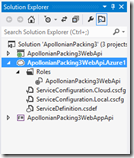
After introducing the topic – as well as creating our basic, local web-service – in the last post, today we're going to publish our MVC 4 Web API application to the cloud and see it working from a number of different client environments. Preparing to publish to Azure Now that we're ready to publish to Azure, we need to add a deployment project to our solution. Right-click "ApollonianPackingWebApi" in the Solution Explorer and select "Add Windows Azure Cloud Service Project". This will add a new project into our solution. We can now double-click the entry under the "Roles" folder in…
-
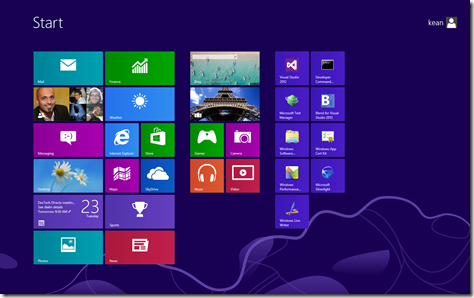
I finally managed to wrap-up my AU material over the weekend. Here's the first part of the handout for my Windows 8-related session (if you log in with your AU account, you'll be able to access the accompanying presentation and sample project). This is an "intermediate" class (rather than "advanced"), so at times it may seem fairly high-level. That said, if anyone sees issues with the material – especially important topics that have been glossed over – please do let me know: I'd be happy to make corrections (especially in advance of the class being delivered :-). Introduction Windows 8…
-
I'm hopefully sunning myself on the beaches of Brittany, at this point, but here's some information that Mikako Harada kindly brought to my attention. Adam Nagy has put together a fantastic series of posts on the AEC DevBlog that I think will be of general interest: Revit model viewer for iOS – part 1 Revit model viewer for iOS – part 2 Revit model viewer for iOS – part 3 Adam was apparently inspired by Philippe Leefsma's Inventor viewer for Android – something I'll also link to, once I see it's been published.