Kinect
-
Ah, the joys of jetlag. After getting up with jetlag at 3am, yesterday, I finally worked out what was wrong with my inconsistently performing speech recognition approach shown in this previous post. I tracked down this helpful piece of advice on the Microsoft forums, which explained that the Kinect Audio capability really needs to be initialized on a MTA (multi-threaded apartment) thread. Moving the relevant initialization to a function marked with the [MTAThread] attribute and then spawning a thread to execute it made all the difference – the code now behaves predictable and effectively. I added a few more enhancements…
-

You're probably thinking I've been talking about little else other than making Kinect work with your PC, of late (and not only because I've had a class to prepare for AU, I also think this technology has the potential to be very significant), but I did feel it was worth pointing out this important announcement from Microsoft: early next year (which presumably now means weeks away) we'll see a version of Kinect that's specifically intended to work with Windows systems (rather than the current version of the device that's really intended to be a controller for the Xbox 360). What's…
-
Oh, what fun. Kinect's audio capabilities were an area that I hadn't spent any time on, but an email conversation with a developer (thanks, Glenn! 😉 spurred me to take a closer look. The Beta 2 version of the Microsoft Kinect SDK, there's a new sample showing how to process audio and add speech recognition via the Microsoft Speech SDK. The Kinect SDK sample is pretty interesting: it displays a graphical indicator of where the sound is located, relative to the device (its array of four microphones allows Kinect to quite accurately position where sound is coming from, presumably to…
-
Yesterday evening, I had a nice chat by phone with a local development partner, here in Switzerland. I'm meeting with a member of his development team, next week, and we were establishing a way of us identifying one another at the train station. Rather than offering to wear a pink carnation, I suggested the visitor check the photo on my blog before coming. The developer – who had seen me in person, before – suggested it might be helpful if he mentioned to his colleague that I was "short and bald"… I'm apparently shorter than he'd initially expected – clearly…
-
As promised, here's my handout for CP3840, the main class I'm teaching at this year's AU. Introducing Kinect Since Kinect for Xbox 360® was launched on November 4th, 2010, the device has taken the world by storm: it became the quickest selling consumer electronics device ever (according to the Guinness Book of World Records), selling 8 million units in the first 60 days. This record has since been surpassed, but still. Kinect was originally intended to be a controller for the Xbox 360 gaming system – allowing you to play games without a controller, or, as Microsoft like to say,…
-
After an initial attempt at adjusting the view in AutoCAD based on input from Kinect, this post takes it further by implementing a more effective orbit/zoom capability. The proportions/rates of each are currently still hard-coded – and so will vary in effectiveness depending on the scale of the model being navigated – but it's certainly a step in the right direction (and much closer to being demoable than my previous attempt). All in all it works quite well: when I get the chance, I'll try to put together another screencast to show it in action. The good news is that…
-
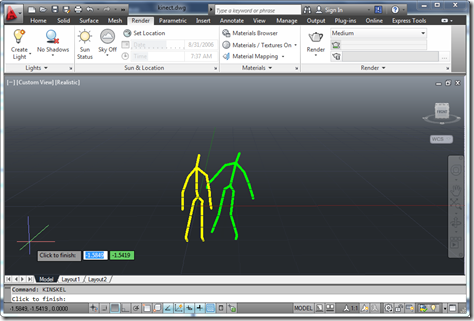
The looming AU material deadline has finally forced me to work out how to use Kinect gestures to navigate within an AutoCAD model. It's far from perfect, but the fundamentals are all there: we have a loop – outside of a jig, this time, as we don't need to display a point cloud or generate geometry in-place – that takes skeleton data provided by the Kinect and uses it to adjust the current view. Like most people, my head gets a bit twisted when dealing with DCS and WCS, cameras, targets, views, etc., but thankfully I stumbled across an old…
-
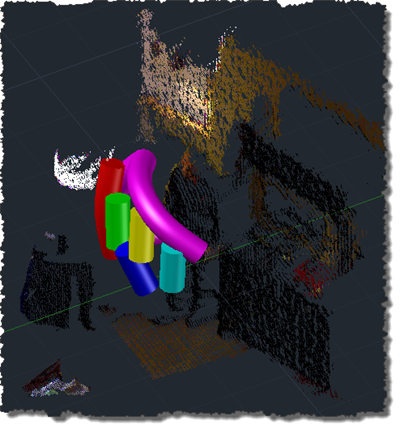
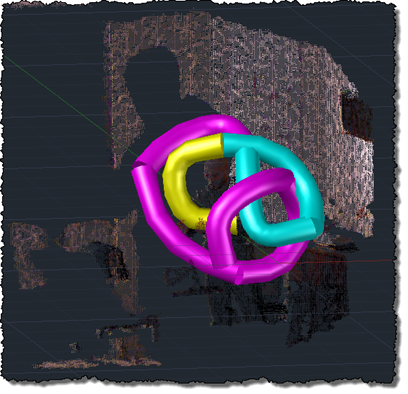
This post follows on from this recent post which showed a flat port of the previous OpenNI/NITE code which swept a single solid along a spline path defined by the user being tracked by the Kinect device. As mentioned, the previous approach was ultimately flawed, as adding vertices to our spline path made the whole thing problematic (as the sweep operation became less and less likely to succeed). The updated code adopts a slightly different approach: it creates the solid in segments, creating a new segment whenever there's an error encountered or when the current segment exceeds a certain length.…
-
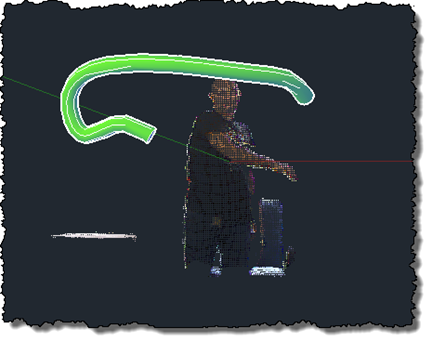
After this previous post, which updated my previous implementation drawing polylines in AutoCAD to use the Microsoft Kinect SDK, it made sense to give the same treatment to this implementation, too. This version of the code doesn't really go beyond the OpenNI/NITE version – it's very much a "flat" port, which means it comes with the same issues the other version had: the sweep is performed along a single, increasingly complex path, which means that it quickly slows down (as the path's complexity increases with its length) and at some point just stops working. And along the way, there's significant…
-
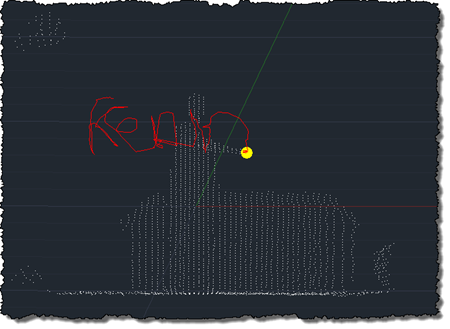
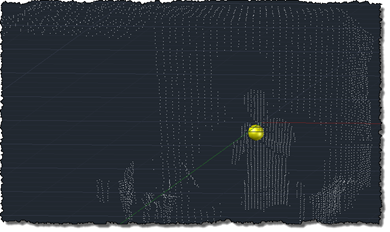
After using the Microsoft Kinect SDK to bring point clouds into AutoCAD and then to track skeleton information, I'm happy to report that I now have an equivalent implementation of this previous post, where we used OpenNI and NITE to understand gestures captured by the Kinect and draw 3D polylines inside AutoCAD. This implementation is a bit different from the last, mainly in that – given the additional calculation needed to map points into "skeleton space" when building out point cloud – I no longer transform all the points and then select a sampling. This implementation passes a sampling value…