Point clouds
-
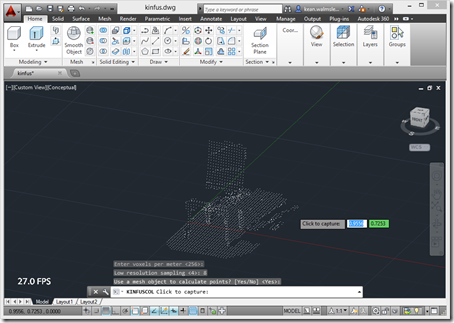
Something you realise quite early on when working with the Kinect Fusion component in the Microsoft Kinect SDK is that it's really meant to integrate into a 2D UI: it takes care of rendering the volume that's being mapped, and you simply have to integrate the generated bitmap somewhere into your app's UI. The primary benefit of this approach is its low latency: it all happens very quickly and the only data you need to move from the runtime into your app is the bitmap itself. With 3D systems such as AutoCAD, though, you really want to take the 3D…
-
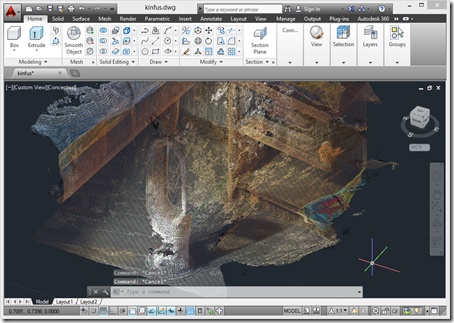
A few weeks ago the Kinect SDK was updated to version 1.8. I'd been eagerly awaiting this update for one reason, in particular: aside from receiving some updates to provide more robust tracking – something that was very much needed – Kinect Fusion has now been updated to include realistic colours in the output. There are some additional SDK enhancements, such as a background removal APIs (good for greenscreening) and HTML support (handy for interactive kiosks), but the ones that interest me most relate to Kinect Fusion. There are a few new Kinect Fusion samples that I need to take…
-
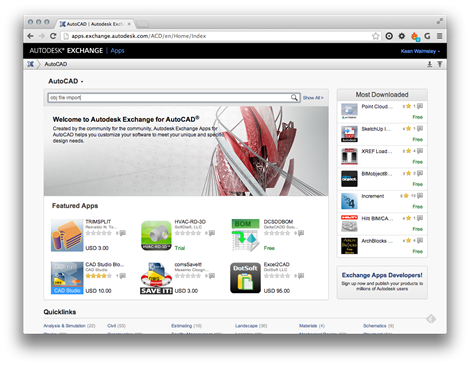
In the last post we took a look at how we could make use of the .obj output from a ReCap Photo model of a car to perform virtual wind tunnel analysis using the standalone version of Project Falcon, a flow simulation tool currently on Autodesk Labs. This post extends (or forks) that workflow to achieve my goal of performing virtual wind tunnel analysis on a Morgan 3 Wheeler in the AutoCAD-based version of Project Falcon. After stitching a 3D scene from photos using ReCap Photo – and exporting it to .obj – we need to bring the model into…
-

Here's the thing. While it's nice to be able to capture interesting-looking models with Autodesk ReCap Photo, what we really want is an output format that's useable in other products. In my case, what I personally wanted to do was first hinted at in this post: display a model of the Morgan 3 Wheeler in a virtual wind tunnel using Project Falcon (a project on Autodesk Labs which is – at the time of writing – scheduled to run until August 30, 2013). So let's take a look at the output formats of the ReCap Photo service and see how…
-
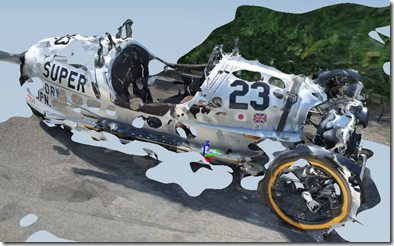
My apologies if you've reached this post while looking for a detailed comparison or analysis of these two products: this is just me sharing some anecdotal experience I've had of uploading – and working with – the same dataset in the two systems. The subject I chose for this comparison is somewhat strange, as it's notoriously hard to use photogrammetry to reconstruct 3D models from cars: they're generally too shiny. But while this particular car has plenty of shiny, its main body of paintwork is a gorgeous matte silver, so I thought I'd take a chance with it. I've talked…
-
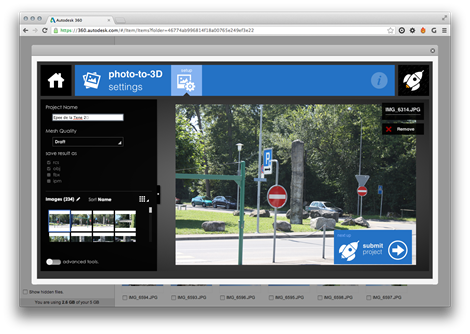
You're hopefully by now familiar with 123D Catch – a technology I've talked about before, a consumer-focused tool for reconstructing 3D models from photos – but Autodesk is also providing a professional-grade version of the system on Autodesk 360 called Autodesk ReCap Photo. To get access to the trial version of this tool, simply log in to Autodesk 360 and upload some photos of the scene you'd like to capture. You can then multi-select the photos, right-click and select "Create 3D model". You'll be presented with the "photo-to-3D settings" window that allows you to enter the name for the project…
-

I'm excited to announce some revolutionary new technology our "reality capture" team is working on at Autodesk. By now many people will be familiar with the Rip-Mod-Fab workflow (the 3D equivalent of Rip-Mix-Burn for music). The problem with this is that there's something fundamental missing from the equation: that most aromatic of dimensions, the world of odours. How many of you have used 123D Catch to copy a real-world object, printing it using with MakerBot, only to find something missing? That once you've got over the utter coolness of being able to print something in three dimensions, you're somehow left…
-
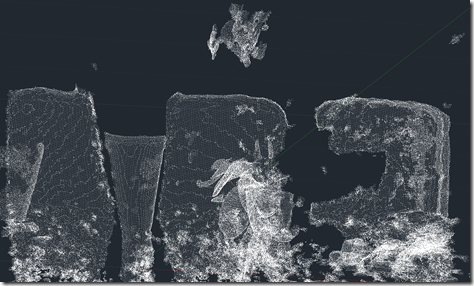
OK, here goes: my first (public) attempt at integrating the brand new Kinect Fusion functionality – made available this week in v1.7 of Microsoft's Kinect for Windows SDK – into AutoCAD. There are still a few quirks, so I dare say I'll be posting an update in due course. As mentioned in the last post, I've been working on this for some time but can now show it publicly, as the required SDK capabilities have now been published. As part of this effort, I've gone ahead and made sure the other Kinect samples I've written for AutoCAD work with this…
-
This is very exciting: v1.7 of the Kinect for Windows SDK is being released today and it includes the uber-cool Kinect Fusion component. For those of you who have not yet heard of Kinect Fusion, it allows you to use your Kinect for Windows sensor as an effective reality capture device: it aggregates input from depth frames provided by the Kinect sensor, mapping out a 3D volume. Or, for the layperson, it allows you to paint a 3D model of an existing real-world object or scene into your computer's memory. Here's a video from Engadget's Expand event, held over the…
-
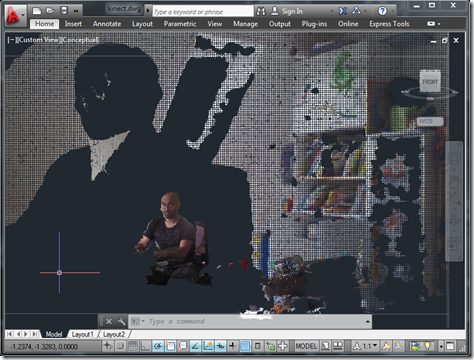
As promised in the last post, today we're going to see the adjusted point cloud import workflow applied to the previously posted Kinect integration samples. This was also an opportunity to look at the improvements in version 1.5 of the Kinect for Windows SDK. When the SDK was announced, my initial reaction was "OK, but what we really need is finger-tracking", especially as it was right around the time Leap Motion made their big announcement. But there have nonetheless been some really interesting capabilities added to the Kinect SDK with version 1.5: Seated mode skeletal tracking You can choose to…