Android
-
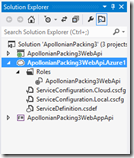
After introducing the topic – as well as creating our basic, local web-service – in the last post, today we're going to publish our MVC 4 Web API application to the cloud and see it working from a number of different client environments. Preparing to publish to Azure Now that we're ready to publish to Azure, we need to add a deployment project to our solution. Right-click "ApollonianPackingWebApi" in the Solution Explorer and select "Add Windows Azure Cloud Service Project". This will add a new project into our solution. We can now double-click the entry under the "Roles" folder in…
-
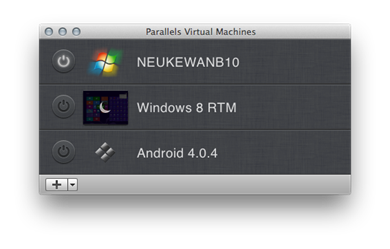
With my AUv recording out of the way, I've been starting to think more seriously about my AU sessions, over the last few days. The "big one" (with 100+ registered attendees and counting) is about moving code from a desktop application to the cloud, and will basically summarise the process I followed in my "cloud & mobile" series of earlier in the year. Which means I'll go through the process of pulling some code out of a desktop-based application and placing it behind a web-service, before calling the service from a variety of platforms/environments (AutoCAD via .NET, iOS, Android, WinRT,…
-
I'm hopefully sunning myself on the beaches of Brittany, at this point, but here's some information that Mikako Harada kindly brought to my attention. Adam Nagy has put together a fantastic series of posts on the AEC DevBlog that I think will be of general interest: Revit model viewer for iOS – part 1 Revit model viewer for iOS – part 2 Revit model viewer for iOS – part 3 Adam was apparently inspired by Philippe Leefsma's Inventor viewer for Android – something I'll also link to, once I see it's been published.
-
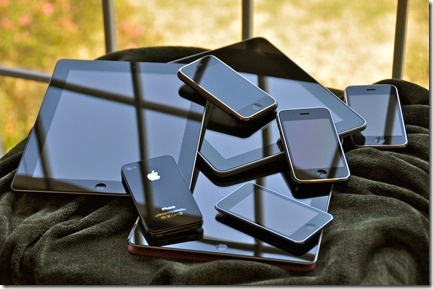
As we reach the end of this long series of posts on moving code to the cloud – and a look at ways to use the functionality from a wide variety of applications, many of them on mobile devices – I felt it was worth putting together a quick summary post to reinforce the overall message (which may have been a bit lost in the sheer volume of information). Firstly, here are the posts in this series, including those looking at the original creation of the "desktop" application functionality: Creating the core desktop functionality Circle packing in AutoCAD: creating an…
-
I hadn't actually planned a 3rd part to this series, but Dennis Ippel kindly spent some time looking at the code posted in the last post, to see where optimisations might be made to increase the sphere count. Consequently, Dennis made some changes to the Rajawali framework to support batch rendering of objects, as well as suggesting some client-side changes that make use of object cloning to avoid the need for replicated vertex buffers, index buffers, textures, etc. – all properties/dependent objects that the code was previously creating per sphere. The results were stunning: with really a modest change to…
-
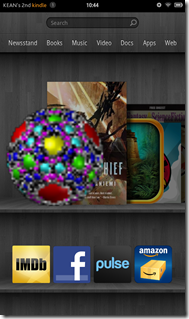
In the last post, we took a quick look at some basics around developing application for Android, while today we're going to see the code for our Apollonian Viewer application. Or, as my 5 year-old likes to call it, the "sweetie planet" app :-). Last time, I mentioned Dennis Ippel as the author of the Rajawali framework I've used in this app. What I didn't mention is how helpful he has been with getting this app working: Dennis gave hints that unblocked my efforts on a number of occasions, and even implemented new capabilities in Rajawali to enable several of…
-

In the last post, we looked at an approach for bringing data from our Apollonian web-service into a Unity3D scene. Our next "off piste" look at consuming data from this web-service is on the Android platform. This is my first serious attempt at mobile development (ignoring some fooling around I did with Embedded Visual C++ for Windows Mobile, way back when) although I have spent some time looking at WinRT (which basically means I've now built a Windows Phone 8 app, I suspect :-). So why did I choose Android, rather than iOS? No real reason: I have both iOS…