AJAX
-
This week's Floppy Friday is all about Indiana Jones games. Well, two of them, anyway. First we look at Indiana Jones in the Lost Kingdom from 1985 and then we play Indiana Jones and the Last Crusade – The Action Game from 1989. They're very different games, which I'm sure you'll see from this episode. I think I've managed to fix the focus-related issue from last week (this happened when there was a major change in luminosity with the screen), so hopefully that's better. Feedback welcome! I've also made some progress with repairing the second of my two…
-
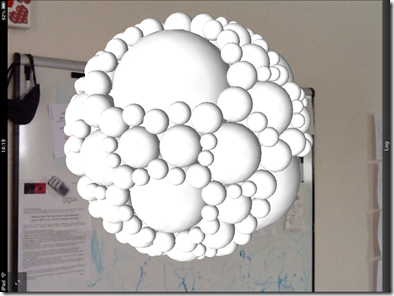
After my initial (only partially successful) attempt, earlier in the week, to get 3D geometry from the Apollonian web-service into a PointCloud Browser session, I finally managed to get it working properly. Given the currently fairly light documentation available – especially for the Viper JavaScript namespace which gives access to the 3D rendering capabilities in the browser – I ended up posting a question to the PointCloud forum. The answer was very instructive – I was able not only to get spheres of different radii displayed using the same mesh… … but also to apply different colours to the same…
-
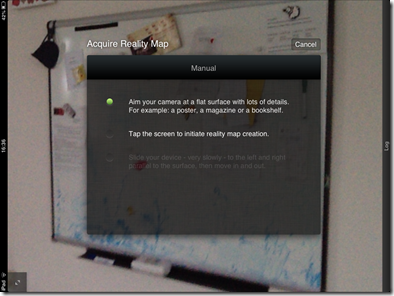
I first became aware of the work being done by 13th Lab a couple of years ago, but just last week someone pinged me about it again and re-triggered my interest (thanks, Jim :-). 13th Lab is a small Swedish company that has created some really interesting Augmented Reality technology. Many AR systems make use of fiduciary markers (which often look like sections of QR codes) to make it easier to determine where the 3D content should be positioned and visualized in the 2D image of the scene being fed from your device's camera. Ideally, though, you want a markerless…
-
As we reach the end of this long series of posts on moving code to the cloud – and a look at ways to use the functionality from a wide variety of applications, many of them on mobile devices – I felt it was worth putting together a quick summary post to reinforce the overall message (which may have been a bit lost in the sheer volume of information). Firstly, here are the posts in this series, including those looking at the original creation of the "desktop" application functionality: Creating the core desktop functionality Circle packing in AutoCAD: creating an…
-
To finish off our look at developing an HTML5-based 3D viewer for our Apollonian web-service, today's post integrates the trackball capability of the Three.js library. Many thanks to Jeff Geer for once again pointing me in the right direction on this. 🙂 The trackball capability allows you not to worry about manual implementation of 3D navigation inside your viewer: you simply set up some basic parameters to indicate the size of your model and the speed with which you want navigation to occur – as well as the keys for rotate, zoom and pan – and then you just let…
-
In the last post, we created another, basic 3D viewer for the data from our Apollonian web-service – this time using HTML5 via Three.js. In this post, we'll extend the code to listen for keyboard events and manipulate the model according to user-input, as well as enabling feature detection of WebGL (allowing the same implementation to call into the canvas rendering code when WebGL isn't present). We're introducing keyboard-based commands to enable zoom, rotate (meaning spin, although not continuously) and the change of levels: + Zoom in - Zoom out , or % Rotate left . or / Rotate right…
-
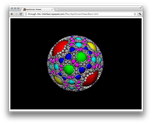
After looking at how to bring data from our Apollonian web-service into Unity3D, Android and iOS over the last few weeks, it seemed natural to extend this series to cover HTML. A big thanks to Jeff Geer for suggesting Three.js, which is the HTML5-based framework I ended up adopting for this project. I like Three.js for a number of reasons: just as jQuery (another library I've used in this project, to good effect) attempts to abstract away the messiness inherent in supporting multiple browsers, Three.js does the same for the world of browser-resident 3D. The other main reason I like…
-
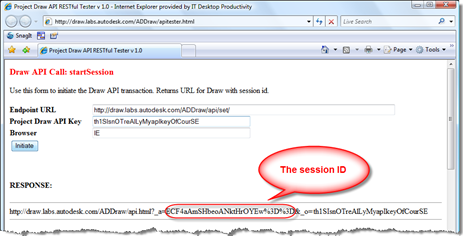
Last week David Falck, over at the Autodesk Labs team, provided me with an API key to have a play with the API to Project Draw. This post documents what I did, and how it all worked. Note: I'm not actually doing any coding whatsoever in this post: I used the handy API test page provided by the Autodesk Labs team, and so didn't need to write a single line of code. So, first of all, you'll need an API key. Here's the one I got from the Draw team: th1SIsnOTreAlLyMyapIkeyOfCourSE Just kidding. I've changed the above key for the…
-
Over on It's Alive in the Lab, Scott Sheppard is looking for developers interested in working with the API to Project Draw. If you're interested, send an email.
-
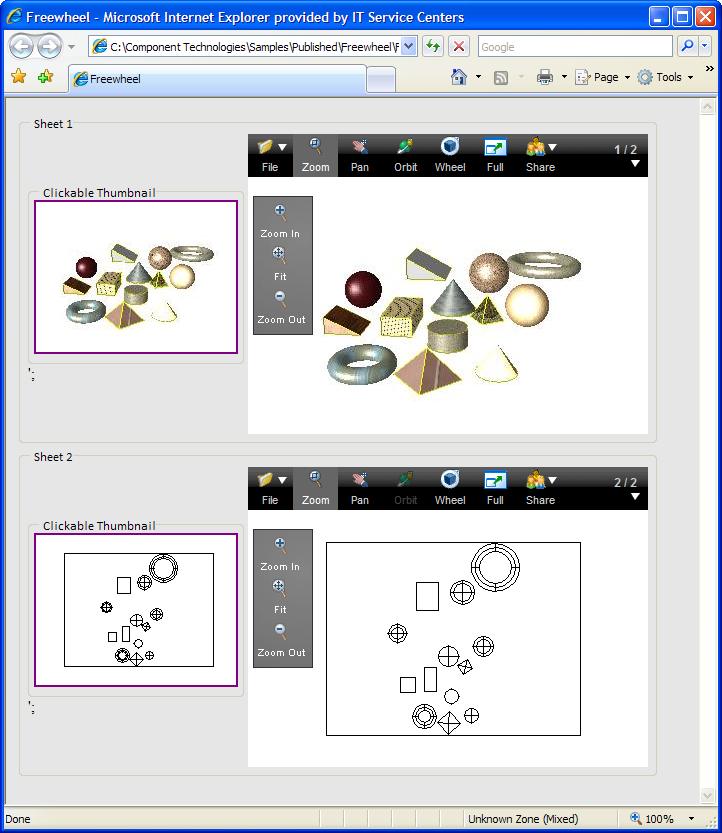
I touched on this subject a few weeks ago in part 2 of my DWF-related AU handout, but thought I'd come back and describe in more depth some of the fun (although a more accurate word might be "difficulty" 🙂 I had solving this problem. I've been playing around with web services and XML since SaaS was still known as ASP, and have tried to stay up-to-date with the technology as best I can. I'm really a client-side programmer, all things considered: I've created some server-side code, but have mostly involved myself with desktop-oriented programming and creation of samples that…