AutoCAD
-

It's that time again! Over the coming days you're going to be hearing lots about the next release of AutoCAD, codenamed "Maestro". Before taking a look at AutoCAD 2016 from a developer's perspective – which we'll do next time – in this post we're going to take a quick look at its user features. To kick things off here are the new commands and system variables, here are those that have changed and here are those that have been removed. To cherry-pick from the top of the new commands list, CLOSEALLOTHER will close all open drawings other than the one…
-
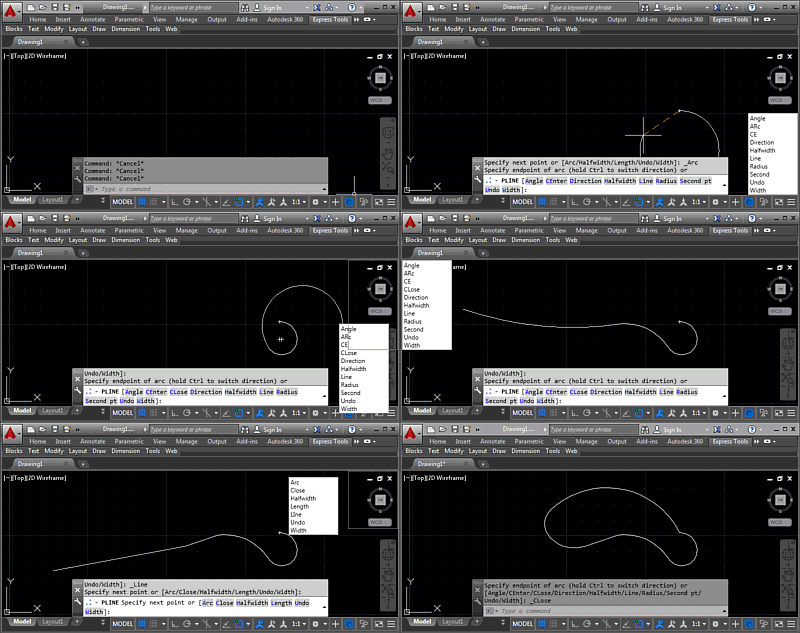
In this post we're wrapping up this mini-series on docking, which is part of a much broader story arc around a "command-line helper" tool, of course. But then we're reaching the end of that, too, I suspect, as the app's just about done. Hopefully it's ready for posting to Autodesk Labs, at least. Last time we added right-click dragging to allow our keywords window to be moved around without interrupting the active command. Now we're taking it a step further to preview docking at one of the four corners of the drawing window, as well as to actually dock the…
-
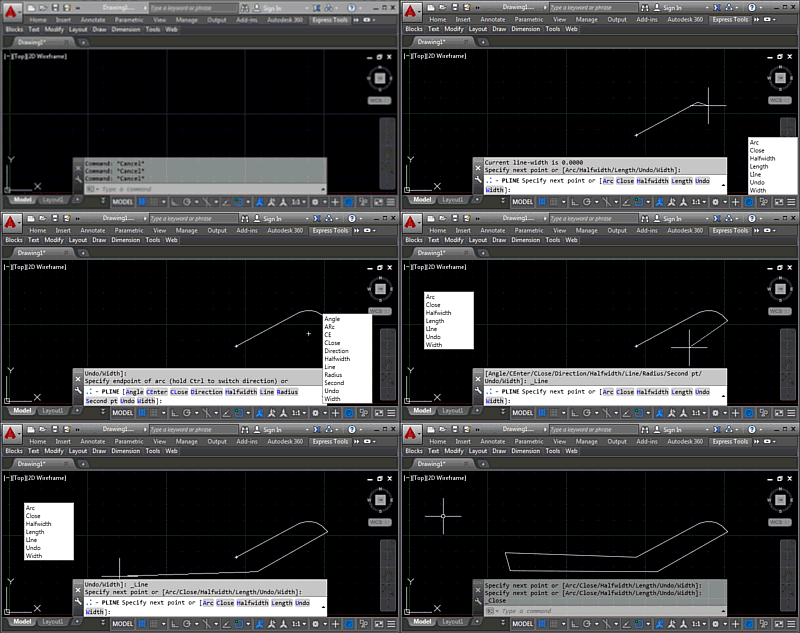
I'm happy to say that the implementation I mentioned in the last post ended up being pretty straightforward. Which is actually great, as I have some important posts to work on for next week. 🙂 Today we're going to take a look at the next stage of the "command-line helper" implementation: basic right-click movement of the global keywords dialog, so we can set a custom location for the dialog without needing to use the KWSDOCK command. Here's the code in action: The main work for this stage was to add support for right-click, mouse move and right mouse-button up events,…
-
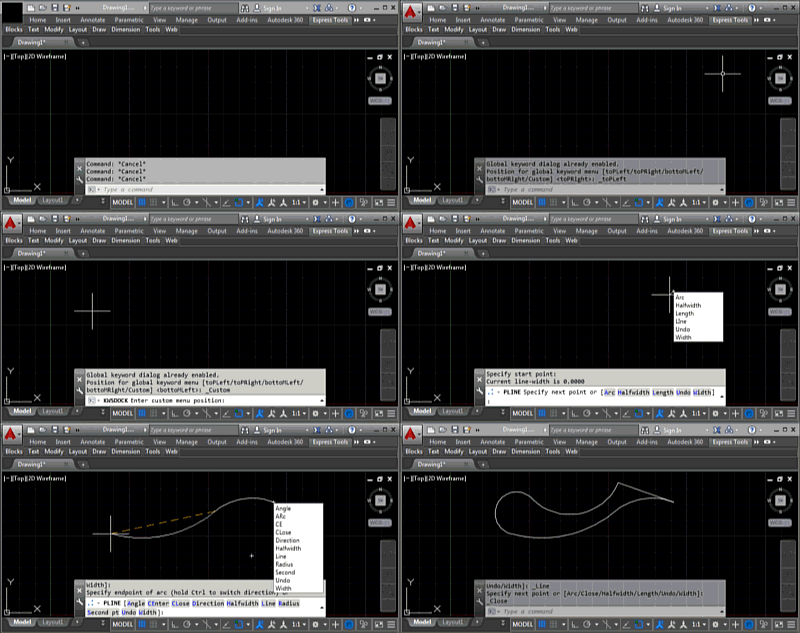
During the course of this week we're going to look at extending the command-line helper sample posted last week by allowing our global keywords window to "dock" to the four corners of the drawing window as well as to remain fixed at a custom location somewhere on the screen. I use the term "dock" here loosely, as we're really just placing it in one of the corners of the drawing window. If we wanted a modeless dialog that was properly docked into AutoCAD then we'd almost certainly want to use a PaletteSet. Here's a quick video demonstrating the KWSDOCK command,…
-
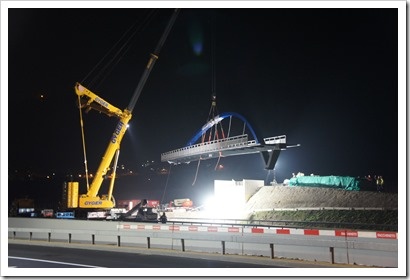
Last night the section of motorway closest to my home was closed from 10pm to 6am. They closed it to install a new cycle bridge intended primarily for children from one local village to cycle safely to school in another. Closing a motorway is considered quite an event around here, so a small crowd gathered to watch the proceedings in spite of the hour and the pre-spring nip in the air. Admittedly the drinks laid on by the local government – tea or wine, depending on your preferred approach for keeping warm – didn't hurt the mood. At around 11pm…
-
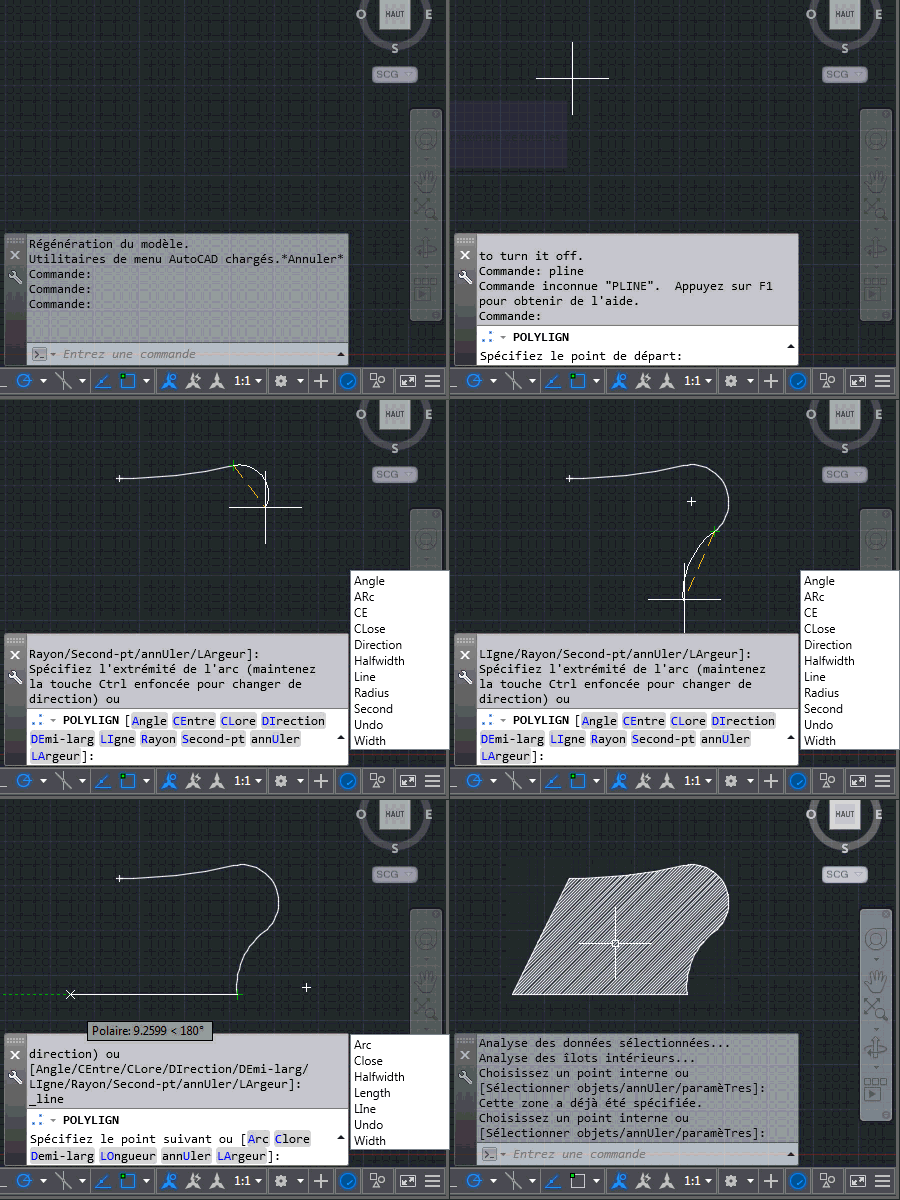
Today we're going to look at the implementation talked about in the last post: we're going to see how it's possible to use the Application.PreTranslateMessage() method to hack AutoCAD's message-loop and basically convert typed keywords into global ones. This is actually pretty neat (yes, even if I do say so myself 🙂 and frankly I'm surprised it works. Here's the overall approach: Track the characters typed into the command-line Add individual characters into a list Backspace removes the tail of the list Arrow-keys invalidate the tracking: if the user accesses entries in the command-history we can't deal with that, and…
-
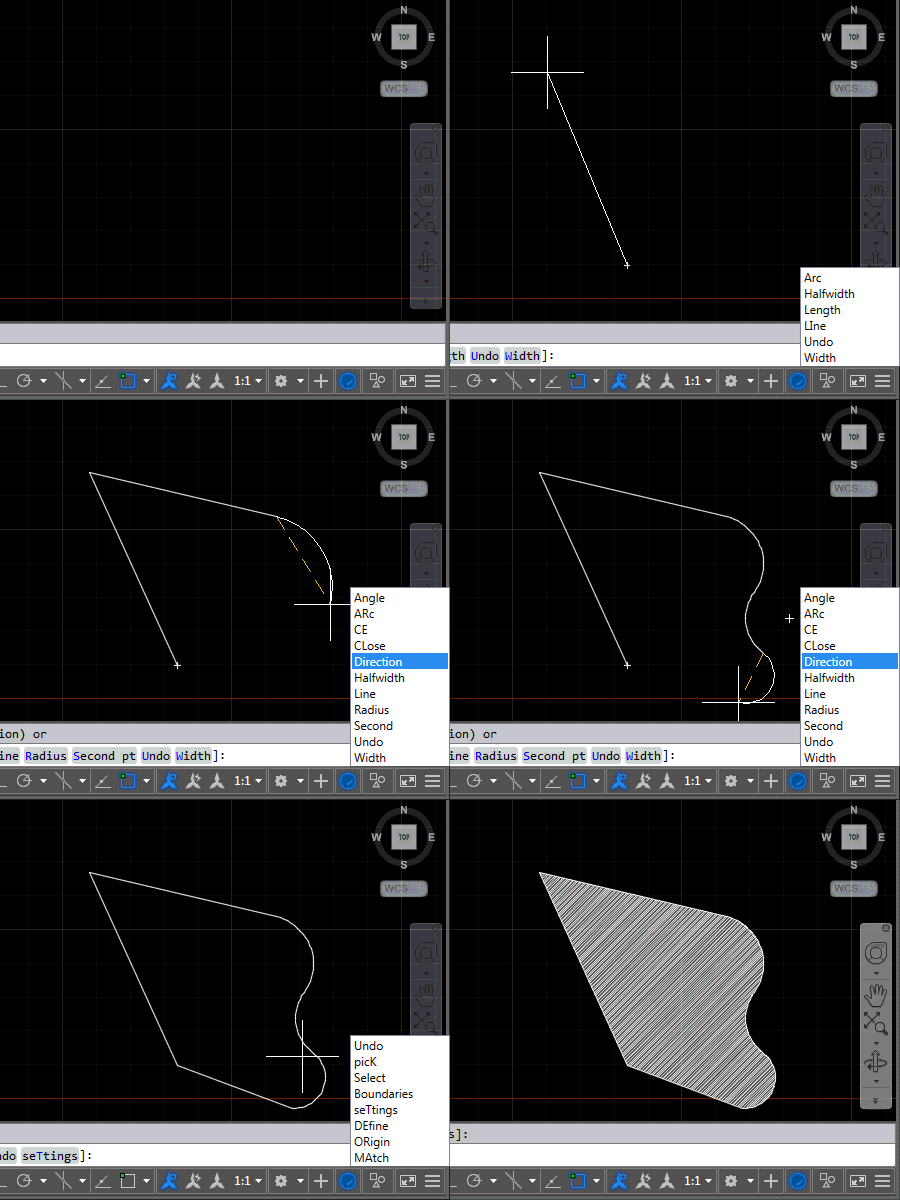
This post carries on from this series from a couple of weeks ago: Adding a global keyword menu to AutoCAD using WPF – Part 1 Adding a global keyword menu to AutoCAD using WPF – Part 2 Enabling global commands on localized AutoCAD versions using .NET The overall goal behind these posts was to create a "command-line helper" tool to make it easier for people who know the English version of AutoCAD (or an AutoCAD-based vertical) to work with a corresponding localized version. Basically because some people learn AutoCAD using an English version – perhaps during their studies – but…
-

Every so often I get hit by a wave of computing nostalgia. This weekend it was a veritable tsunami triggered by the discovery that a number of old MS-DOS games are available to play online in your browser, including the seminal Prince of Persia. This game has a strong connection with AutoCAD, for me, so today I'm blogging about that. I first started working with AutoCAD while I was still at high school – it must have been around 1989. After a successful (but mind-numbingly boring) summer project at a local manufacturing company, converting their old engineering calculation routines…
-
Here's a quick piece of code to finish up the week to complement what we saw earlier. The idea is that on localized AutoCAD versions this code will allow the user to enter English commands without needing the underscore prefix. The code works by detecting an "unknown" command and then attempting to execute it again after prefixing an underscore to launch a global command. Which may or may not work, of course, so we certainly need to set a flag to avoid descending into an infinite loop of commands being called while prefixed by an ever-expanding legion of underscores. Aside…
-
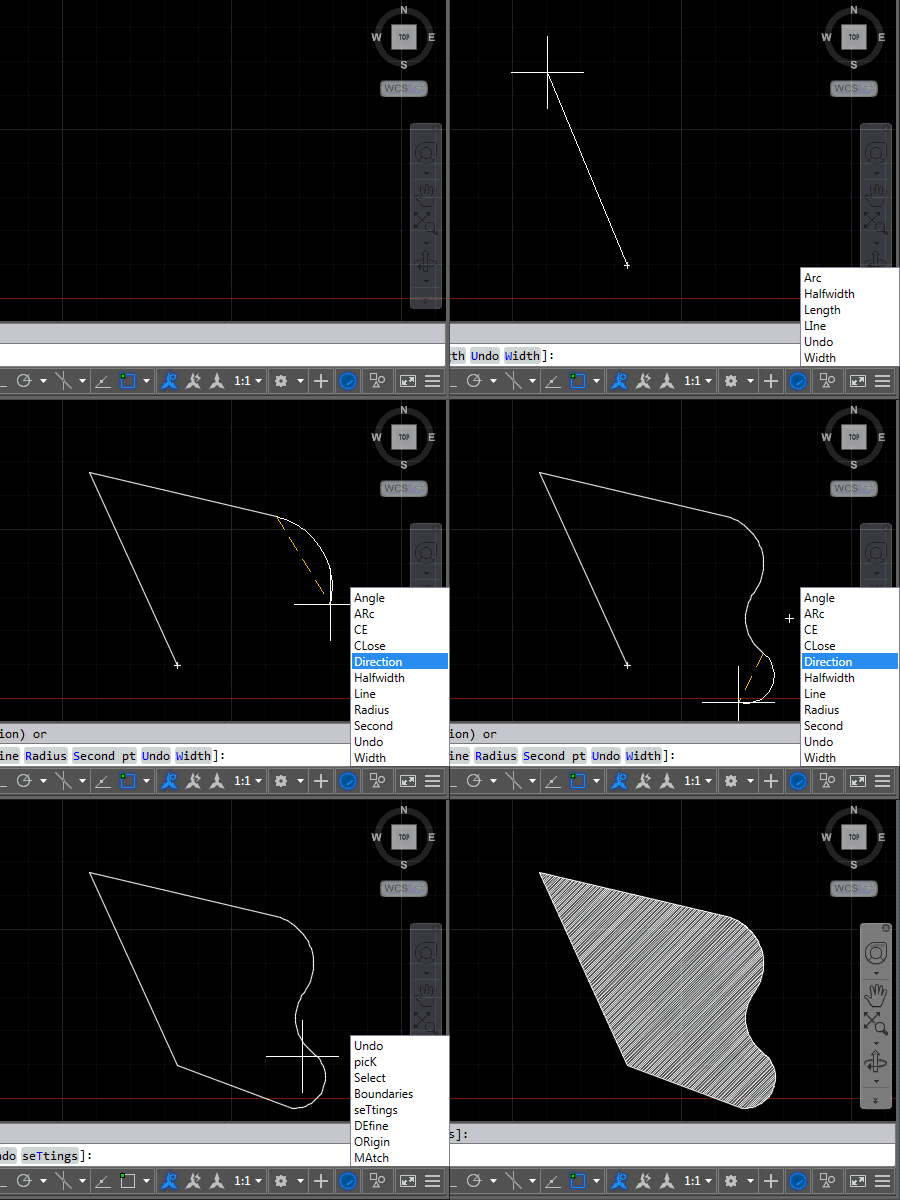
After introducing this project in the last post, now it's time to share some code. The project, as it currently stands, contains three source files: the first one relates to AutoCAD – it implements the various commands we'll use to attach event handlers to tell us when to display (or hide) keywords and the other two files relate to the UI we'll use to display them. We're going to use an invisible window which has a child popup containing a listbox of our keywords. Here's the application in action – for now in English AutoCAD, as that's what I have…