AutoCAD
-
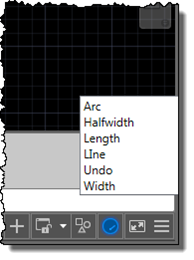
I'm up in the mountains, supposedly on vacation, but as one of our children woke up with a fever, I'm skipping the morning session on the slopes to stay home with him. Which gives me the chance to start writing up a little project I've been working on for our Localization team. Here's the idea… apparently it's relatively common in certain countries for AutoCAD users to learn the product in English but then end up working with a localized version of the software. While it's always possible to use global commands and keywords by prefixing an underscore, it's not always…
-

After yesterday's fun with creating an HTML5-based progress meter for AutoCAD, today we're going to have some more fun styling it with CSS. To recap, here's the progress meter that comes "out of the box", with the default styling from Chromium on Windows. The first thing we need to do for our various changes is to use CSS to disable the default styling, at which point we can then use CSS to override it. progress { width: 100%; -webkit-appearance: none; } Here's how our progress meter looks when unstyled: Now that it's stripped bare, we can…
-

This week I've spent quite a bit of time looking into future API features. For one of them I needed to create a progress meter, and thought to myself "why not create one in HTML5?" And as it's nothing specific to a future product release, I decided to go ahead and post it now. For context, here's the way AutoCAD's standard progress meter currently looks, displayed using the code from this previous post: So why would you go head and create your own progress meter? A few different reasons come to mind… yes, AutoCAD has its own, but perhaps you…
-
My esteemed colleagues over in the ADN team, Philippe and Balaji, have been working their magic, creating samples to show how to make use of JavaScript-based physics engines within Autodesk software. They've inspired me to have a go myself. Philippe's sample – which carried on from his preliminary research into JavaScript-based physics engines – shows how you can integrate ammo.js with the View & Data API to add some gravity to an A360 model. Really fun stuff! [Side note: I love that ammo.js stands for "Avoid Making My Own physics engine" as well as being an emscripten port of the…
-

So yes, I like Star Wars. And my kids like Star Wars, too. In my office downstairs at home, I have the pride and joy of my modest collection of Star Wars-related goodies, a LEGO Death Star: It pains me to leave it downstairs and only let the kids play with it under supervision, but it was a hassle (albeit a very enjoyable hassle) to build and I'd hate to see it damaged. And if anyone thinks that makes me sound like Will Ferrell's character in the LEGO Movie, they'd be right: there's a lot that resonated in that film,…
-
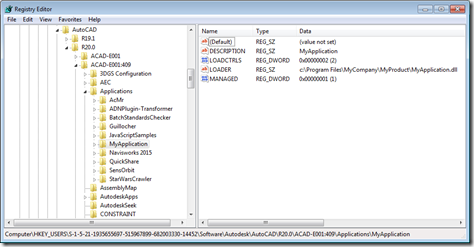
Operating System-level environment variables are a handy way to reduce redundancy or to simplify providing support for per-user settings. (I'm sure they're good for other things, too, but these are the ones that spring to my mind, at least. 🙂 One thing I only discovered recently – and thanks to Tekno and Dieter for discussing this – is that you can use environment variables in a number of places in the file path settings accessed via AutoCAD's OPTIONS command. The topic came up in the specific context of the TRUSTEDPATHS settings, but it seems to have more general support than…
-
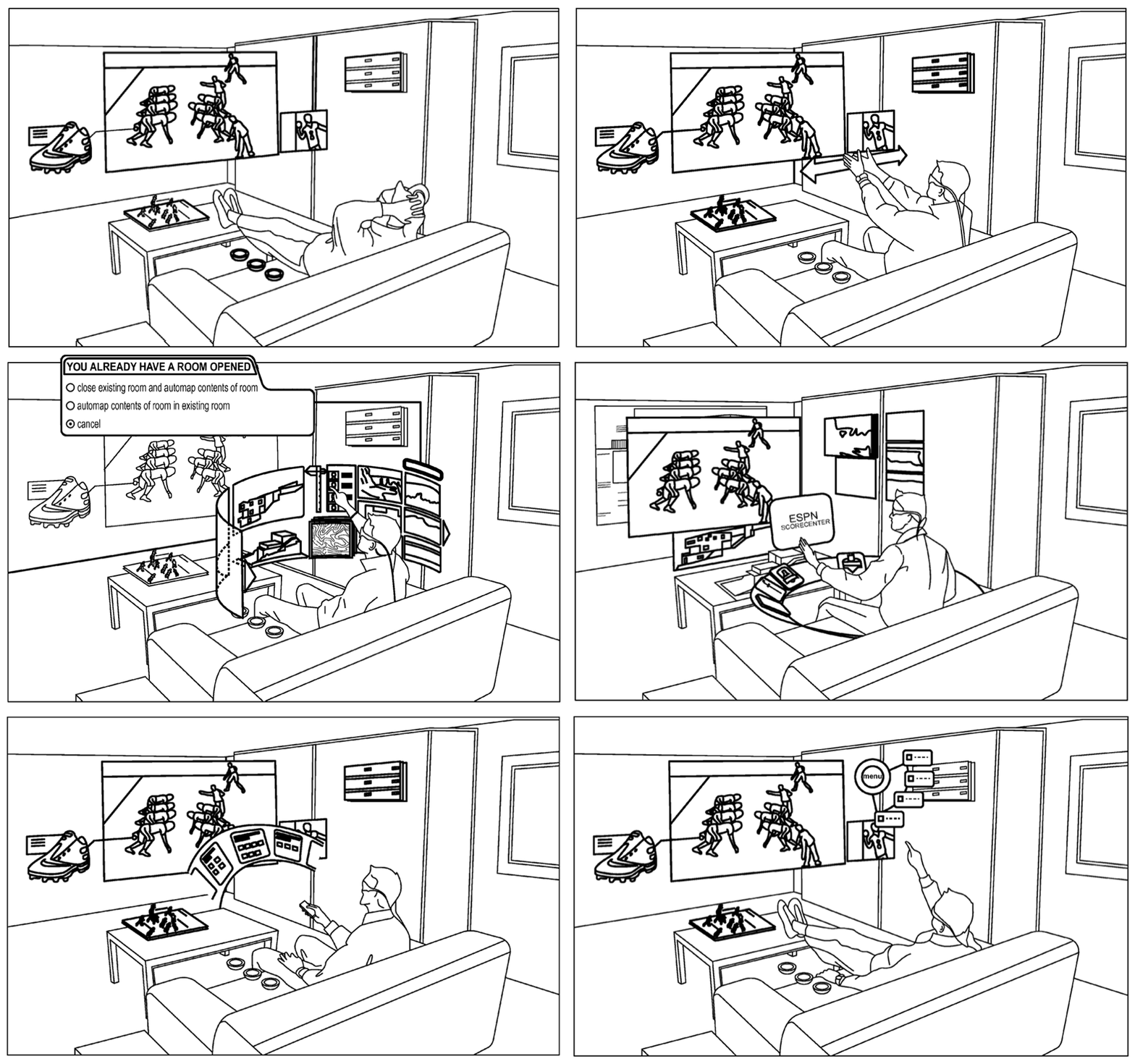
I'm down with some kind of stomach bug, so any thoughts I might have had of writing code today are out the window. But luckily there's plenty of juicy technology news buzzing around – especially in the AR space – that's worth reporting on. Interestingly this isn't the first time this has happened. I wonder if my sickness-addled brain has a tendency to gravitate towards "out there" technologies such as AR & VR (especially since reading John C. Wright's The Golden Age trilogy – a must for anyone interested in this domain)? I spent a fair amount of time working…
-

An interesting query came into my inbox, last week. A member of one of our internal product teams was looking to programmatically modify the contents of an external reference file. She was using the code in this helpful DevBlog post, but was running into issues. She was using WblockCloneObjects() to copy a block definition across from a separate drawing into a particular xref, but found some strange behaviour. In this post I'm going to show the steps we ended up following to make this work. We're going to implement a slightly different scenario, where we modify an external reference to…
-
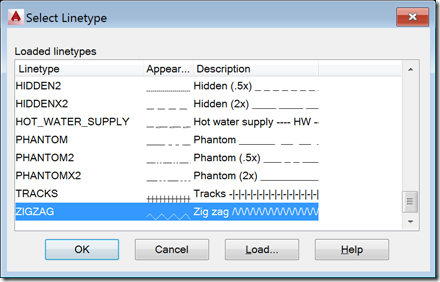
I received this request from Mateusz Andrzejczak, over the weekend: I have problem with LineTypeDialog. Your part of the code is working perfectly, but i have problem with modifying the values. I have a SelectionSet that holds all object that are selected with using a filter. I want to use LineTypeDialog to select linetype and then accept so all the object in selection set will change to selected linetype. I'm working with this for a few hours and it's not working. Any tip for me? The question related to this old post. I started by sending Mateusz a link to…
-
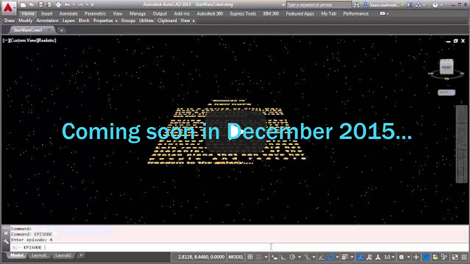
Happy Friday! It's time to unveil the completed Star Wars opening crawl inside AutoCAD… After an intro and seeing various pieces implemented, in today's post we're going to add the crawl text and animate its movement into the distance. The initial blue text The theme music The star field The disappearing Star Wars logo The crawling text As the surprise "bonus" item 6, I decided to add a planet and – at the end of the crawl – shift the view downwards to show its surface: an effect I've seen in the opening crawl for at least one of the…