AutoCAD
-
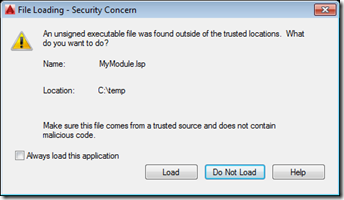
Yesterday we introduced the need to sign program modules for AutoCAD 2016. Today we're going to see how AutoCAD behaves when loading signed and unsigned modules, as well as what the innards of a signed LISP module look like. Here's a simple piece of AutoLISP code that I've placed in a file called c:/temp/MyModule.lsp: (defun c:test() (princ "\nThis is a test command.") (princ) ) Here's what AutoCAD displays when we try to load this module: We can use AcSignApply.exe to sign this module with our digital certificate, as we discussed yesterday: Here are the contents of the file…
-

This series of posts is one I've been meaning to write since AutoCAD 2016 started shipping. Thankfully a number of other people have filled the void, in the meantime, so I've created an appendix of related posts that you can find at the bottom of each post in this series. The series is about how we're working to improve security inside AutoCAD, and what this means for application developers. Dieter's posts on Lynn's blog help explain some of the background to this work, much as I've posted here in the past, too. Perhaps the biggest security change in AutoCAD 2016…
-
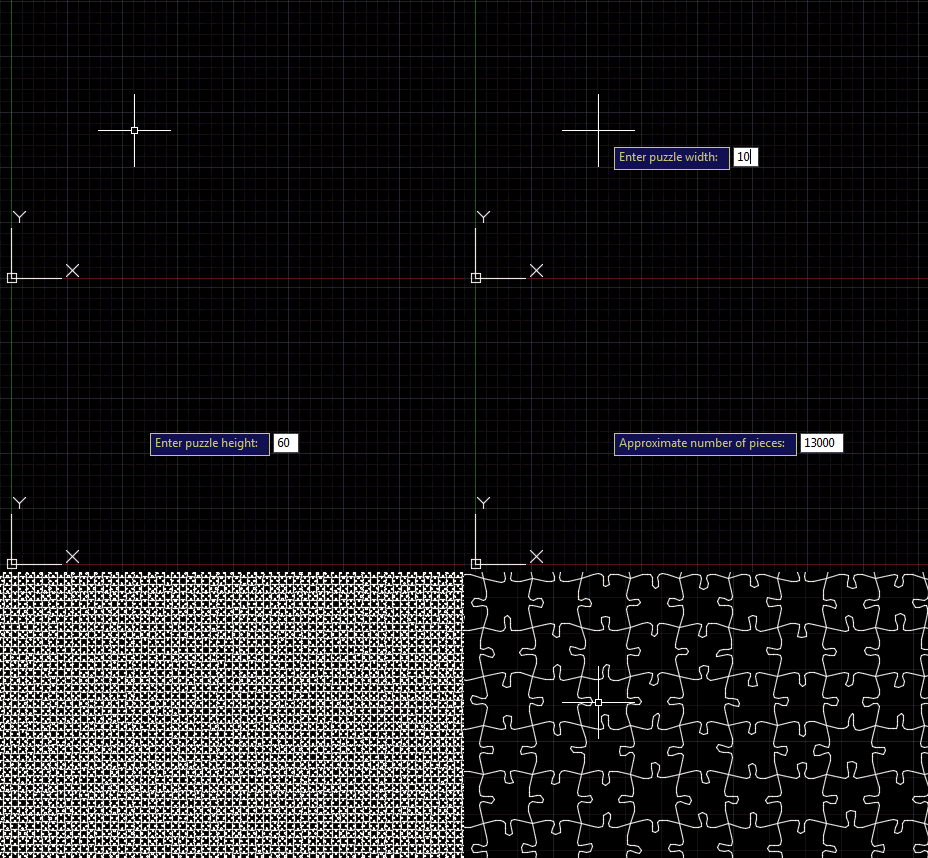
Following on from the last post, where we saw an outline for this series of posts on AutoCAD I/O, today's post adds a command to our jigsaw application that creates the geometry for a jigsaw puzzle of a specified size and with a specified number of pieces. As jigsaw puzzle pieces are largely quite square, it actually took me some time to get my head around the mathematics needed to calculate the number of pieces we need in each of the X and Y directions to make a puzzle of a certain size. And it's (with hindsight) obviously not possible…
-

A reminder that proposals are open for AU2015 until May 26th. I've just submitted two, myself. Of the three topics I had in mind – relating to VR, AutoCAD I/O and TypeScript – I decided to submit proposals on the first two: I'll do my best to use TypeScript for one or both of the other two (assuming they get accepted) which will at least give people some exposure to how the technology works. And give some good fodder for blog posts, of course. Here are the abstracts I submitted: Virtual Reality viewing of 3D models using Autodesk's View and…
-
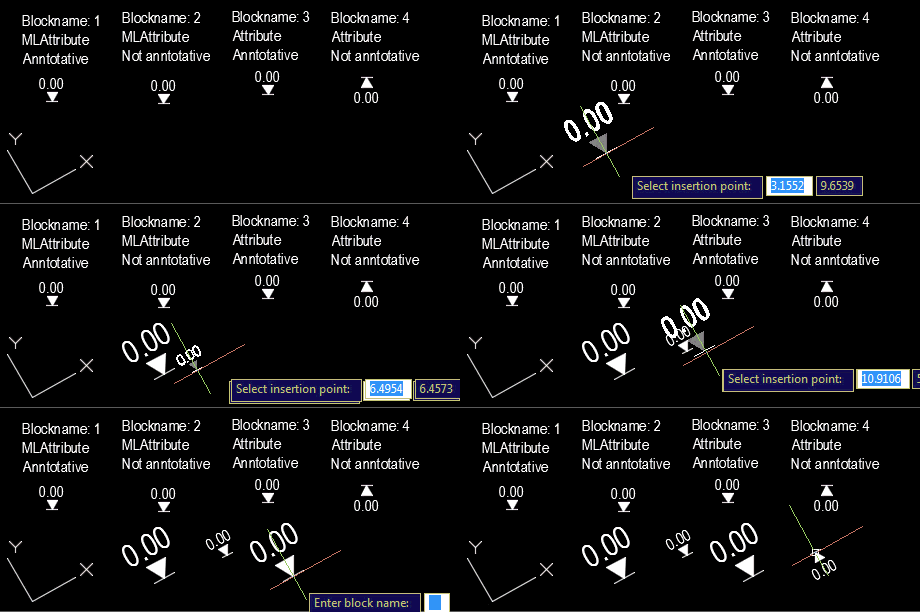
Our old friend Roland Feletic emailed me last week. He'd been having some trouble with this previous post when jigging blocks with multiline attributes. Roland had also identified some code in this post on another blog which worked properly for him. I spent some time looking into what was wrong with the original post. It certainly didn't deal with the appropriate placement of multiline text, and didn't take proper care of annotation scaling and UCS. Time for a do-over. 🙂 The following C# code is a combination of the code from the previous post and the approach spiderinnet1 took in…
-

From my cubicle in the depths of the Death Star… To celebrate this Star Wars Day, why not build your own Death Star using AutoCAD and 123D Make, or script the opening crawl inside AutoCAD using F#? May the 4th be with you, always.
-
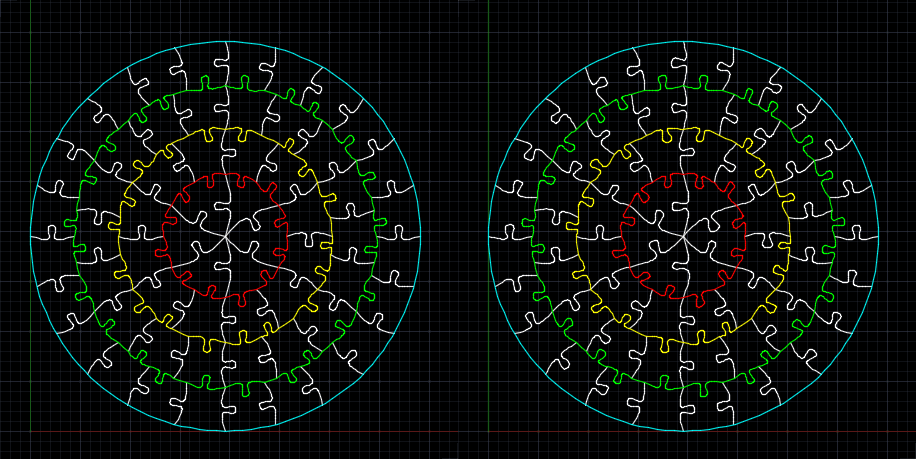
After seeing some code to create basic jigsaws in AutoCAD – and then a quick look at fabricating them using a laser cutter – in today's post we're adding a "wiggle" factor, making the shape of the tabs more unique than in the prior version of the application. This has been integrated into the existing JIG and JIGL commands, but we've also added a new command called WIGL, which applies a wiggle to the tabs of existing jigsaws (it basically checks the selection for splines with 6 fit points and runs our algorithm against those). The amount of wiggle is…
-
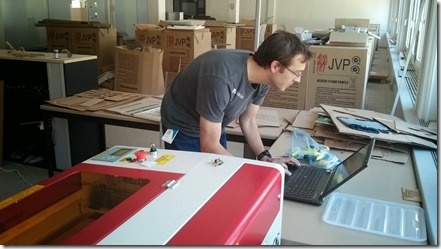
After introducing a rudimentary program to help build jigsaw puzzles, we needed to fabricate the design in some way. As mentioned originally, we quickly discarded the idea to 3D print it as too time-consuming and unreliable: we decided to at least investigate using a laser cutter, what I considered to be a more natural choice for this. Now I did have some experience of using the laser cutter at our local Fab Lab, but as we wanted to iterate quickly – and didn't have the fixed requirement of the larger cutting bed – we opted to use a slightly smaller…
-

Autodesk is running a series of "Answer Days", where you can get answers to your product questions directly – and hopefully in real-time – from Autodesk's development and support teams. The first is for AutoCAD and will run from 6am and 6pm Pacific. It's not just about the product, either. The ADN team will also be participating in this event, handling any questions you have around AutoCAD's APIs. To get answers during the event, it's as simple as logging into the AutoCAD Community and creating a post on the AutoCAD Answer Day board on May 7th. If you have questions…
-
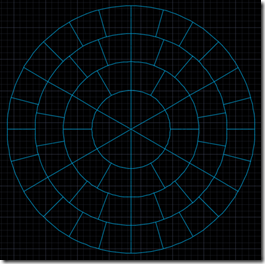
Too. Much. Fun. As mentioned in the last post, a colleague came to me with a problem… for an internal team-building exercise, he needed to manufacture a circular, 60-piece jigsaw puzzle with 6 groups of 10 pieces, each of which should be roughly the same size. The pieces will also have some text engraved on them, but that's a minor detail. I searched the darkest corners of the Internet to find an online tool to generate a pattern for this, but then realised I'd spend my time more effectively by writing one myself and sharing it here. So that's what…