AutoCAD
-

As you may have seen – including over at Shaan's blog – the 2012 family of our products has now been announced. Stephen Preston, our DevTech Americas Manager, has recorded a DevTV session on the new APIs in AutoCAD 2012. This material was presented during our recent Developer Days tour, attended by ADN members around the world. AutoCAD 2012 – New APIs View Download (17.2MB) Samples (133KB) Highlights & topics covered: Migration steps New APIs Associative Array API Multi-mode Grip API ResetTimes VisibilityOverrule BlockTableRecord.SetIsFromOverlayReference acdbConvertAcDbCurveToGelibCurve acdbConvertGelibCurveToAcDbCurve acdbAssignGelibCurveToAcDbCurve Autoloader Simplified plugin deployment AutoCAD for Mac I'll definitely be following up with…
-
As promised, I ended up burning more that a few hours this evening (after being up very early for meetings this morning), to add orthographic drawing support to the code shown in the last post. It took quite some work, switching between UCS and WCS until my head was more than a little twisted. This thread on The Swamp provided well-needed inspiration, too (thanks, MickD :-). Here's the C# code – I would have highlighted the modified lines in red, but the code is too wide to add 3-digit lines without it looking ugly, and – besides – I need…
-
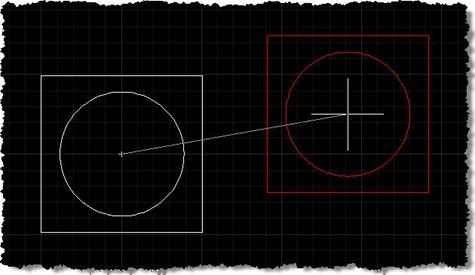
A big thanks to Norman Yuan for the technique shown in this post. I stumbled across Norman's post on this topic, and decided to take his code and rework it for posting here, with Norman's permission, of course. Very interesting stuff! 🙂 First things first: you probably don't have a burning need to reinvent either the wheel or AutoCAD's MOVE command. That said, this is a technique that may be of interest to many of you, especially if – for whatever reason – you're looking for an alternative to using a jig. The technique Norman has shown uses a combination…
-
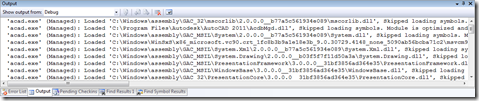
Thanks for George Varghese and Albert Szilvasy from the AutoCAD Engineering team for this helpful tip (culled from an internal email discussion). If you've ever wondered how to reduce the noise AutoCAD makes in Visual Studio's output window while debugging – at least since AutoCAD 2009, when we integrated WPF for user-interface components such as the ribbon – then this post will be of help to you. Here's the window we're talking about, which fills with messages from the application being debugged (in this case AutoCAD, whose acad.exe needs to be listed in the Debug properties under Start external program):…
-
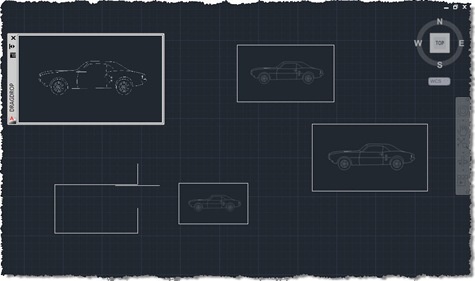
I'm in Las Vegas, running between meetings, presentations and performance reviews, so just a quick post, today (it's just before midnight here, but already Monday morning in Europe). I promised in the last post and the one before that I'd extend the code we've been looking at to enable drag & drop of raster images into AutoCAD with resizing of the dropped image via a jig, using the code in this previous post as a foundation. The below C# code does just that, with the new/modified lines in red (and the complete, unnumbered source file here): 1 using Autodesk.AutoCAD.ApplicationServices; …
-
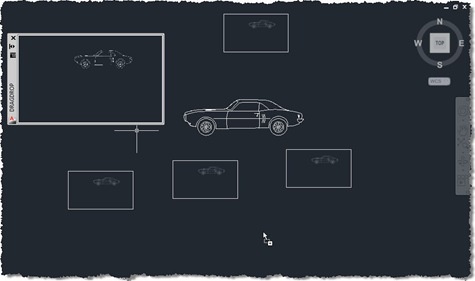
As a follow up to the last post, here's the update that places the dropped content at the cursor location. I've been busy in meetings for most of the week, so I haven't yet had time to integrate the jig for sizing. Thanks for Mike Schumacher for pointing me at Editor.PointToWorld() (I'm not sure how I managed to miss it – let's blame it on the jetlag). Here's the updated C# code with the new/modified lines in red (and the complete, unnumbered source file here): 1 using Autodesk.AutoCAD.ApplicationServices; 2 using Autodesk.AutoCAD.DatabaseServices; 3 using Autodesk.AutoCAD.EditorInput; 4 using Autodesk.AutoCAD.Geometry; 5 using Autodesk.AutoCAD.Runtime;…
-
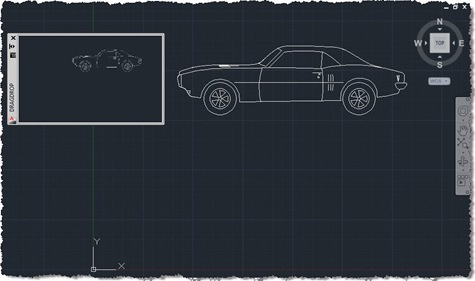
I'm up early (after sleeping late) with jetlag, so I thought I may as well put together this post. My brain isn't fully functional, I suspect, so forgive any errors (but please let me know about them, so I can fix them :-). I was inspired to implement the code in this post by an internal email thread, wherein Albert Szilvasy recommended implementing a comparable technique to a colleague. Please don't blame Albert for the implementation details, though, they are all mine. The idea is simple: you have some kind of modeless PaletteSet, and you want to initiate and manage…
-
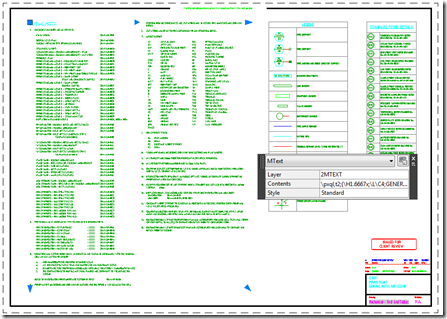
This request was posted by Mike C as a comment on the last post: Could you expand this article to handle MTEXT? It would be nice to contrast the Explode and ExplodeFragments methods. As I hadn't actually used MText.ExplodeFragments() before (at least not that I could remember), I thought it was indeed worth spending some time on today. Before launching into the code, a few words on using Entity.Explode() or MText.ExplodeFragments(), specifically with respect to MText. Entity.Explode() works very well on MText objects: if you want to generate physical AutoCAD geometry from MText (in this case creating DBText objects or…
-
Time to go back to basics. I realised recently – on receiving this comment – that I hadn't specifically covered the nature of Entity.Explode() in a post (even if it's been used in a few of them, over the years). Entity.Explode() is one of those tricky methods: it's actually a faux-ami with the AutoCAD command of the same name, in a very similar way to Database.Purge(). The way in which Explode() and Purge() differ from their "equivalent" commands is that they're non-destructive: they don't actually result in a change to the AutoCAD drawing database. Explode() populates a DBObjectCollection with the…
-
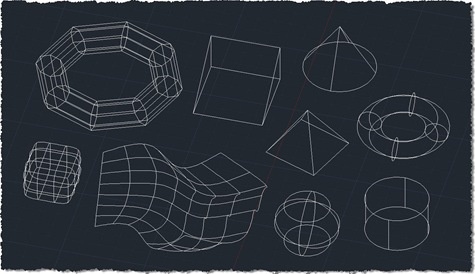
Given the last few posts – where we gathered 2D points, created a minimal circle around them, and then gathered 3D points – the topic of this post shouldn't come as much of a surprise. 🙂 As suggested, the changes needed to support 3D in the algorithm we used to solve the smallest circle problem were trivial: we had to adjust the function protocol to pass in a list of 3D points and the implementation to deal with the Z coordinates provided. Looking at the code again, I did consider adjusting it to pass in a Point3dCollection rather than a…