Geometry
-
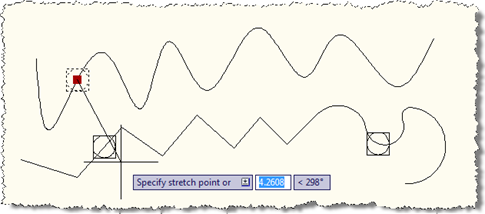
In the last post we looked at some code to create a point on a curve, and make sure it stays on that curve when edited. In this post we're extending that code (albeit slightly) to work with a network of curves: the idea is that any curve which has a point created on it becomes a candidate for any point to snap onto as it moves around. This could clearly be extended to provided a better way of specifying the curves forming the network, of course. Here's the updated C# code, with the modified/new lines in red (the full…
-
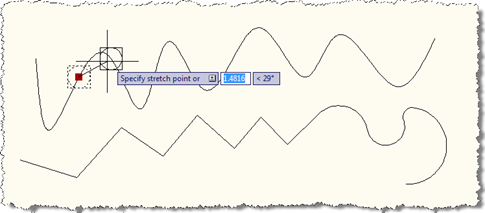
Over the weekend I put together a little prototype to prove a concept for an internal project I'm working on. The idea was to force a point onto a curve (meaning anything inheriting from Curve in AutoCAD, such as Arc, Circle, Ellipse, Leader, Line, Polyline, Polyline2d, Polyline3d, Ray, Spline, Xline…), so that when the point is moved it snaps onto the curve to which it's assigned. The solution I've put together is far from being complete – which is partly why I'm planning on making this a series, so I can flesh it out a little further in further posts…
-
This post follows on from this previous one, where we looked at a technique for picking a face on an AutoCAD solid. Tony Tanzillo kindly pointed out this much cleaner solution for this problem, and also highlighted a really simple (and elegant) way to implement LookAt using standard AutoCAD commands. While I really like both pointers provided by Tony, I've decided to persevere with my existing - admittedly sub-optimal - approach, as much as to show ways to exercise some APIs that people may not have used themselves. Please be warned, this isn't the simplest way to address this problem,…
-
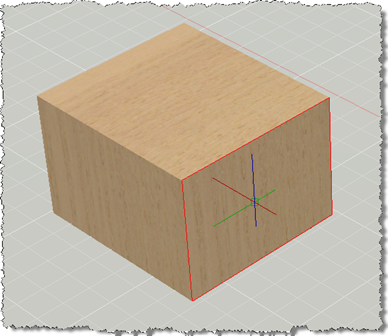
This post has come out of an interesting discussion I had with Jim Cameron at the ADN party at AU 2008. He mentioned an idea, which he kindly later reminded me of by email, which was to develop an AutoCAD equivalent for Inventor's LookAt functionality. I didn't know about LookAt before this discussion, but it seems it allows you to look at a particular face: you pick a face and it rotates the view and zooms in to centre it on the screen. Rather than try to attack the whole problem at once, this post tackles selecting a face (which…
-
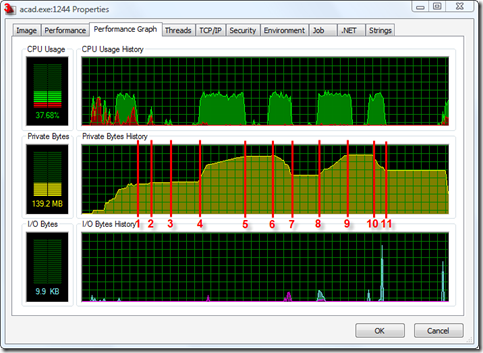
I was pleasantly surprised the other day to find that the "permanent object deletion" API I mentioned back in this post - and had marked as only being available in ObjectARX - was also exposed in the .NET API to AutoCAD 2009. What better way to celebrate the good news than to put together some test code and post it to my blog? 🙂 So, for a Thanksgiving/pre-AU treat, here's some information on making use of the Database.ReclaimMemoryFromErasedObjects() method to - surprisingly enough - reclaim memory from erased objects. Firstly, why is this even needed? Well, when you erase an…
-
The code used as the basis for this post was from a recent response sent out by Philippe Leefsma, from our European DevTech team. Thanks, Philippe! It's very common to want to manipulate an entity programmatically in AutoCAD, and often the best way to do so is to "transform" it. The technique is very straightforward: you create a transformation matrix using the static members of the Matrix3d class (Displacement(), Rotation(), Scaling(), Mirroring(), or the possibly less commonly needed AlignCoordinateSystem(), Projection(), PlaneToWorld() and WorldToPlane()), you make sure your entity is open for write, and then simply pass the matrix into the…