Geometry
-
Once again, members of the DevTech Americas team have put together an entertaining and informative DevCast session on AutoCAD's APIs. This time, Gopinath Taget joins Stephen Preston and Fenton Webb to present a number of interesting topics: boundary tracing, associative surfaces, 3D laser scanning and point cloud filtering. I'll be covering boundary tracing via this blog in the coming weeks, just as I expect to be doing more with point clouds (coincidentally a laser scanner from FARO – similar to the one Fenton and Gonzalo use in this DevCast – should be arriving for me today, so watch this space…
-
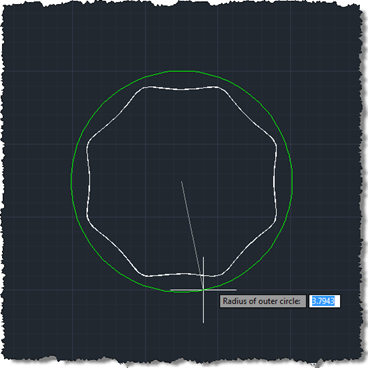
This one is a bit of an experiment: our first "fun" Plugin of the Month (fun in that it doesn't serve a serious work-related purpose that I can think of :-). I've post earlier versions of the code to this blog, but thought I'd post and share the latest & greatest. Scott has kindly announced the plugin's availability already over on It's Alive in the Lab. This is our first Plugin on the Month written in F#, which means an additional DLL needs to be copied with the plugin itself. Other than that the application should work just as if…
-
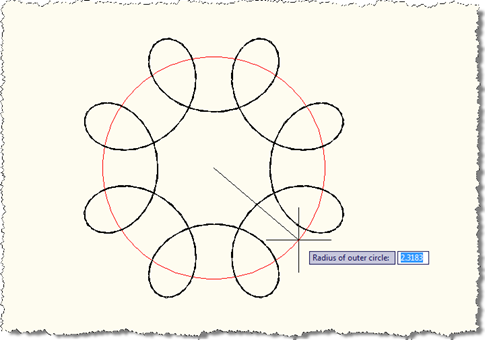
Last week we looked at a preliminary version of this application that made use of an EntityJig to display a Spirograph as we provided the values needed to define it. While that was a good start, I decided it would be better to show additional graphics during the jig process, to give a clearer idea of the meaning of the information being requested from the user. I wanted, for instance, to show temporary circles indicating the radii of the outer and inner circles, mainly to make it clearer how the various parameters affect the display of the resultant Spirograph pattern.…
-
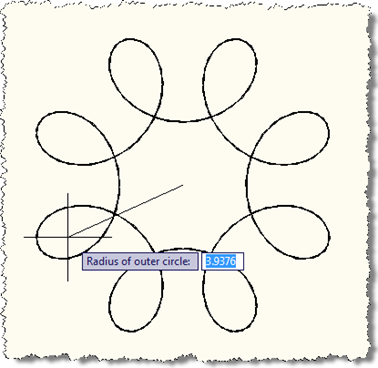
After my initial fooling around with turning AutoCAD into a Spirograph using F#, I decided to come back to this and bolt a jig on the front to make the act of making these objects more visual and discoverable. The process was quite interesting – I'd created jigs from Python and Ruby, but not from F#, so this was a first for me. It's also a multi-stage jig, which is fun: we acquire the outer radius of the pattern followed by the radius of the smaller circle and the distance of the pen from the smaller circle's center. At each…
-
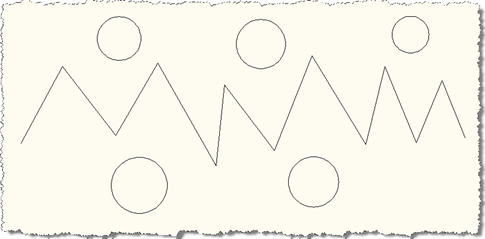
Thanks to Stephen Preston from DevTech Americas for the code that originally inspired this post. A nice little one to start the week. We're going to ask the user to select a bunch of lines and we'll then go through and edit each one, extending it in both directions by a quarter of its original length. The code shows a couple of interesting techniques: aside from extending the lines themselves we also use a SelectionFilter in combination with a PromptSelectionOptions object to restrict the selection process from selecting anything but lines (and to give a customized experience by changing the…
-
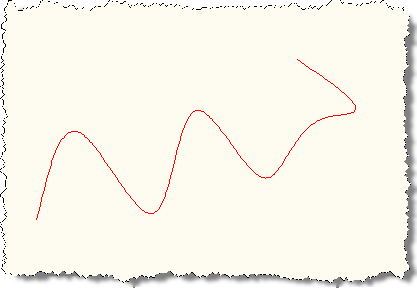
We have a number of candidate "Plugins of the Month" currently in the pipeline – including Inventor versions of Screenshot and Clipboard Manager as well as a tool to streamline batch plotting from AutoCAD – but unfortunately none were looking ready enough to count on for January's posting. So yesterday I dipped into the plugins that have generously been proposed/provided by external parties and I put together a C# version of a tool submitted by our old friend Jon Smith from COINS. Jon provided a number of C++ tools that COINS has made available for free, one of which was…
-
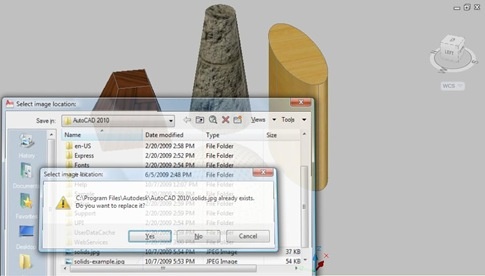
Thanks to Philippe Leefsma, from DevTech in Europe, for the ObjectARX code that inspired this post. In AutoCAD it's possible to create non-rectangular viewports in paperspace using a variety of closed curve objects: circles, polylines (2D, 3D and lightweight), ellipses, regions, splines and faces. In this post we're going to see some code that creates four new viewports in the paperspace of the active drawing using a subset of these objects: an Ellipse, a Circle, a closed Spline and a closed Polyline. Here's the C# code: using Autodesk.AutoCAD.ApplicationServices; using Autodesk.AutoCAD.Runtime; using Autodesk.AutoCAD.DatabaseServices; using Autodesk.AutoCAD.EditorInput; using Autodesk.AutoCAD.Geometry; namespace ViewportCreation {…
-

I've been toying for some time with the idea of writing some code to turn AutoCAD into a Spirograph, a device which I'm sure fascinated and inspired many of you as children (just as it did me). I chose to write the application in F# for a couple of reasons: this type of task is fundamentally mathematical in nature – so a functional programming language should be well-suited to the task – and I needed to dust off my F# skills in time for my F# class at AU. Searching the web I came across this helpful post providing some…
-
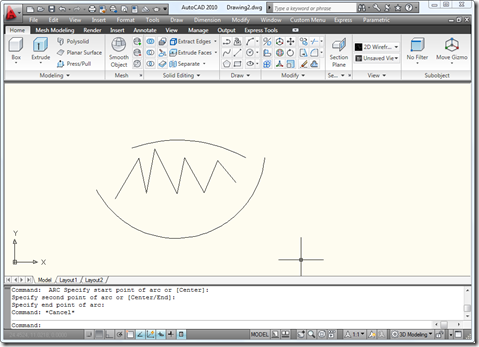
Thanks to all who provided input on this last post, where I asked for guidance on how best to design the command-line interface for the Screenshot application, the proposed Plugin of the Month for November. The current code is based largely on this previous post, but may end up being extended - in time - to include better 3D support via the technique shown here. Here are some design choices that came out of the comments on the last post: From Fred Dickinson A separate "Settings" option, allowing us to use a sub-menu for our application settings From MJohnston Display…
-
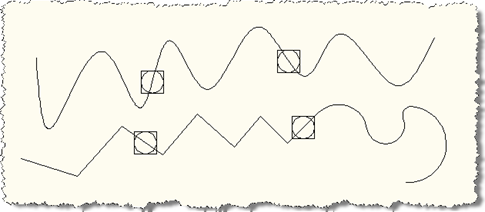
In the most recent part of this series, we looked at one possible mechanism to allow points to be moved along a network of curves, extending the first part in this series, which focused on the case of a point on a single curve. This post is going to focus on something slightly different: it's going to look at making the points added to a particular curve be associative to that curve – i.e. travel along with it as the curve is moved – and in the process we're going to adjust the way we link between our objects, by…