Geometry
-
I owe Chris Kratz a huge thanks for inspiring me to do more with LINQ. This post uses LINQ to provide more elegant solutions to a couple of problems described in previous posts. The code in today's post is probably my second brief foray into the world of LINQ. The comments Chris posted on the last post prompted me to spend a little time looking at LINQ over the weekend, and I really like it. I'd heard before that "LINQ is really just functional programming", and in many ways I see that more clearly now, myself: the set of higher-order…
-
Thanks to Virupaksha Aithal, from DevTech India, for providing the technical response to an ADN member than inspired this post. When working with the Point2d and Point3d objects from AutoCAD's .NET API it's common to use the in-built collection types, Point2dCollection and Point3dCollection. Neither of these objects provides the capability to sort their contents (and, in any case, sorting would mean different things to different people when it comes to containers of objects with multiple data entries). So how can you sort one of these collections? The answer is fairly straightforward: you convert them to a .NET array, sort them…
-
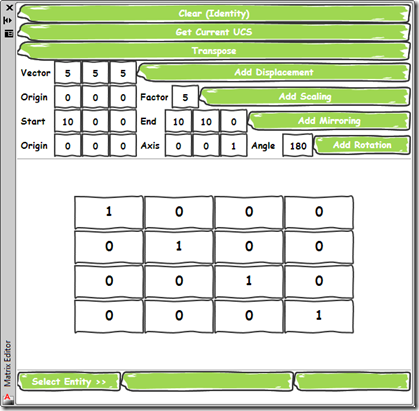
As promised, today's post delivers a simple application that provides a user-interface for the command implemented in this previous post. I chose to implement the UI as a WPF user control which is then hosted by a standard AutoCAD palette. Aside from its core function – to allow composition of transformation matrices to be applied on an AutoCAD object – it demonstrates a couple of handy tips for working with Palettes: Separate the core functionality from our UI, using SendStringToExecute() to call it This will reduce the chance of issues related to Document vs. Session context, document-locking, etc. If you…
-
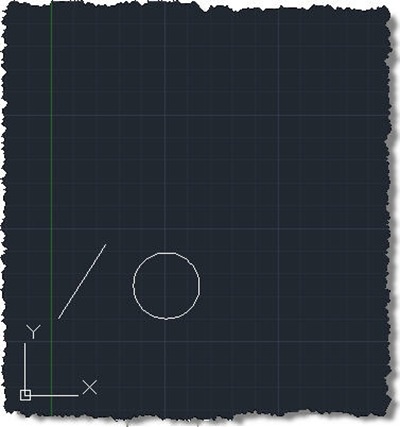
As promised in the last post and based on the overwhelming feedback in the one before that, today we're starting a series on how to transform AutoCAD geometry. Before developing a fancy modeless GUI to make this really easy, we need a base command that can do the hard work. What's needed from our basic command is the following: Get a single entity from the pickfirst set (which will help us when calling the command from our modeless UI) If there isn't one selected, ask the user for it Get the property name to transform Only for writeable Point3d and…
-
I've arrived in Munich for our German DevDay + DevLab. There's lots of snow, but luckily I didn't get delayed: I was a touch paranoid after my trip to AU, and then having to fly two legs to get here. Therein lies a story: it's not usually needed to take two planes to get from Switzerland to Munich, of course, but I had a 30-minute flight from Geneva to Zurich before connecting to a 50-minute flight form Zurich to Munich. As far as I recall this was the most cost-effective option when I booked the flight. My home is actually…
-
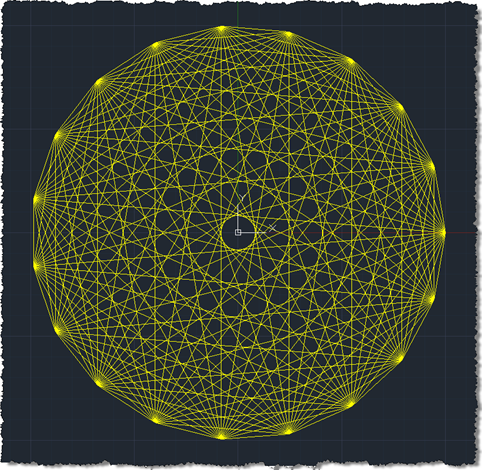
A colleague set me a fun little geometry-related challenge a couple of days ago: to write C# and F# applications to make AutoCAD draw lines between a number of points spaced evenly around the circumference of a circle. Here's the first C# version I wrote, which makes use of a function to collect the various points before indexing into the collection from a nested loop: using Autodesk.AutoCAD.ApplicationServices; using Autodesk.AutoCAD.Runtime; using Autodesk.AutoCAD.DatabaseServices; using Autodesk.AutoCAD.Geometry; using System; namespace CircleOfLines { public class Commands { public static Point3dCollection pointsOnCircle( Point3d center, double radius, int n ) …
-
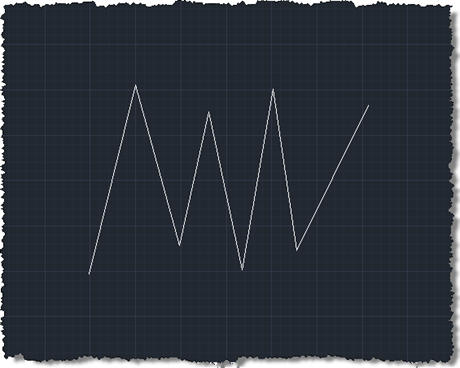
Brent Burgess commented on this previous post showing how to extend lines in AutoCAD: Is there a different process for shortening lines, or is it similar syntax? A very valid question… unfortunately the Curve.Extend() method only works with points or parameters that are outside the current definition of the curve, so we need to find another way (if you try, you'll get an eInvalidInput, at least that's what I found :-). I chose the approach of using Curve.GetSplitCurves() on each line, passing in an array of parameters at which to split the curve. I calculate the start parameter as 25%…
-
I finally came up with a succinct title for this post after struggling with "Shading a face of an AutoCAD solid with a transparent hatch pumped through the transient graphics sub-system using .NET". Or words to that effect. 🙂 So yes, this post shows how to create a temporary hatch with transparent shading that then gets drawn as transient graphics at the right place in the model: in this case, the face selected using the approach shown in this previous post (which later evolved into a "look at" type feature). The post was inspired by an email I received a…
-
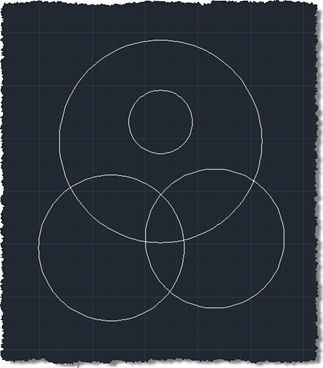
In the last post we used an API introduced in AutoCAD 2011 to trace boundaries defined by geometry in a drawing. In this post we're going to use these boundaries to define the limits of solid hatch objects which we will – using another new capability in AutoCAD 2011 - make transparent. Here's the updated C# code to define our TBH command with new/changed lines in red (you can also get the source file without line numbers here): 1 using Autodesk.AutoCAD.ApplicationServices; 2 using Autodesk.AutoCAD.EditorInput; 3 using Autodesk.AutoCAD.DatabaseServices; 4 using Autodesk.AutoCAD.Runtime; 5 using Autodesk.AutoCAD.Colors; 6 7 namespace TraceBoundaryWithHatch 8 {…
-
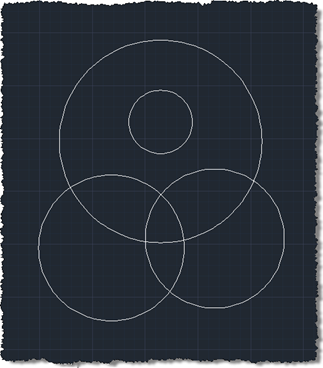
As alluded to in this previous post, today we're going to see some code that makes use of a very cool new API feature in AutoCAD 2011: the Editor.TraceBoundary() function. This little gem performs something developers have struggled with – and have asked us for – for many years. Previously you had to jump through significant hoops (or should that be loops? <groan>) to get this to work: one common approach would be to drive the BOUNDARY command programmatically and check the results appended to the database. All very messy. Anyway, we got there eventually. This function takes a "seed"…