Notification / Events
-
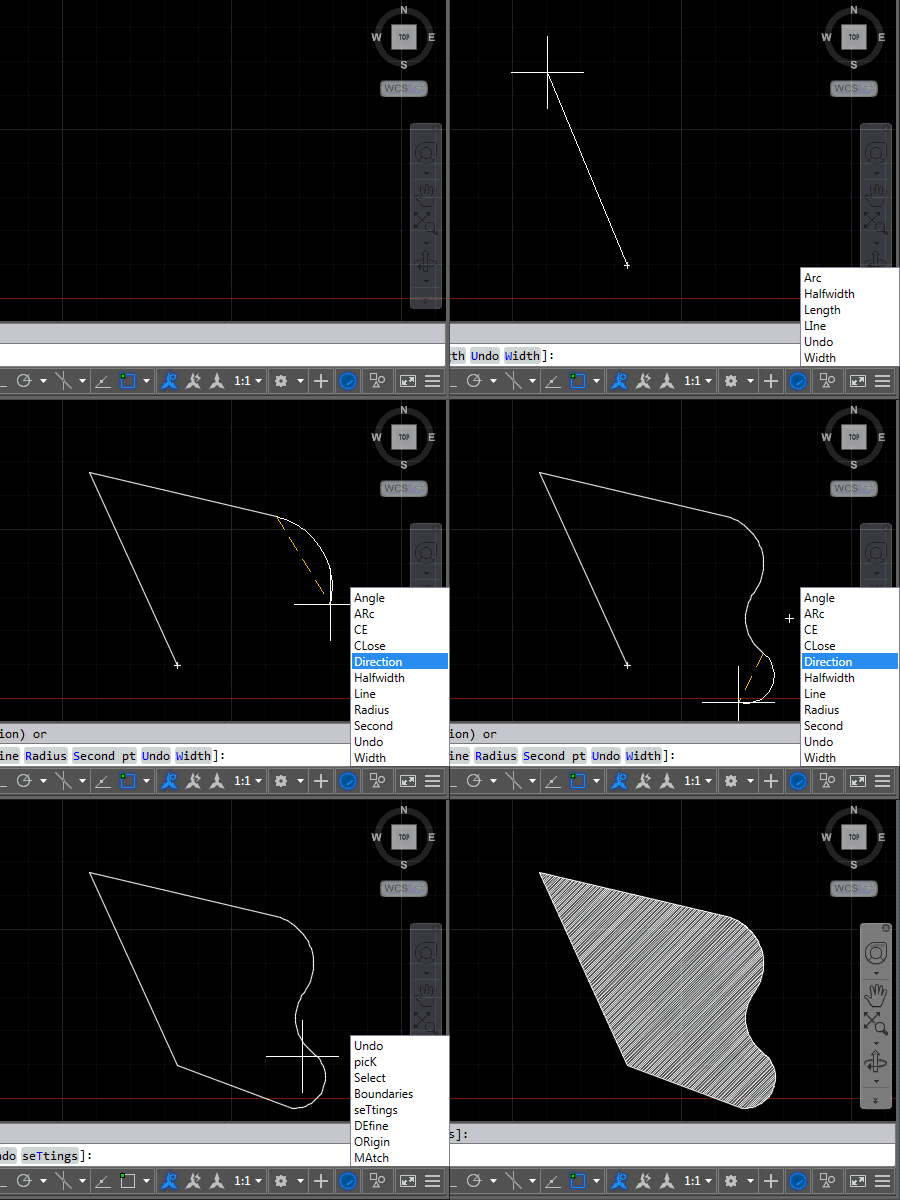
After introducing this project in the last post, now it's time to share some code. The project, as it currently stands, contains three source files: the first one relates to AutoCAD – it implements the various commands we'll use to attach event handlers to tell us when to display (or hide) keywords and the other two files relate to the UI we'll use to display them. We're going to use an invisible window which has a child popup containing a listbox of our keywords. Here's the application in action – for now in English AutoCAD, as that's what I have…
-
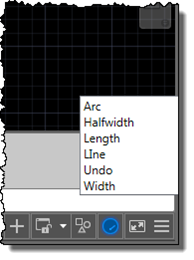
I'm up in the mountains, supposedly on vacation, but as one of our children woke up with a fever, I'm skipping the morning session on the slopes to stay home with him. Which gives me the chance to start writing up a little project I've been working on for our Localization team. Here's the idea… apparently it's relatively common in certain countries for AutoCAD users to learn the product in English but then end up working with a localized version of the software. While it's always possible to use global commands and keywords by prefixing an underscore, it's not always…
-
This is really cool. Fellow architect on the AutoCAD team, Jiri Kripac – who originally wrote AutoCAD's "AModeler" facet modeler and is the driving force behind AutoCAD's Associative Framework – has written a really interesting ObjectARX sample to perform an associative fillet between two curves. Given Jiri's background, this is as close to a canonical sample for implementing an operation using the Associative Framework – in this case by creating a custom AcDbAssocActionBody – as you're likely to find. Here's a video showing this custom fillet in action, and how it can be used with parameters and expressions to do…
-
It seems like I've been living in JavaScript land (and no, I deliberately didn't say "hell" – it's actually been fun 🙂 for the last few weeks, between one thing or another. But I think I've finally put the finishing touches on the last of the JavaScript API samples I've prepared for AU 2014. This sample was inspired by Jim Awe – an old friend and colleague – who is working on something similar for another platform. So I can't take any credit for the way it works, just for the plumbing it took to make it work with AutoCAD.…
-
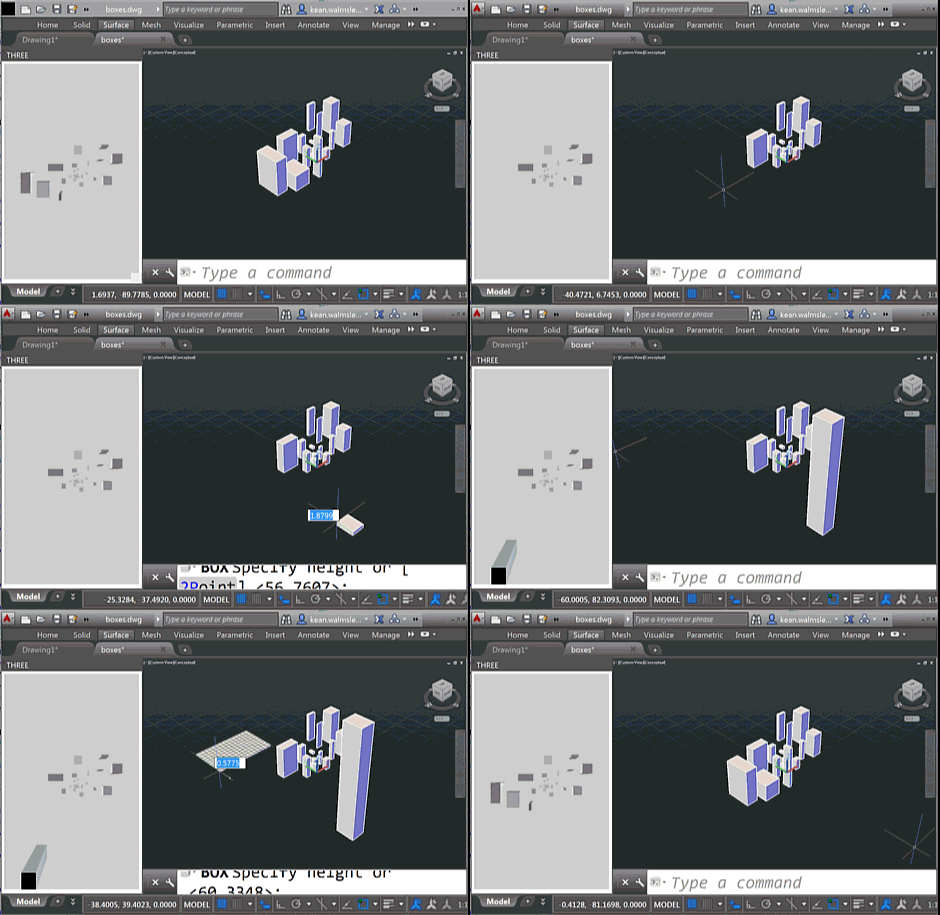
To follow on from yesterday's post, today we're going to look at two C# source files that work with the HTML page – and referenced JavaScript files – which I will leave online rather than reproducing here. As a brief reminder of the functionality – if you haven't yet watched the screencast shown last time – this version of the app shows an embedded 3D view that reacts to the creation – and deletion – of geometry from the associated AutoCAD model. You will see the bounding boxes for geometry appear in the WebGL view (powered by Three.js) as you're…
-
As part of my preparations for AU, I've been extending this Three.js integration sample to make it more responsive to model changes: I went ahead and implemented event handlers in .NET – much as we saw in the last post – to send interaction information through to JavaScript so that it can update the HTML palette view. The code is in pretty good shape, but I still need to decide whether to post it separately or with the other JavaScript samples I'm working on (I'll also be showing Paper.js and Isomer integrations during my AU talk, as well as a…
-
The title of this one is a little specific – the post actually deals with the scenario of passing data from .NET to an HTML-defined palette, as well as some other tips & tricks – but it's something I wanted to show. Here's the basic idea: whenever a closed curve gets added to the drawing, we want to display its area as the only item in an HTML palette. We also want the palette to update when objects get erased, etc., which makes life somewhat trickier. To set the scene, here's a quick screencast of the finished application in action…
-

I was up in Adelboden, this weekend, for the Men's FIS World Cup Slalom and Giant Slalom events. Yes, just watching – not participating 🙂 – although I did get the chance to catch a few much gentler slopes on my snowboard during the course of the weekend. On the Saturday – during the Giant Slalom – there was a pretty amazing incident: a young Norwegian competitor, Henrik Kristofferson, very nearly hit a television worker during his first run down. Thankfully no-one was hurt, and Henrik was very understanding about the whole thing (he was given a restart but, given…
-
This question came in day or two ago: "I attach an XData to some AutoCAD entities. When the AutoCAD entity is offset by OFFSET command, the XData is cloned in the offset entity. What's the way to control(stop) the cloning of my XData in OFFSET command?" This is an interesting one. Many applications rely on External Entity Data (XData) providing unique references from AutoCAD objects to other locations, so when objects with XData attached get copied, it either needs to be removed or updated to refer to something different (an identifier to a new record in an external database table,…
-
This post is based on some information provided by Peter Muigg, a developer in Germany Austria who has long been a friend of Autodesk. In fact, if memory serves me well – and do step in if I'm mis-remembering, Peter – back in 1995 when I first joined the company, Peter delivered German-language ObjectARX training on behalf of Autodesk. Peter reached out with this tip just before the holiday break: he needed to display a dialog on AutoCAD startup, but found that it was too soon to do so on IExtentionApplication.Initialize() (it's assumed this module is either demand- or auto-loaded,…