Solid modeling
-
This is a follow-on to this previous post, prompted by a thread over on The Swamp discussing a recent blog post by Fenton Webb on the AutoCAD DevBlog. Fenton's assertion is that you really need to call Dispose() on all AutoCAD objects that you create yourself, unless they are managed by AutoCAD's transaction system (i.e. you've passed responsibility across to AutoCAD by calling Transaction.AddNewlyCreatedDBObject()). Which means that while you don't need to call Dispose() on objects such as the AutoCAD Editor or the active Document (and you really shouldn't), you really should call Dispose() on various objects you've been used…
-
As mentioned in this previous post, I was very keen to see how AutoCAD could be used to help streamline the process of generating what I've now found out can be classified as anamorphic street art. Leon Keer had mentioned that the technique dates back to Leonardo Da Vinci and – sure enough – Wikipedia agrees. As part of my research, I found the original video that inspired my interest in Leon's work, which should help put this post in context: To make the process reasonably realistic – and to some degree replicate the approach Leon has taken in his…
-
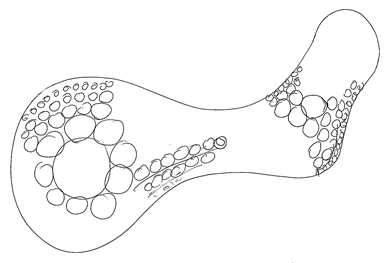
As we're nearing the end of this series, it seems a good time to do a quick recap of where we've been with the posts leading up to this point. Here goes… An interesting challenge: generating variable density fill patterns for 3D printing Generating hyperbolic geometry on a Poincaré disk in AutoCAD using .NET Generating hyperbolic tessellations inside AutoCAD using .NET Scripting the generation of hyperbolic tessellations inside AutoCAD Circle packing in AutoCAD: creating an Apollonian gasket using .NET Circle packing in AutoCAD: creating an Apollonian gasket using F# – Part 1 Circle packing in AutoCAD: creating an Apollonian gasket…
-
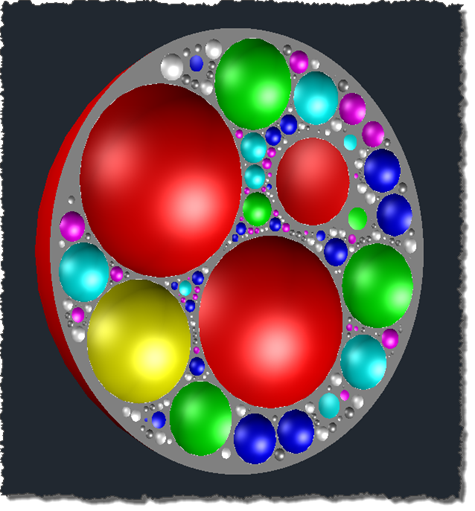
As suggested in the last post, today we're going to take the results of running the code from that post and use them to generate a hollowed-out sphere. A big thanks to Francesco Tonioni, from our Product Support team in Neuchatel, who spent some time throwing ideas around on a lazy (but very cold) Sunday afternoon, contributing significantly to this post. A few minor changes to the code were needed: rather than creating the spheres at exactly the size at which they were generated by the F# code, I adjusted the C# code to multiply the radius by 0.98 and…
-
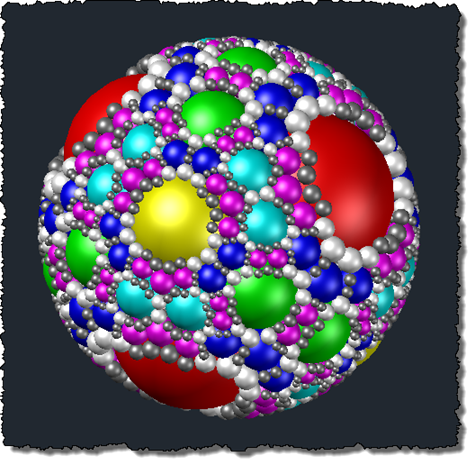
This post continues the series on fill algorithms for 3D printing by looking specifically at an Apollonian sphere packing. In the last post we got most of the way there, but today we're going to introduce a more elegant algorithm for solving the problem (with pretty impressive results :-). Many thanks to Professor Ronald Peikert from ETH Zurich for kindly providing the C++ code used to generate the F# code in today's post. The original algorithm was outlined in this paper co-authored by Professor Peikert, under the section The "Inversion Algorithm" and – as you might divine from the name…
-
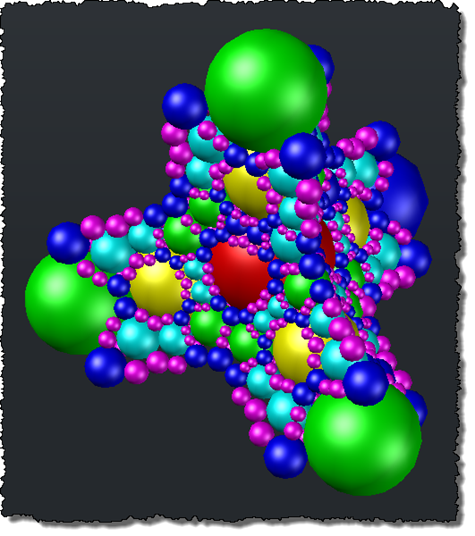
So far in this series, we've looked at Apollonian circle packing using C# and also F#. The next few posts will look at solving this problem in 3D: performing Apollonian sphere packing. I've decided to stay in F# for the algorithmic side of things: it just feels a much cleaner environment for dealing with this kind of problem, and, besides, I've been having too much fun with it. 🙂 One thing I should mention, as this series is nominally about 3D printing fill algorithms: printing hollow spheres isn't at all straightforward with today's 3D printing technology, as support material is…
-
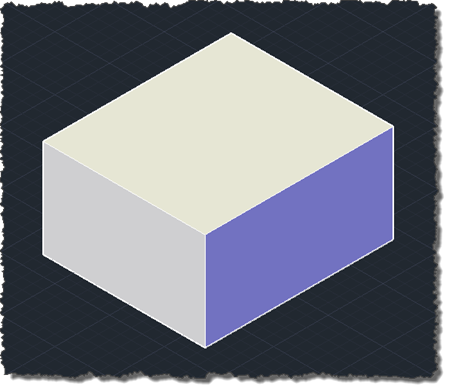
Another piece of code culled from an email from Balaji Ramamoorthy, from DevTech India. I did a little refactoring and formatting, to fit the blog. Thanks, Balaji! 🙂 The below C# code demonstrates how to use Solid3d.ChamferEdges() with a user-selected edge and face. Balaji has also provided code to determine the edge and face programmatically – without the user needing to select anything – using the Brep API. I expect to show that approach in a subsequent post. using Autodesk.AutoCAD.ApplicationServices; using Autodesk.AutoCAD.DatabaseServices; using Autodesk.AutoCAD.EditorInput; using Autodesk.AutoCAD.Runtime; using System; namespace SolidEditing { public class Commands { [CommandMethod("EC")]…
-
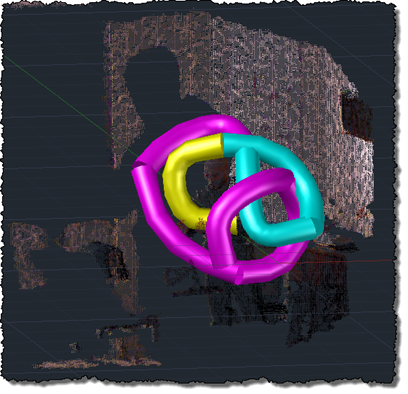
Oh, what fun. Kinect's audio capabilities were an area that I hadn't spent any time on, but an email conversation with a developer (thanks, Glenn! 😉 spurred me to take a closer look. The Beta 2 version of the Microsoft Kinect SDK, there's a new sample showing how to process audio and add speech recognition via the Microsoft Speech SDK. The Kinect SDK sample is pretty interesting: it displays a graphical indicator of where the sound is located, relative to the device (its array of four microphones allows Kinect to quite accurately position where sound is coming from, presumably to…
-
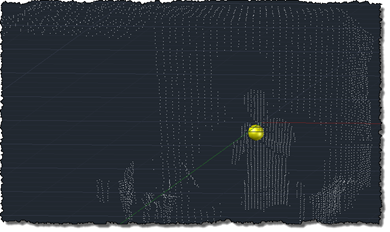
This post follows on from this recent post which showed a flat port of the previous OpenNI/NITE code which swept a single solid along a spline path defined by the user being tracked by the Kinect device. As mentioned, the previous approach was ultimately flawed, as adding vertices to our spline path made the whole thing problematic (as the sweep operation became less and less likely to succeed). The updated code adopts a slightly different approach: it creates the solid in segments, creating a new segment whenever there's an error encountered or when the current segment exceeds a certain length.…
-
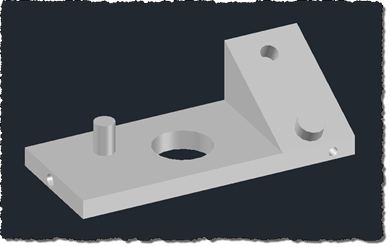
A big thanks to Ishwar Nagwani – an old friend, colleague and member of Autodesk Consulting working in our Bangalore office – for kindly providing this code. Ishwar tells me that he has come across many developers struggling to identify holes in 3D solid using its boundary representation (Brep). The code he has provided works on the basis that a hole's normal is typically facing inwards and will therefore intersect the hole's axis of symmetry, providing we extend the line representing the normal by the hole's radius and the line representing the axis of symmetry by the cylinder's height (just…