Solid modeling
-
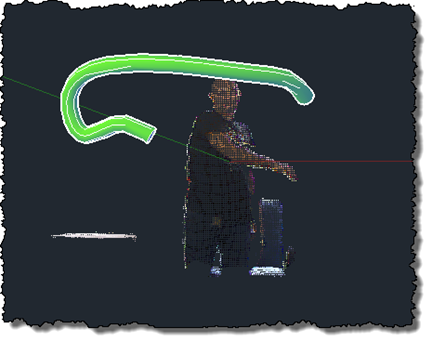
After this previous post, which updated my previous implementation drawing polylines in AutoCAD to use the Microsoft Kinect SDK, it made sense to give the same treatment to this implementation, too. This version of the code doesn't really go beyond the OpenNI/NITE version – it's very much a "flat" port, which means it comes with the same issues the other version had: the sweep is performed along a single, increasingly complex path, which means that it quickly slows down (as the path's complexity increases with its length) and at some point just stops working. And along the way, there's significant…
-
After focusing on a manual process for sweeping a solid inside AutoCAD in this previous post, it seemed to make sense to attempt to automate more of that process. In the code in this post, we take a standard circular profile – of a user-specified radius – and sweep it along the path defined by the user's hand movements. Back in the original Kinect integration example we created a 3D polyline path linking every position of the user's hand detected by Kinect. This makes a very jittery path for our purposes, so we're going to define a spline along fit…
-
In this previous post we looked at some code to capture and combine a series of point clouds using a Kinect sensor. In today's post we're going to take a very slightly modified version of the code – which really only adds the feature to let the user choose when the sequence of captures should start by clicking, rather than it just starting at the beginning of the command – to capture the geometry created by dragging a 2D cross-section in 3D space. The code in the last post clearly played a big part in helping digitise the profile and…
-
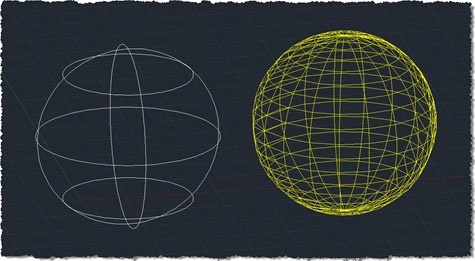
Thanks for Balaji Ramamoorthy – who recently joined our team in India – and Adam Nagy for helping generate the code for this post. There are lots of reasons people might want to tessellate a 3D solid in AutoCAD to generate a mesh. The code in today's post uses the Boundary Representation (Brep) API in AutoCAD to do just that, generating a set of 3D faces. A few points about the implementation: I've only made a small number of settings to control the mesh generation: more are available for you to experiment with. It should be simple enough to generate…
-
Given the last few posts – where we gathered 2D points, created a minimal circle around them, and then gathered 3D points – the topic of this post shouldn't come as much of a surprise. 🙂 As suggested, the changes needed to support 3D in the algorithm we used to solve the smallest circle problem were trivial: we had to adjust the function protocol to pass in a list of 3D points and the implementation to deal with the Z coordinates provided. Looking at the code again, I did consider adjusting it to pass in a Point3dCollection rather than a…
-
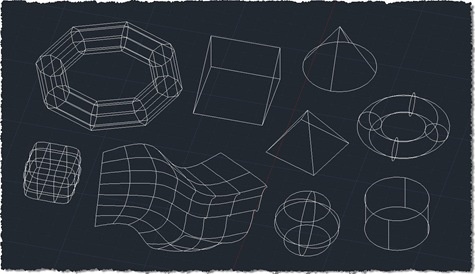
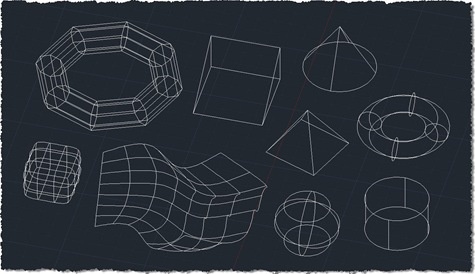
After revealing the purpose for collecting points from 2D geometry in the last post, this post extends the 2D collection code to work with additional 3D objects. I don't know whether it's exhaustive or not – I've added more specific support for Solid3d and Surface objects – but I have no doubt people will let me know if I've missed anything, over time. The good news is that the previous approach of exploding complex entities and processing their components means that many types of standard solid – such as boxes, cones and pyramids – will get adequately captured using this…
-
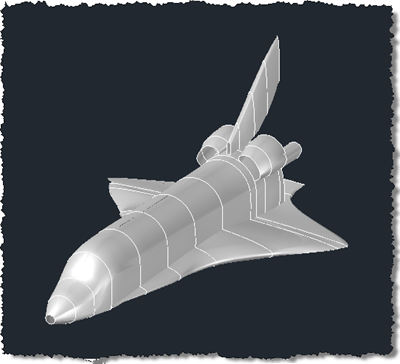
That has to be one of my favourite post titles, to-date: it'll be interesting to see how Twitterfeed handles it. 🙂 In this post we're going to combine the approaches from a couple of previous posts to place source code to generate associative, lofted surfaces on the clipboard, ready for pasting into a C# project. When we did this before for polylines, we didn't really care about grouping them: we could just select all of the polylines in a drawing and they would (hopefully) be reproduced when the generated code was executed in the target drawing. This is a bit…
-
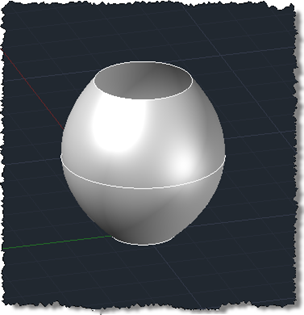
As mentioned a few posts ago, I'm working towards generating a set of surfaces from some polyline profiles, to programmatically create a space shuttle. Most of the surfaces are "lofted", so that seems a good place to start. Today we're going to implement a simple command that creates a lofted surface from three circular profiles. This is based on functionality added in AutoCAD 2011, so apologies to those using prior versions. If anyone's interested in where the term "lofted" comes from, the ever-useful Wikipedia has some information for us: The term lofting originally came from the shipbuilding industry where loftsmen…
-
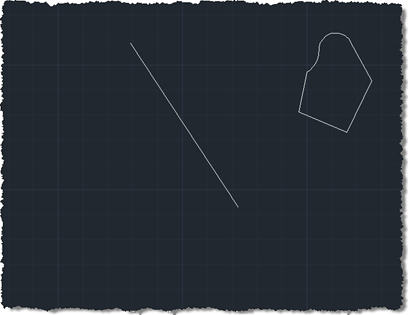
Thanks to Philippe Leefsma, from our DevTech team in Europe, for providing the code for this post. Philippe kindly based his code on that provided in this previous post, which made it especially easy for me to format for posting. Thanks, Philippe! 🙂 In the post linked to above we saw some code defining a SAP (SweepAlongPath) command. This post extends that to implement a complementary RAA (RevolveAroundAxis) command. Philippe's original code asked the user for a line to define the axis of revolution. I generalised the code slightly to accept a curve: as we're only using the vector between…
-
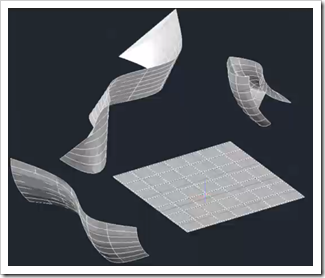
In preparation for his upcoming AUv session, Philippe Leefsma – from our DevTech team in Europe – has recorded a DevTV all about the Associative Surfaces API introduced in AutoCAD 2011. Philippe covers three main topics in this interesting session: The Associative Framework Associative Surfaces Nurbs Surfaces DevTV: AutoCAD 2011 Surfaces API view download (82.3MB) Enjoy! 🙂