Solid modeling
-

After taking a look at Project Memento, last week, using it to manipulate a mesh I'd previously created with ReCap Photo, I decided to try out the latest update to the latter of these two tools. The first thing to notice with this new, improved version of ReCap Photo is that it has its own portal showing your active projects: The tool itself works in the same way: you simply select multiple photos in Autodesk 360 and select "Create 3D model" from the action menu. In fact, all I had to do to try this new version was to resubmit…
-
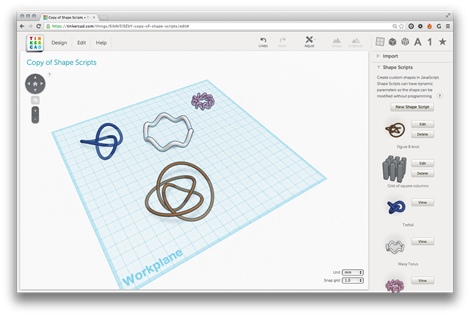
Following on from my initial playing around with Tinkercad and its Shape Script implementation, I started to look more closely into what's possible with the Gen6 kernel. I came across this recent blog post, which highlights the ability to make Shape Script implementation details public. The Shape Scripts shown in the post looked nice and complex, so I tracked down the model by selecting "Discover" inside Tinkercad and searching for "Brandon Cole", the originator of these very interesting Shape Scripts. He published this design about 3 weeks ago, which I went ahead and copied (yes, shamelessly, but at least I'm…
-
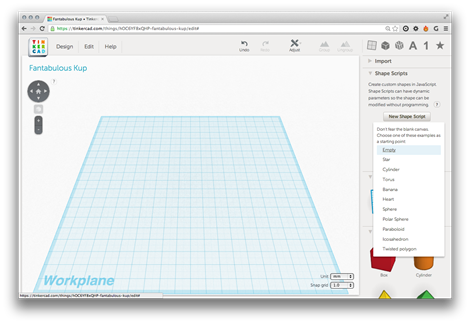
A little over a month ago, Autodesk acquired Tinkercad. Tinkercad is a 3D CAD tool that uses WebGL to display graphics directly in your browser. While this tool is primarily targeted at consumers – it's proving very popular among the 3D printing community – I thought I'd check it out to understand its customization capabilities. If you want to get to know the capabilities of the Tinkercad system, I suggest taking a look at these step-by-step lessons. I personally just dove right in – the system is very straightforward to learn – but I'm sure there are basics that I've…
-
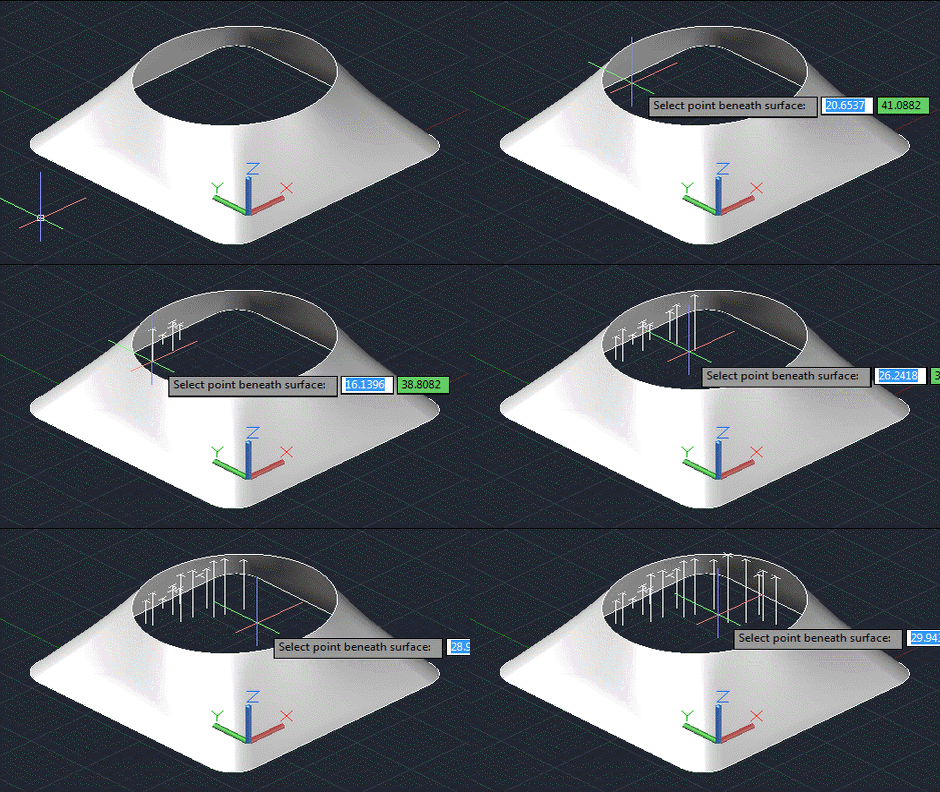
As predicted in the first post in this series, today's post looks at a slightly more robust and user-friendly approach for determining the point on a surface found by firing a ray normal to a selected X,Y point in the plane of the current UCS. Here's the updated C# code that now includes an additional command called POXY (that's a shortened form of PointOnXY, but will hopefully bring a smile to the lips of British readers): using Autodesk.AutoCAD.ApplicationServices; using Autodesk.AutoCAD.DatabaseServices; using Autodesk.AutoCAD.EditorInput; using Autodesk.AutoCAD.Geometry; using Autodesk.AutoCAD.Runtime; using AcDb = Autodesk.AutoCAD.DatabaseServices; namespace SurfaceIntersection { public class Commands {…
-
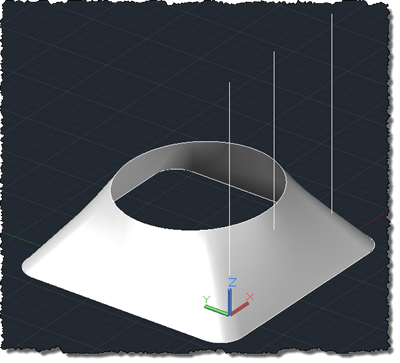
When I woke up this morning I didn't expect to write a post on this topic, but then I found a kind email in my inbox from an old friend and colleague, Ishwar Nagwani, with some code he'd written and wanted to see posted. Ishwar had generated the test code in response to the following question from a member of the ADN team: This question is to get the corresponding Z of a surface/solid, given a point of XY. This refers to the absolute coordinate, instead of the point on param space. I seem not to find a direct way…
-
I looked back and couldn't find a post covering this particular topic and so decided to put something together. It may well have been covered elsewhere (I admit to not having looked) but I felt like throwing some code together, either way. 🙂 To perform a Boolean operation between Solid3d objects inside AutoCAD, you can use Solid3d.BooleanOperation() on the primary Solid3d, passing in the secondary one. We want to implement commands for Unite (or Union), Intersect (Intersection) and Subtract (Subtraction). Only the last of these needs us to select a primary object explicitly – as the other two operations are…
-
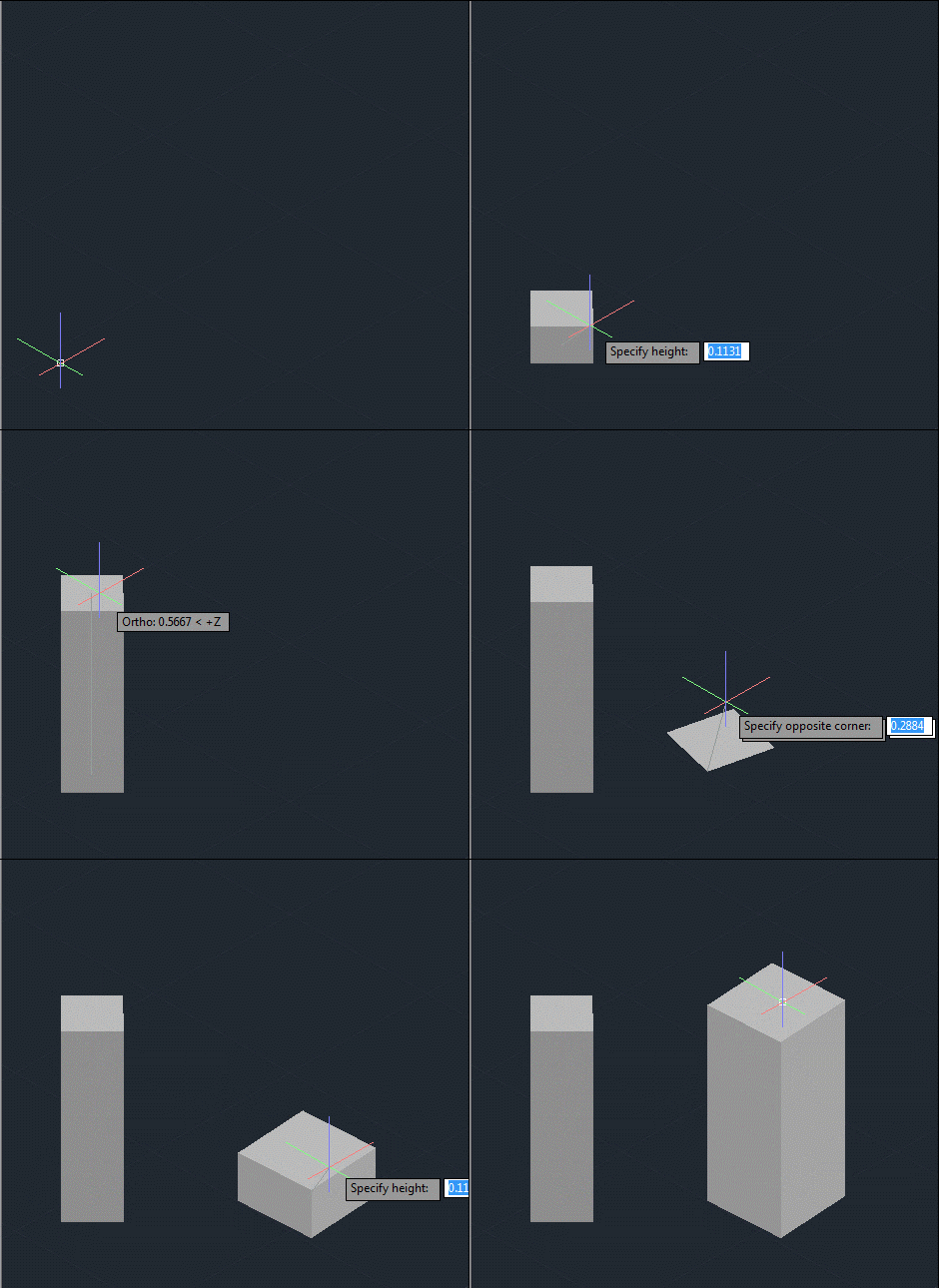
After creating a frustum-shaped jig "manually", refactoring the code while introducing the idea of an "Entity Jig Framework and then updating the framework and providing a number of usage examples, today's post looks at a slightly more complex use-case: defining a jig to create a square (in X & Y) box by selecting opposing corners. It may sound simple, but it was actually harder that it sounds – especially when supporting the use of an arbitrary User Coordinate System. It also makes use of a "phase" type that we previously hadn't needed, as we require point input for our second…
-

In the last post I introduced a simple framework to make the definition of multi-input entity jigs more straightforward. A big thanks to Chuck Wilbur, who provided some feedback that has resulted in a nicer base implementation, which we'll take for a spin in today's post. Here's the updated C# framework code that makes use of a simple class hierarchy for our phase definitions: using Autodesk.AutoCAD.DatabaseServices; using Autodesk.AutoCAD.EditorInput; using Autodesk.AutoCAD.Geometry; using System.Collections.Generic; using System; namespace JigFrameworks { // Two abstract base classes: one for all phases... public abstract class Phase { // Our member…
-

As promised, here's the cleaned-up code to jig a frustum inside AutoCAD. When I took on the task of writing this code – live, during the "AutoCAD Programming Gurus Go Head to Head" class at AU – I thought to myself "that should be easy enough – I'm sure I have some code to jig a solid on my blog". Well, I did, but it turned out the code showed how to jig a box, and the code was in Python and Ruby but not C#. So I ended up having to code for my supper, after all. 😉 One…
-
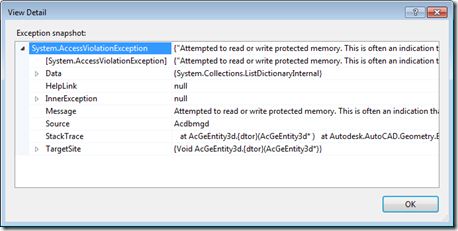
To accompany the last post – which raised some questions around when and where to call Dispose() on objects created or accessed via AutoCAD's .NET API – today we're going to look at a few concrete examples. Thanks to Danny P for not only requesting some examples but also presenting some concrete areas he wasn't fully clear on. Let's start by looking at those (and feel free to compare the responses I've put below with the ones I made in direct response to Danny's original comment): Within a transaction where something is added to the database, some new objects (Xrecords,…