Solid modeling
-
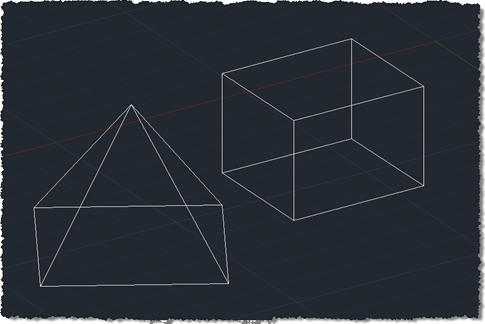
I finally came up with a succinct title for this post after struggling with "Shading a face of an AutoCAD solid with a transparent hatch pumped through the transient graphics sub-system using .NET". Or words to that effect. 🙂 So yes, this post shows how to create a temporary hatch with transparent shading that then gets drawn as transient graphics at the right place in the model: in this case, the face selected using the approach shown in this previous post (which later evolved into a "look at" type feature). The post was inspired by an email I received a…
-
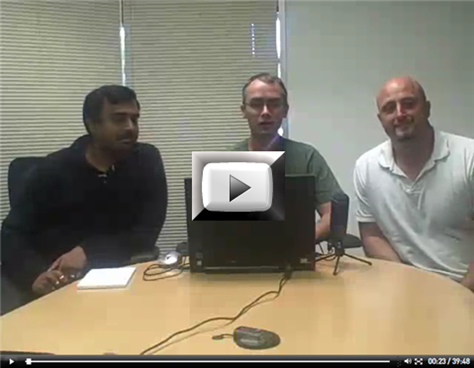
Once again, members of the DevTech Americas team have put together an entertaining and informative DevCast session on AutoCAD's APIs. This time, Gopinath Taget joins Stephen Preston and Fenton Webb to present a number of interesting topics: boundary tracing, associative surfaces, 3D laser scanning and point cloud filtering. I'll be covering boundary tracing via this blog in the coming weeks, just as I expect to be doing more with point clouds (coincidentally a laser scanner from FARO – similar to the one Fenton and Gonzalo use in this DevCast – should be arriving for me today, so watch this space…
-
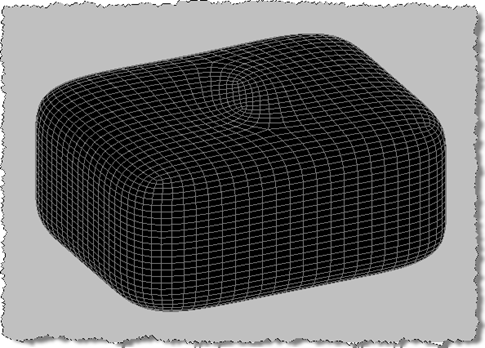
Over the holiday season I bought myself an external 21.5" LCD multi-touch screen from Albatron. I'd been meaning to play around with multi-touch technology (on a full PC rather than a smartphone) and the arrival of Alias Sketch for AutoCAD 2010 on Autodesk Labs seemed like the perfect opportunity. AutoCAD doesn't currently have in-built multi-touch support – and therefore neither does the version of Alias Sketch that works inside it – but at least the single-touch capabilities of the screen would give me the chance to flex a few of my (admittedly somewhat atrophied) artistic muscles. To get started I…
-

Back in this previous post we looked at some code to sweep an AutoCAD surface using .NET. As I mentioned in a later update, it's possible to also sweep an AutoCAD solid using .NET (since AutoCAD 2010: prior to that one had to use ObjectARX). I've just received a comment asking me to show how to do this, so I thought I'd cover that, today. The code difference is tiny – we simply need to change the type of object we're creating and call a different method with the same arguments. Where for a SweptSurface we would do this… SweptSurface…
-
Next week Fenton Webb, from DevTech Americas, will be presenting a free webcast on the 3D capabilities of AutoCAD's APIs. Here's Fenton's synopsis: "If your product has always been 2D and you are now considering moving to 3D or if you are simply interested in finding out about the different API's that are available to program AutoCAD in 3D then come join this webcast. We'll give a brief overview history of 3D in AutoCAD along with some code demonstrations of some API's in operation. Also, don't forget that included at the end is a Q and A section allowing you…
-
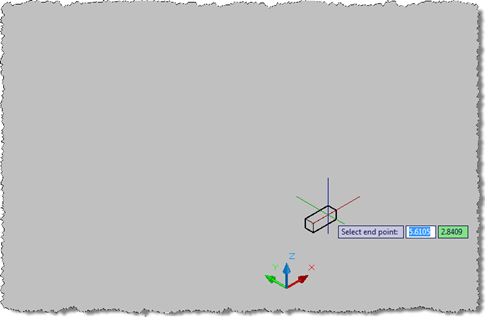
Back in April I posted an IronRuby sample that I had hoped would cause AutoCAD to jig a box in 3D, just like its IronPython counterpart. The sample didn't work with IronRuby 0.3, but recently David Blackmon got in touch to let me know he had a version of the code working with IronRuby 0.9. Now that I've started preparing for my upcoming AU class, AutoCAD® .NET: Developing for AutoCAD® Using IronPython and IronRuby, I decided to take a closer look at the update to IronRuby and more specifically at the changes to the code David made to get it…
-
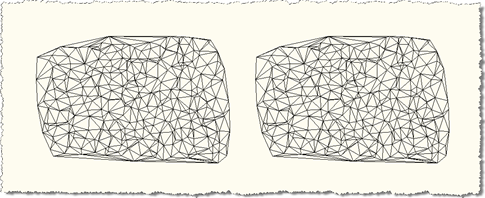
As promised in this previous post, we're now going to an update to Zeljko's triangulation code which creates Solid3d objects with a user-specified depth from our SubDMesh. Here's the C# code with the new/modified lines in red (here is the .cs source file). I've modified the code to reformat it and to provide the various options side-by-side in separate commands 1 using Autodesk.AutoCAD.ApplicationServices; 2 using Autodesk.AutoCAD.DatabaseServices; 3 using Autodesk.AutoCAD.Runtime; 4 using Autodesk.AutoCAD.EditorInput; 5 using Autodesk.AutoCAD.Geometry; 6 using System; 7 8 public class Triangulate 9 { 10 public bool circum( 11 double x1, double y1, double x2, …
-
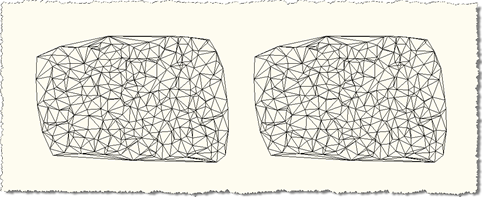
I'm just settling in after a week of very enjoyable paternity leave (thanks to all of you for your congratulatory messages :-). I have a few topics planned for the next few weeks, but in the meantime I'm going to post some code provided by our old friend Zeljko Gjuranic as a follow-up to this previous post. Zeljko responded to the suggestion that – rather than creating the limited PolyFaceMesh object – his code should instead create the more modern SubDMesh (an object introduced in AutoCAD 2010). I've taken Zeljko's code and integrated it into the previous example, allowing creation…
-

I might also have called this post "Overruling AutoCAD 2010's entity display and explode using Boo", as it complements the equivalent posts for C#, F#, IronPython and IronRuby, but I felt it appropriate to combine the post with an introduction to what Boo is all about. What is Boo and how did I come to look into it? Knowing of my recent interest in the various scripting technologies being made available for .NET, a colleague at Autodesk recently pointed me at the Boo programming language (and here is the official page for the language, including its various downloads). First, to…
-
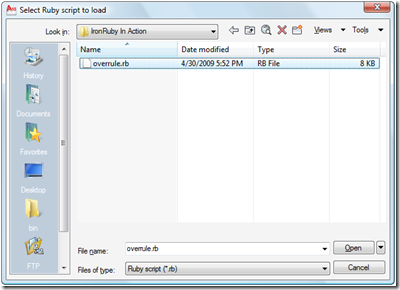
As mentioned in this previous post, where I gave the same treatment to IronPython, I've been trying to get display and explode overrules defined in IronRuby working properly in AutoCAD. IronRuby is still at version 0.3, so this effort has been hindered by a number of CLR interop bugs (it turns out). I finally managed to work around these issues thanks to Ivan Porto Carrero, who is just finishing up his book, Iron Ruby in Action, and has been working with IronRuby since pre-Alpha 1 (brave fellow). Ivan's help was invaluable: he ended up downloading and installing AutoCAD 2010 to…