Solid modeling
-
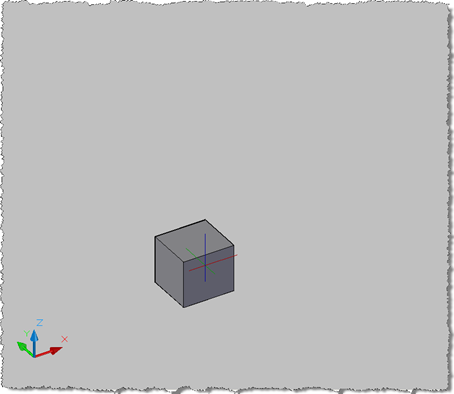
After getting my feet wet in the last post with my first IronPython application running inside AutoCAD, I decided it was time to attack a slightly more challenging problem: jigging a database-resident Solid3d object. The idea had come after I'd received a question by email from David Wolfe, who wanted to have a fully rendered 3D view of a cylinder he was jigging. I'd done something similar for a prototype application I worked on late last year (which was demoed at AU). The jig itself only collected the selection data I needed – the display of the Solid3d objects was…
-
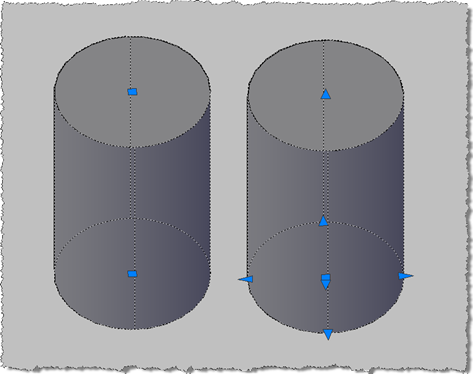
This question came up recently on the AutoCAD .NET Discussion Group: how to create a Solid3d object which provides the user with the full set of grips to manipulate it (which I've abbreviated to "editable" in the title of this post :-). This comes down to a enhancements that were made in AutoCAD 2007 to allow better manipulation of solids via the user-interface via extended grips and a push-pull mechanism. These capabilities need to be enabled solids as you create them - and unfortunately cannot be retro-fitted to existing solid objects - by telling the solid that you would like…
-
This is the first post in a series looking at the new APIs in AutoCAD 2010, and follows on from this post looking at the migration steps required. I've copied the information in this post from the recently-published Platform Technologies Customization Newsletter, a quarterly newsletter available to ADN members. A big thank you to Stephen Preston, Fenton Webb and Gopinath Taget for putting the material together. AutoCAD 2010 New API Overview AutoCAD 2010 has some really cool APIs. Please download the ObjectARX 2010 Beta SDK and review the Migration Guide for a complete list of changes and additions. [This is…
-
This post follows on from this previous one, where we looked at a technique for picking a face on an AutoCAD solid. Tony Tanzillo kindly pointed out this much cleaner solution for this problem, and also highlighted a really simple (and elegant) way to implement LookAt using standard AutoCAD commands. While I really like both pointers provided by Tony, I've decided to persevere with my existing - admittedly sub-optimal - approach, as much as to show ways to exercise some APIs that people may not have used themselves. Please be warned, this isn't the simplest way to address this problem,…
-
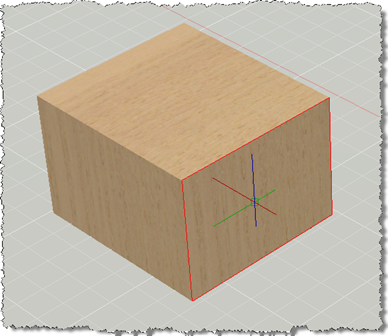
This post has come out of an interesting discussion I had with Jim Cameron at the ADN party at AU 2008. He mentioned an idea, which he kindly later reminded me of by email, which was to develop an AutoCAD equivalent for Inventor's LookAt functionality. I didn't know about LookAt before this discussion, but it seems it allows you to look at a particular face: you pick a face and it rotates the view and zooms in to centre it on the screen. Rather than try to attack the whole problem at once, this post tackles selecting a face (which…
-
In a recent webcast, Gopinath Taget, from our DevTech Americas team, showed how to use the Brep API from a .NET application: something that was made possible in AutoCAD 2009. The Brep API in AutoCAD allows you to traverse the boundary representation of a Solid3d object. Without going into specifics - as this isn't really an area of AutoCAD I've had much reason to use, over the years - I went ahead and took the sample Gopi showed in his webcast and modified it for the purposes of this blog. The following C# code traverses the Brep of a selected…
-
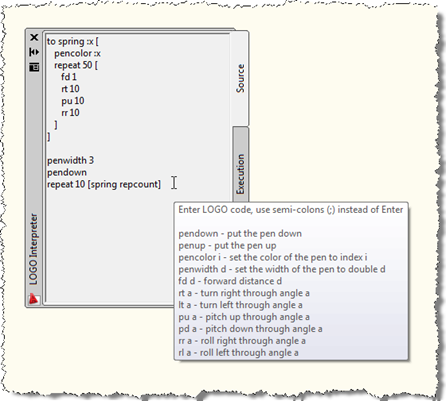
I've been threatening to implement this for a few posts, now, so I decided it was finally time for me to put my money where my mouth is. 🙂 This post extends the series I've been writing on turtle graphics (here's the most recent part, from which you'll find links to its predecessors). This series has been about developing a turtle graphics engine using C#, eventually extending it for 3D. The series so far has focused very much on the engine, but from very early on it was my intention to use this engine to implement a subset of the…
-
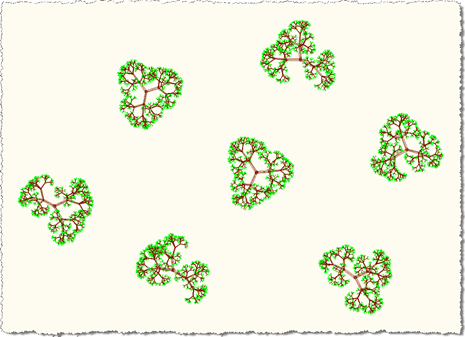
What, yet another part? The series that just goes on and on... 🙂 To catch up, here are parts 1, 2, 3, 4 and 5, and the original post. This post looks at more organic forms, once again, but this time in 3D. I had lots of fun with this one: I took the principle shown in Part 2, where we looked at adding random factors to fractal patterns when creating 2D trees and extended it to work with the 3D version of the TurtleEngine. The principle is the same, we're just creating three branches at relatively evenly spaced angles…
-
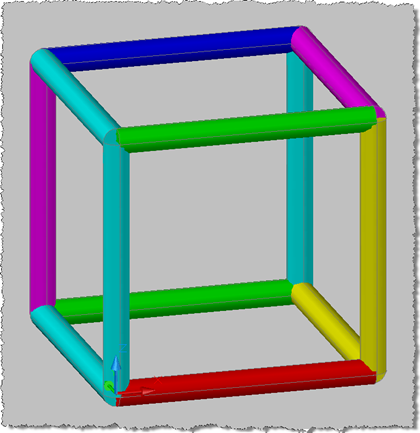
Once again I've ended up extending this series in a way I didn't originally expect to (and yes, that's a good thing :-). Here are parts 1, 2, 3 and 4, as well as the post that started it all. After thinking about my initial 3D implementation in Part 4, I realised that implementing pen colours and widths would actually be relatively easy. Here's the idea: Each section of a different width and/or pen colour is actually a separate extruded solid Whenever we start a new section we start off by creating a circular profile of the current pen width…
-
This post demonstrates a simple check for whether a drawing is two or three dimensional. The code is almost embarrassingly simple, but then the question is significant and in the absence of a "Is3D" property on the Database object this is likely to prove useful for people. So how do we check whether a drawing is 3D? The quick answer is that in most circumstances the EXTMAX system variable will have a non-zero Z value for a 3D drawing. There are potential situations where this might not be true (and EXTMAX doesn't reflect the 3D nature of certain geometry), but…