Web/Tech
-
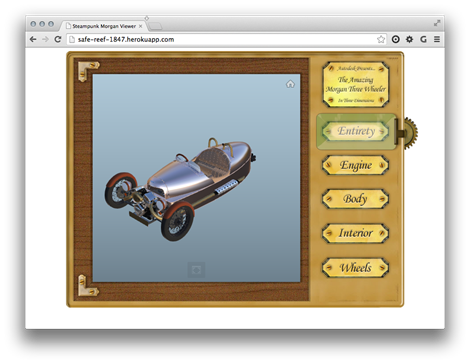
As mentioned last week, I've been having fun with Fusion 360 to prepare a model to be displayed in the new Autodesk 360 viewer. The sample is now ready to view, although I'm not yet quite ready to post the code directly here, mainly because the API isn't yet publicly usable. Here's the app for you to take for a spin, as it were. The Autodesk 360 Viewing & Data API is currently being piloted by a few key partners, and hopefully we'll soon be broadening the scope to allow others to get involved (we first have to iron out…
-
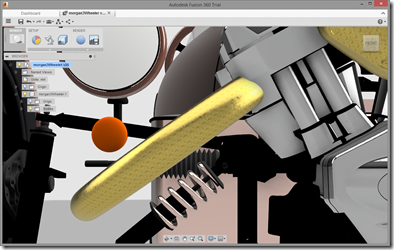
My friends in the Autodesk Developer Network team asked me to get involved with creating a sample for the API we're planning to launch soon for the new Autodesk 360 viewer. They were quite specific about the requirements, which was very helpful: something fun, perhaps with a steampunk theme, that shows some interesting possibilities around both the HTML5 container and the embedded viewer. I was also suggested the Morgan 3 Wheeler as a possible model to look into hosting, so I really didn't need to be asked twice. 😉 I started by tracking down a model: I ended up using…
-
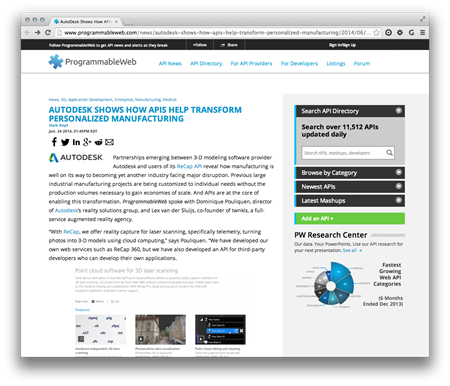
Just a quick post to finish up the week: over on ProgrammableWeb, there's a nice article talking about the new ReCap Photo Web API and how a number of developers are making use of it to drive interesting new categories of application, such as products creating designs for custom hearing aids or automating the 4D capture of construction sites. Really cool stuff. We'll be talking more about web APIs over the coming weeks. Watch this space!
-
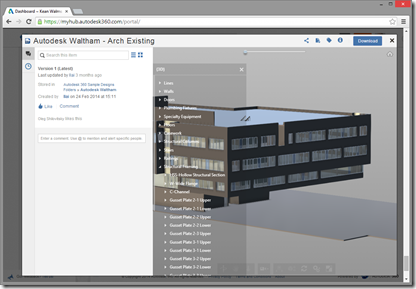
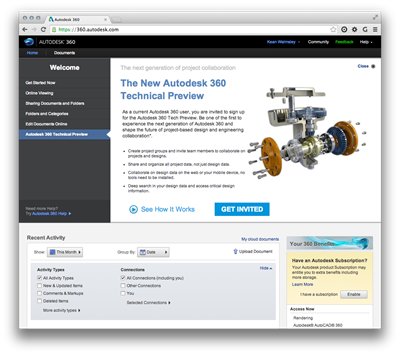
For those of you who have signed up for the Autodesk 360 Technical Preview, you may well have already gotten a taste for its new viewing capability. Upload a 3D model of pretty much any format (the list is pretty exhaustive and goes well beyond Autodesk's own formats, but you might try with DWG, RVT, IAM, IPT, NWD and DWF, to name a few to get you started) and you'll see the viewer enabled for that model: Before we go on, please bear in mind that this is very much still in Beta: it's early days and the team is…
-
After introducing the series and looking at sample applications for 2D graphics using Paper.js and 2.5D graphics using Isomer, it's now really time to go 3D. We're going to use much of the same code we saw in the last post – with some simplification as we no longer need to sort the solids by distance – but this time we're going to feed data into an HTML client app that's fundamentally similar in nature to the one seen in this series of posts using Three.js. I'm happy to have some experience using Three.js, because it happens to be a…
-
After introducing the series and looking at a sample 2D JavaScript application, it's time to go 3D. Well, 2.5D, anyway. We're going to implement a simple sample using the Isomer library that extracts bounding box information about 3D solids – which could be extended to get more detailed topological information, albeit with quite some work – and displays them in an isometric view in the HTML canvas. This time we're only going to have a single button in our UI allowing model updates to be refreshed in our isometric view. I decided to leave this as a manual operation, but…
-
Having introduced this series, it's time to look at some code. This first sample shows how to create and host a web-page that uses an external graphics library – in our case Paper.js – within an AutoCAD application. The main "trick" to this is going to be getting the data from the HTML page into AutoCAD, which we'll do by extending AutoCAD's shaping layer. Bear in mind that this code will work with AutoCAD 2015, but I can't guarantee it will do so with 2014 (the JavaScript API was very much a "preview" in that release). Something I should say,…
-

During the last week or so I've put together a number of new sample integrations of JavaScript-based technologies with AutoCAD, mainly to form the basis of my proposed AU2014 class but also (obviously) to share here. This first post introduces the series, giving an overview of some benefits – as I see them – of adopting this development environment. As I'm sure I've mentioned before, over the years I've had a love/hate relationship with HTML and JavaScript: I'm comfortable working with them but have lived through plenty of frustrating moments. These days, though, I'm finding it to be very different…
-
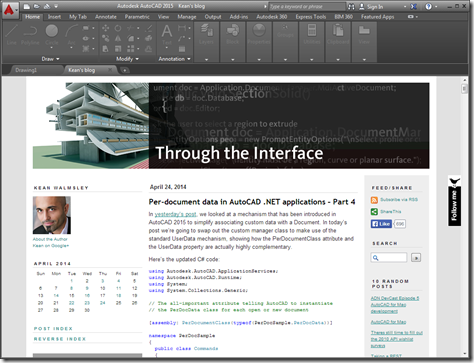
This was a fun one. It was really only a single line of code but I decided to embellish it a bit to make it a bit more useful. The "task" I set myself was to open a web-page – this blog, in fact – inside AutoCAD as an MDI child. AutoCAD can now host web-pages directly inside its MDI frame – the New Tab Page is a great example of that – and this mechanism can be used for external applications, too. You can also load non-HTML documents into the frame, but it's quick and easy to use HTML.…
-
It's Good Friday, so much of the world will be offline today, but I thought I'd post quickly on some (good) news that may be of interest to people. The ReCap team has officially launched a new partner program. This provides access to a number of mechanisms for integrating with or harnessing Autodesk ReCap products and services. The Capture Codec Kit is primarily for importing custom point cloud formats – something important for hardware manufacturers, particularly – into Autodesk ReCap on the desktop. Embedded ReCap OEM allows generated or post-processed point cloud data to be brought into Autodesk's design products…